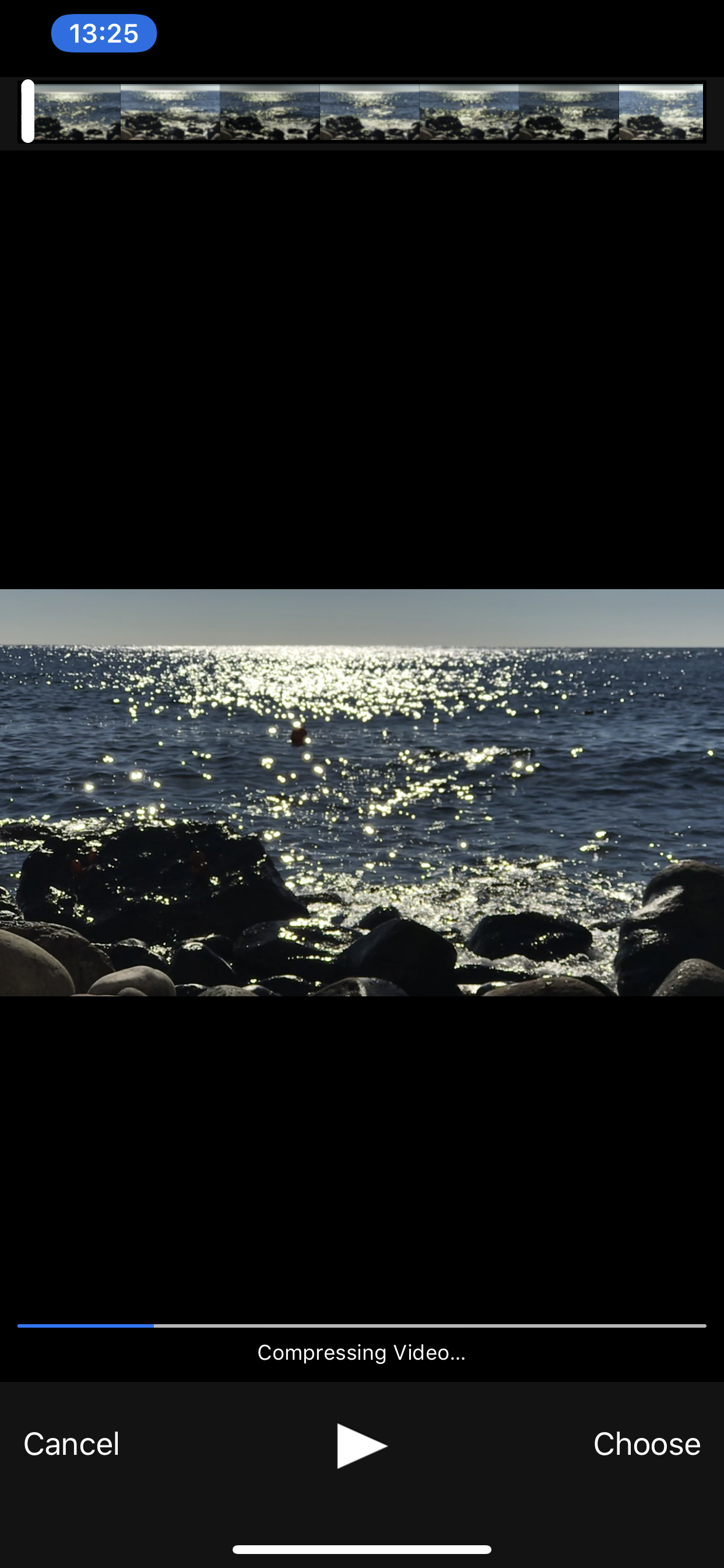
Video Upload: "Compressing Video…" invisible on white background
Nobody has claimed this yet.
- Dominant language
- Swift
- Stars
- 251
- Forks
- 142
- Avg merge
- 2d 17h
- Merged PRs (30d)
- 3
Description
 |
 |
|---|
Is this iOS system UI, or is this something we can control?
Steps to reproduce
- Click "
+" on the top-right of the files list - Click "Upload from your photo library"
- Select video file (portrait mode, white background) from Camera Roll
Expected behaviour
Status/progress messages should be always visible, independent from background color.
Actual behaviour
Status/progress message "Compressing Video…" is invisible on white background.
Client
iOS version:
iOS 12.1.4 (16D57)
ownCloud app version:
ownCloud beta version 1.0 build 105 (https://github.com/owncloud/ios-app/tree/b19e57b2f67234460ae6dec8f9587d62ed34d2f0, built from branch)
Device model:
Model: iPhone XS Max
Contributor guide
First steps
- Read the whole issue, then the project's contributing guide.
- Comment on the issue to say you are picking it up — it saves two people doing the same work.
- Fork the repository and make your change on a branch.
- Open a pull request that references the issue number.
Research direction
Reproduce the issue on iOS using the listed upload flow and a portrait video with a white background. Start by determining whether the “Compressing Video…” status belongs to iOS system UI or the ownCloud app. Done means the compression status and progress messages remain visible regardless of the video background color.
Written by the indexing model from the issue text.
Assessment
- Tech stack
- swift
- Domain
- mobile
- Issue type
- Bug
- Difficulty
- 3/5
- Estimated time
- 1-2 days
- Activity status
- Stale
- Clarity
- Mostly clear
- Newbie friendliness
- 35/100