iOS picture upload progress
Open
Nobody has claimed this yet.
- Dominant language
- Swift
- Stars
- 251
- Forks
- 142
- Avg merge
- 2d 17h
- Merged PRs (30d)
- 3
Description
Steps to reproduce
Expected behaviour
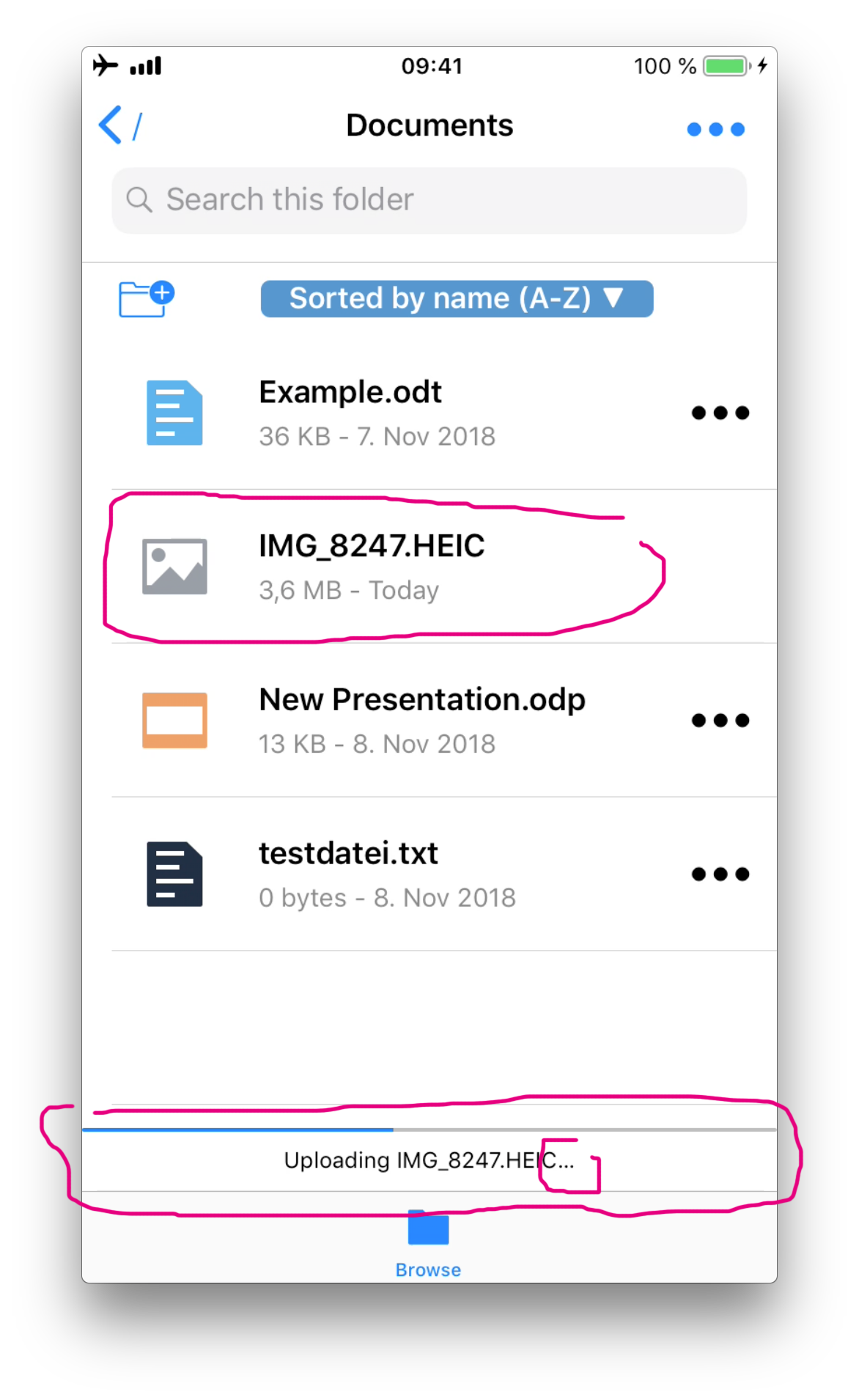
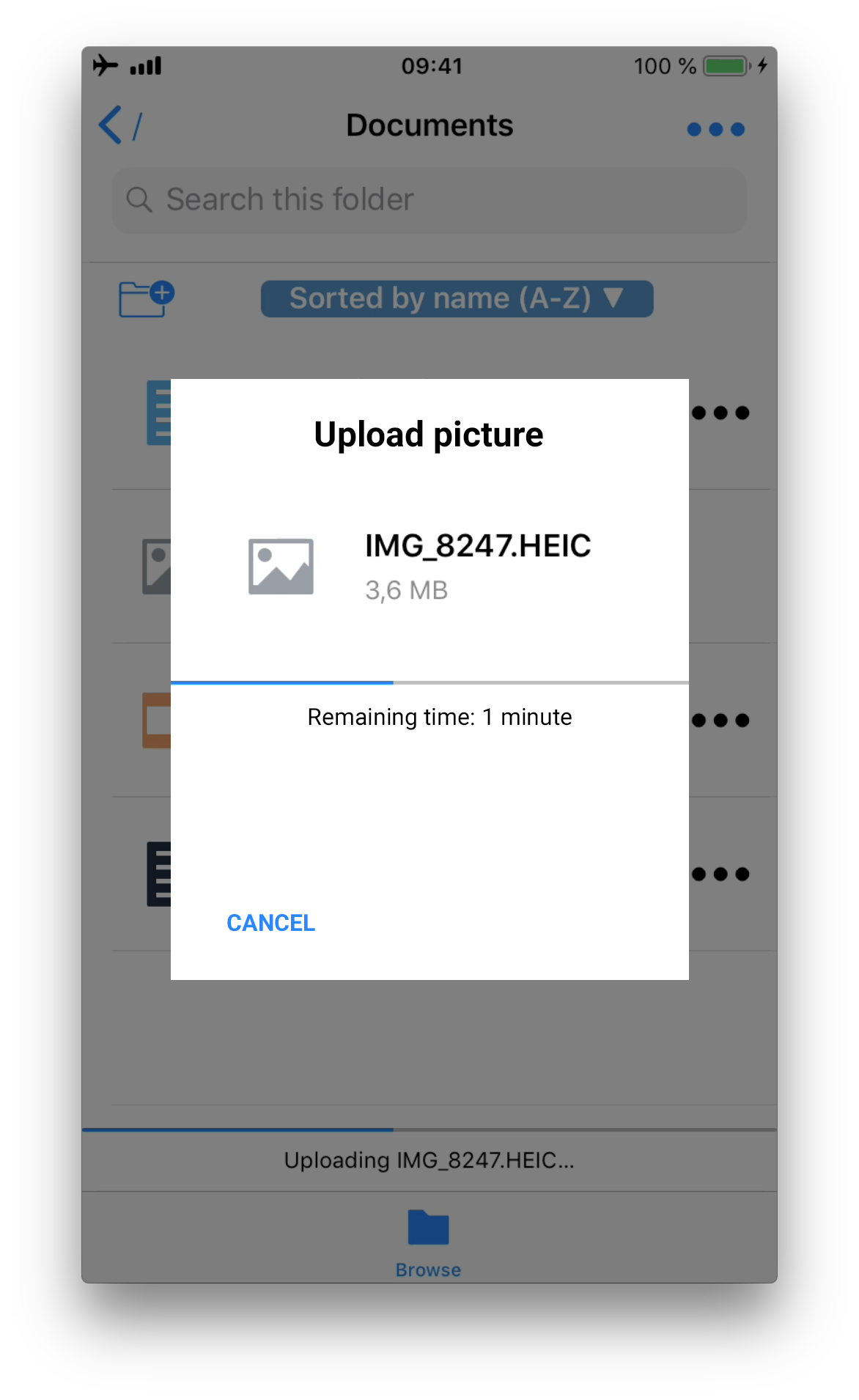
The upload progress screen should just contain:
- name of file
- indication of file type
- file size
- progress bar during upload (to give a hint how long upload will take) optional: remaining time
- Possibility to cancel upload (in case the file is too big, connection is too slow or the user just selected the wrong file
Actual behaviour
The upload progress screen is overloaded and confuses the user.
Client
iOS version:
12.0.1
ownCloud app version:
1.0 build 85
Device model:
iPhone 7
Screenshots:
| Current screen | Possible Solution |
|---|---|
 |
 |
Contributor guide
First steps
- Read the whole issue, then the project's contributing guide.
- Comment on the issue to say you are picking it up — it saves two people doing the same work.
- Fork the repository and make your change on a branch.
- Open a pull request that references the issue number.
Research direction
No source files, tests, or entry points are named. Start by locating the current iOS upload progress screen and tracing the upload flow; compare it with the provided screenshots. Done means the screen shows the file name, type, size, progress indication, and a way to cancel the upload without the current overload.
Written by the indexing model from the issue text.
Assessment
- Tech stack
- ios, swift
- Domain
- design, mobile-dev
- Issue type
- Feature
- Difficulty
- 4/5
- Estimated time
- 3-5 days
- Activity status
- Stale
- Clarity
- Mostly clear
- Newbie friendliness
- 35/100