iOS BACK button
Open
Nobody has claimed this yet.
- Dominant language
- Swift
- Stars
- 251
- Forks
- 142
- Avg merge
- 2d 17h
- Merged PRs (30d)
- 3
Description
Steps to reproduce
- Start ownCloud Application
- Choose ownCloud Account
- Chose any folder
Expected behaviour
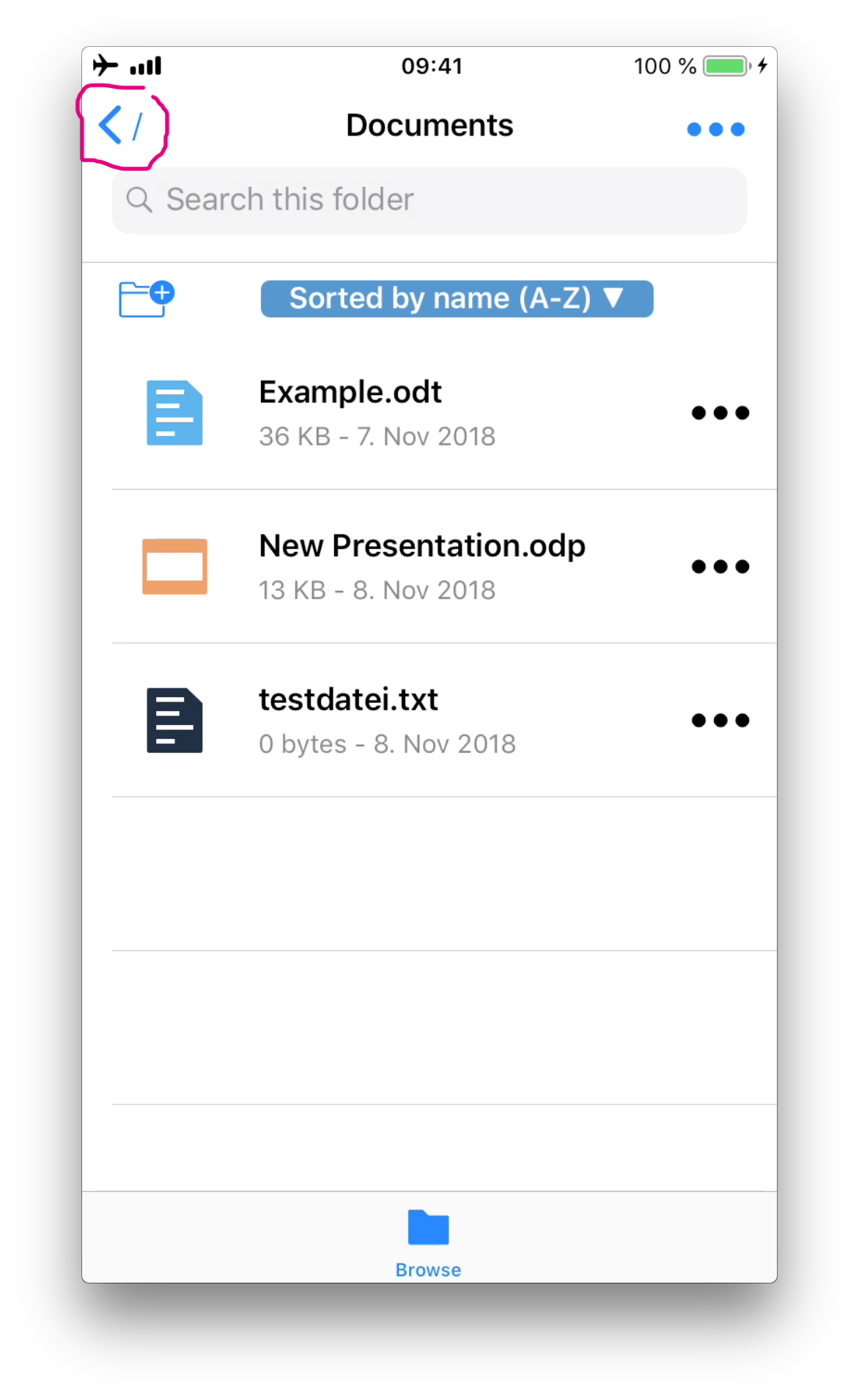
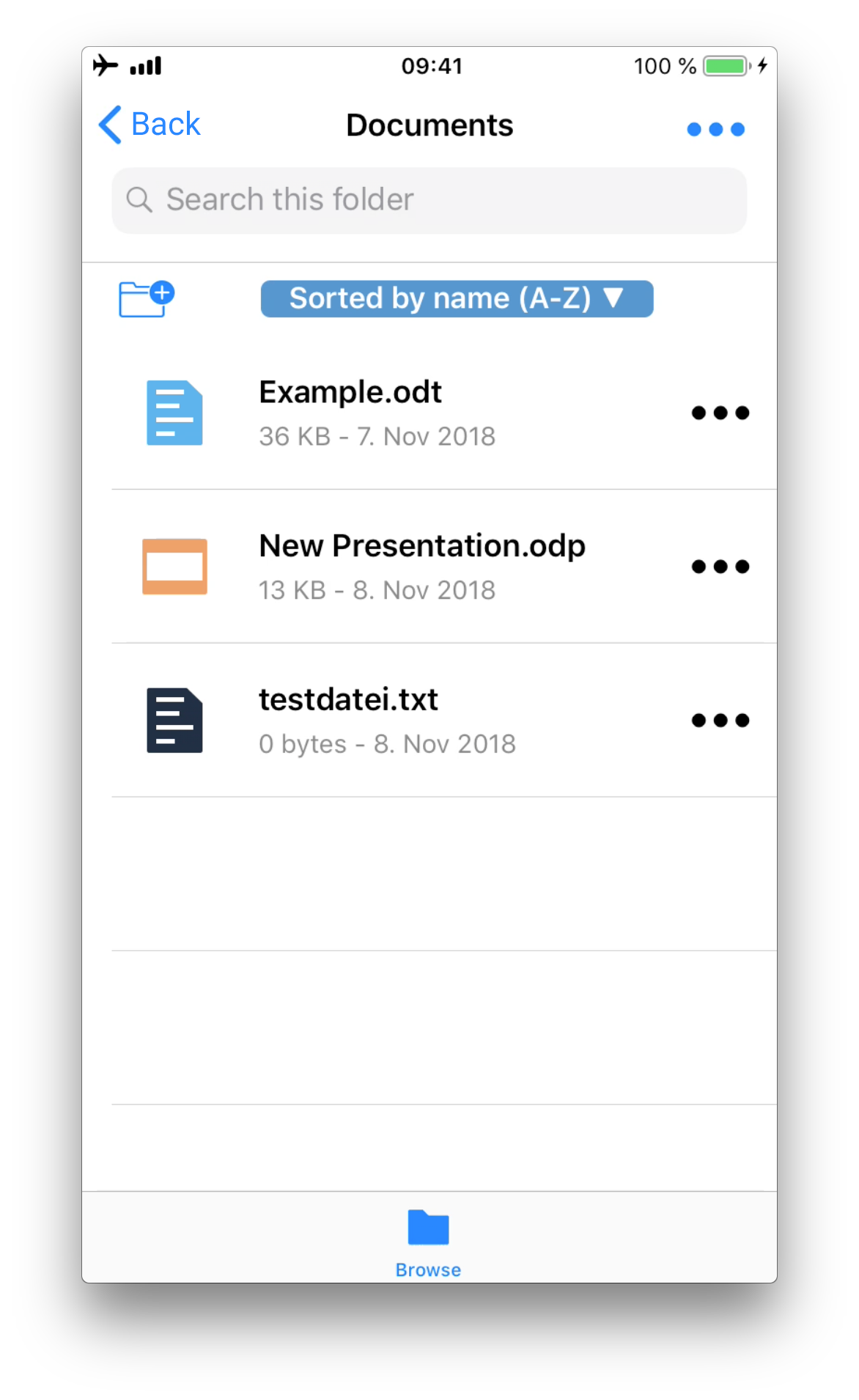
The »back« button should be just an arrow button or better contain the word »back«
Actual behaviour
there’s an arrow and a slash which is confusing
Client
iOS version:
12.0.1
ownCloud app version:
1.0 build 85
Device model:
iPhone 7
Screenshot:
| Current Screen | Possible Solution |
|---|---|
 |
 |
Contributor guide
First steps
- Read the whole issue, then the project's contributing guide.
- Comment on the issue to say you are picking it up — it saves two people doing the same work.
- Fork the repository and make your change on a branch.
- Open a pull request that references the issue number.
Research direction
Reproduce the navigation flow in the iOS app by starting the app, choosing an account, and opening a folder. Inspect the screen shown in the issue and its navigation entry point; done means the back control is clear and matches the suggested arrow or “back” presentation.
Written by the indexing model from the issue text.
Assessment
- Tech stack
- ios, swift
- Domain
- mobile
- Issue type
- Bug
- Difficulty
- 3/5
- Estimated time
- 1-2 days
- Activity status
- Stale
- Clarity
- Mostly clear
- Newbie friendliness
- 38/100