encryption becomes active before choosing type of encryption
Nobody has claimed this yet.
- Dominant language
- PHP
- Stars
- 8.8k
- Forks
- 2.1k
- Avg merge
- 20h 7m
- Merged PRs (30d)
- 41
Description
Seen in 10.9.1RC1 with encryption 1.5.1 - (while investigating into https://github.com/owncloud/core/issues/39663#issuecomment-1008854941)
- admin has a shared file with user01, both have edited the file
- admin enables encryption
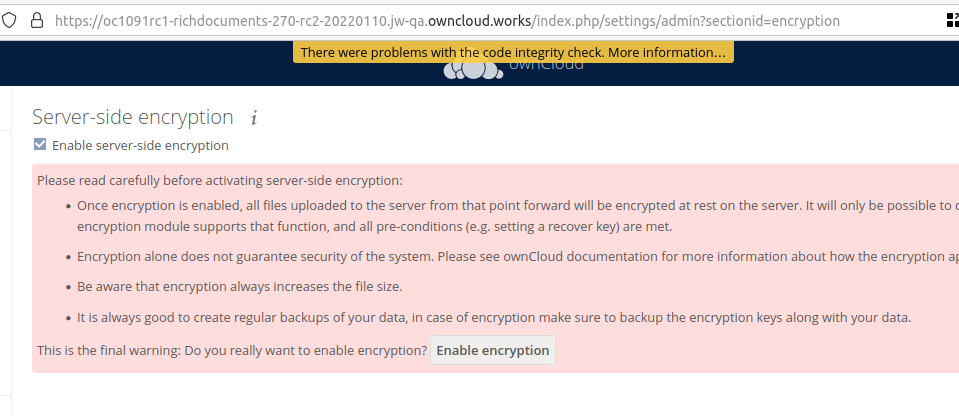
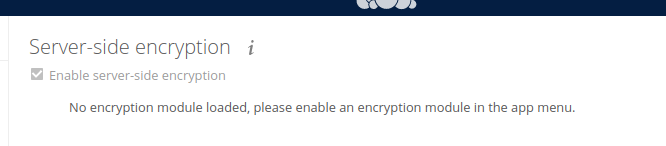
The encryption app is not yet enabled and has no encryption app menu anywhere else in the admin UI.
We cannot chose the module yet, we have to first enable the app.
- admin visits the apps -> disabled page and enables encryption there too
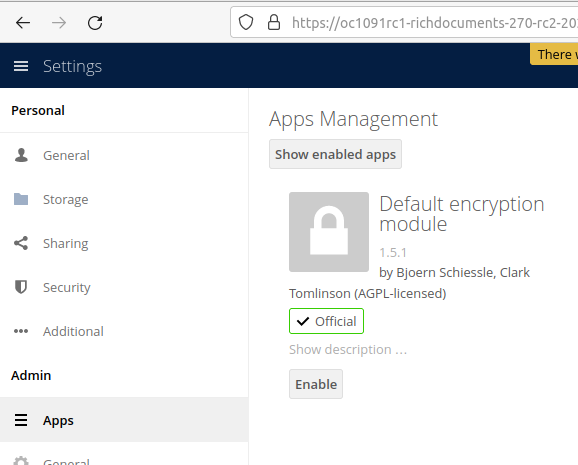
- [In this state, nobody should edit any files, otherwise we trigger similar situations as #39663 ]
- To complete the setup, admin must go back to settings -> encryption
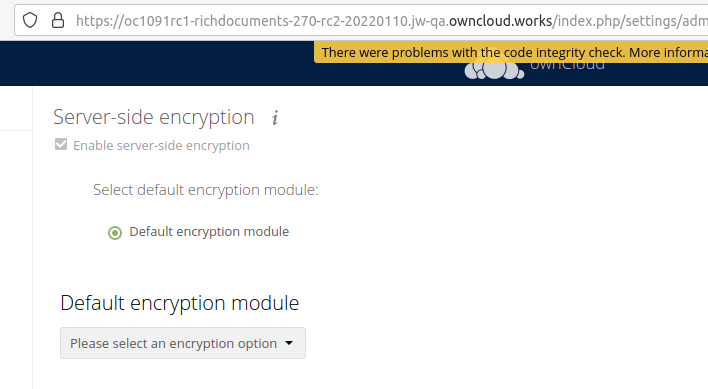
- admin chooses master key encrpytion, (as user key encryption is not supported)
Now all users can continue editing, without breaking the encrption engine.
Expected behaviour:
- master key is chose by default, if admin does not explicitly choose
- master key is flagged as "recommended"
- user key is flagged as "not supported"
Teminology and admin workflow are confusing:
- A "module" cannot be chosen. This step expects us to choose the default by enabling the one encryption "module" app we have.
- The text should say "No encryption module loaded, please enable an encryption module in the settings->apps menu."
- An "option" has to be chosen. This step is not announced, but is critical. The admin can only do this step, if he goes back to the settings -> encrpytion page -- (he came from there, and was sent to the settings -> apps page.)
Contributor guide
First steps
- Read the whole issue, then the project's contributing guide.
- Comment on the issue to say you are picking it up — it saves two people doing the same work.
- Fork the repository and make your change on a branch.
- Open a pull request that references the issue number.
Research direction
Start by reproducing the sequence through Settings → Encryption and the disabled Apps page, checking when encryption becomes active and which choices are shown. Compare the workflow with the expected master-key default, recommendation, unsupported user-key status, and clearer module messaging; verify that users cannot safely edit files during incomplete setup.
Written by the indexing model from the issue text.
Assessment
- Tech stack
- javascript, php
- Domain
- security
- Issue type
- Bug
- Difficulty
- 3/5
- Estimated time
- 1-2 days
- Activity status
- Quiet
- Clarity
- Mostly clear
- Newbie friendliness
- 52/100