Apple Sign-In: "Sign-Up not completed"
Nobody has claimed this yet.
- Dominant language
- Objective-C
- Stars
- 2k
- Forks
- 867
- Avg merge
- 4d 48m
- Merged PRs (30d)
- 1
Description
Are you filing an issue about iOS 12?
No. We are facing this issue for iOS 14.5
Describe the bug
We are integrating Azure AD B2C with User Flows. We have followed the guide found here for implementation. We are unable to login using Apple Sign-In. We get an error "Sign-Up not completed"
Configuration
We have tried two sets of configuration
Config_1 : client_id = services id(identifier for service registered on Apple Developer portal). App Logo doesn't appear here.
Config_1.1 : Running on Safari Browser using Run URL provided by ADB2C ->We are able to authenticate using this.
Config_1.2 : Running on our application via AppAuth -> We are able to authenticate using this.
Config_2 : client_id = bundle identifier of application. "App logo appears here"
Config_2.1 : Running on Safari Browser using Run URL mentioned above. -> We are unable to authenticate and getting “Sign-up not completed”
Config_2.2 : Running on our application via AppAuth -> We are unable to authenticate and getting “Sign-up not completed”
After some Search we have decided on below
We are using bundle identifier of our application as client-id in our ADB2C settings. Mentioned at step 10 under Configure Apple as an identity provider.
We did this after going through these links
- https://developer.apple.com/forums/thread/118135?answerId=366720022#366720022
- https://developer.apple.com/forums/thread/122648
- https://developer.apple.com/forums/thread/124521
- https://fluffy.es/how-to-solve-invalid_client-error-in-sign-in-with-apple/
To Reproduce
- Once we launch OIDAuthState
- We get a page authentication options i.e Facebook, Gmail, Apple and PhoneNumber.
- We choose Apple.
- iOS present Apple Sign In controller.
- We authorised it with finger print.
- Loader shows for 2-3 seconds with message "Signing in"
- Then we get "Sign-Up not completed"
Expected behavior
We expect it to authenticate using Apple Sign-In with our app logo appearing on Apple Sign in controller
Screenshots
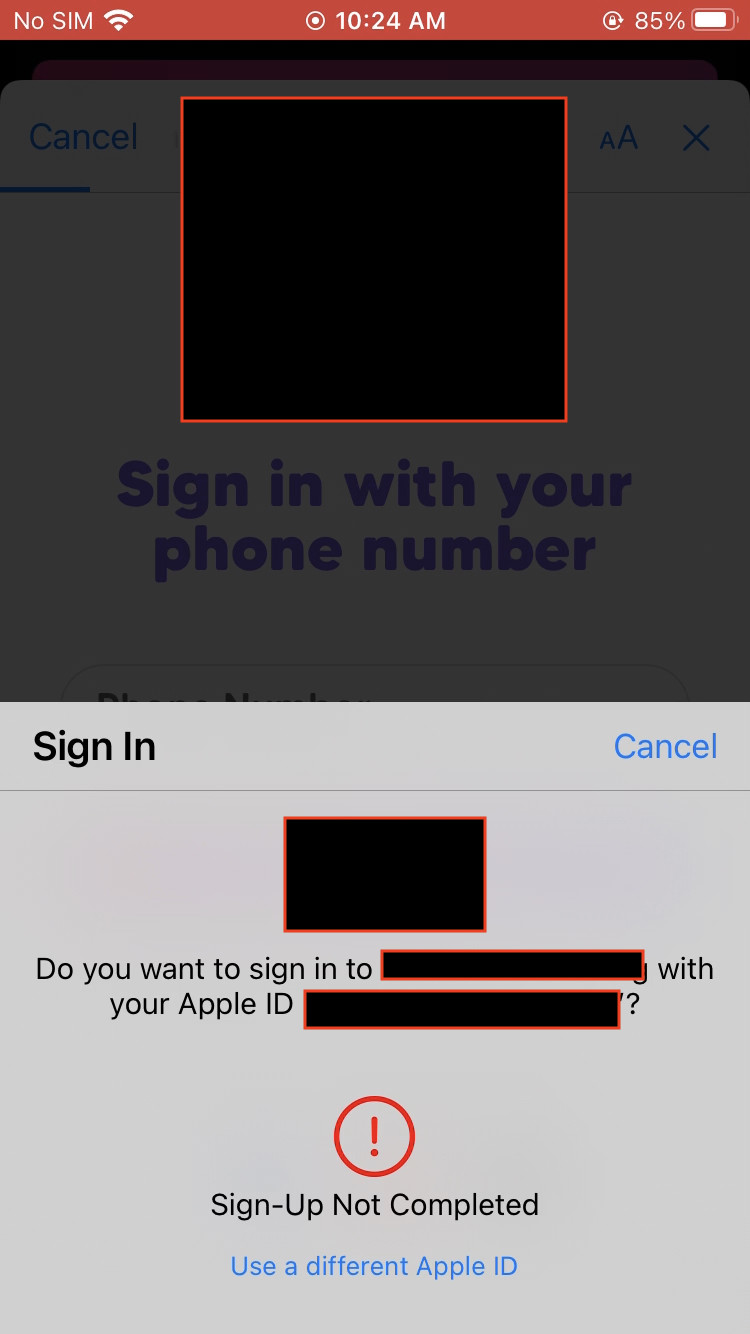
Desktop
- OS: macOS Big Sur 11.4
- Browser: Safari
- Version: 14.1.1 (16611.2.7.1.4)
Smartphone
- Device: iPhone 6s, iPhone 7, iPhone X
- OS: iOS 14.5, iOS 14.4
Contributor guide
First steps
- Read the whole issue, then the project's contributing guide.
- Comment on the issue to say you are picking it up — it saves two people doing the same work.
- Fork the repository and make your change on a branch.
- Open a pull request that references the issue number.
Research direction
No repository file or test is identified. Start at the OIDAuthState flow and reproduce the Apple Sign-In path on the listed iOS versions, comparing the two client_id configurations and the Azure AD B2C setup. Done means identifying the configuration or integration cause and confirming that authentication completes with the expected app logo.
Written by the indexing model from the issue text.
Assessment
- Tech stack
- ios, objective-c
- Domain
- authentication, mobile
- Issue type
- Bug
- Difficulty
- 4/5
- Estimated time
- 3-5 days
- Activity status
- Stale
- Clarity
- Needs clarification
- Newbie friendliness
- 25/100