Codex Desktop: add payment-method change at upgrade checkout and one-click restart guidance
Nobody has claimed this yet.
Assessment
- Difficulty
- 5/5
- Estimated time
- Over a week
- Newbie friendliness
- 38/100
Research direction
Start with the existing profile-menu and direct Codex upgrade entry points, then review the linked interactive prototype and one-page UX specification. Trace the current plan-confirmation dialog and payment-management return flow before assessing the restart path. Done means the acceptance criteria hold across payment changes, recalculated totals, restart handling, reduced motion, and duplicate-action prevention.
Written by the indexing model from the issue text.
Description
Summary
Let users change the selected payment method from the plan confirmation dialog, then clearly offer Restart Codex when a restart is required to display the updated usage limit.
Problem
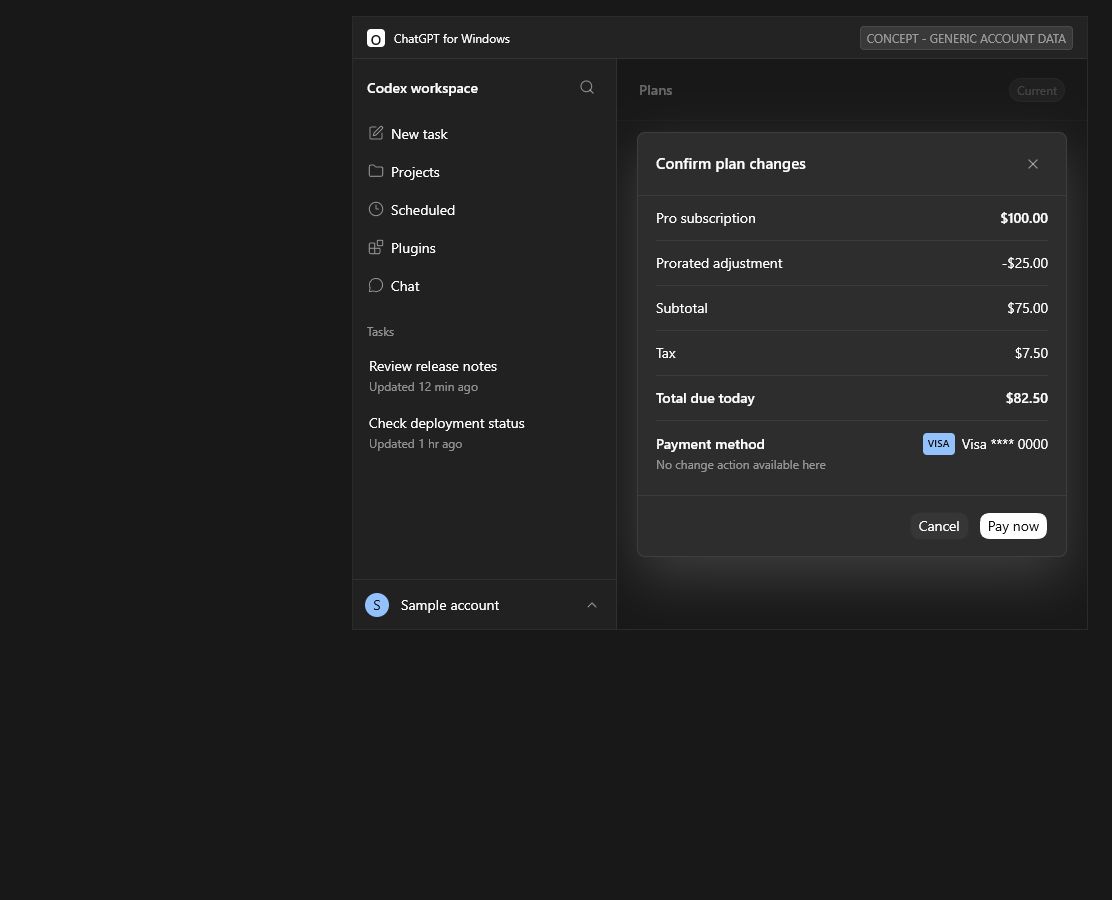
On Windows, the plan confirmation dialog displays the current payment method beside Pay now, but provides no Change action. Updating the method requires leaving checkout, finding Settings > Billing, making the change, and returning to the upgrade flow.
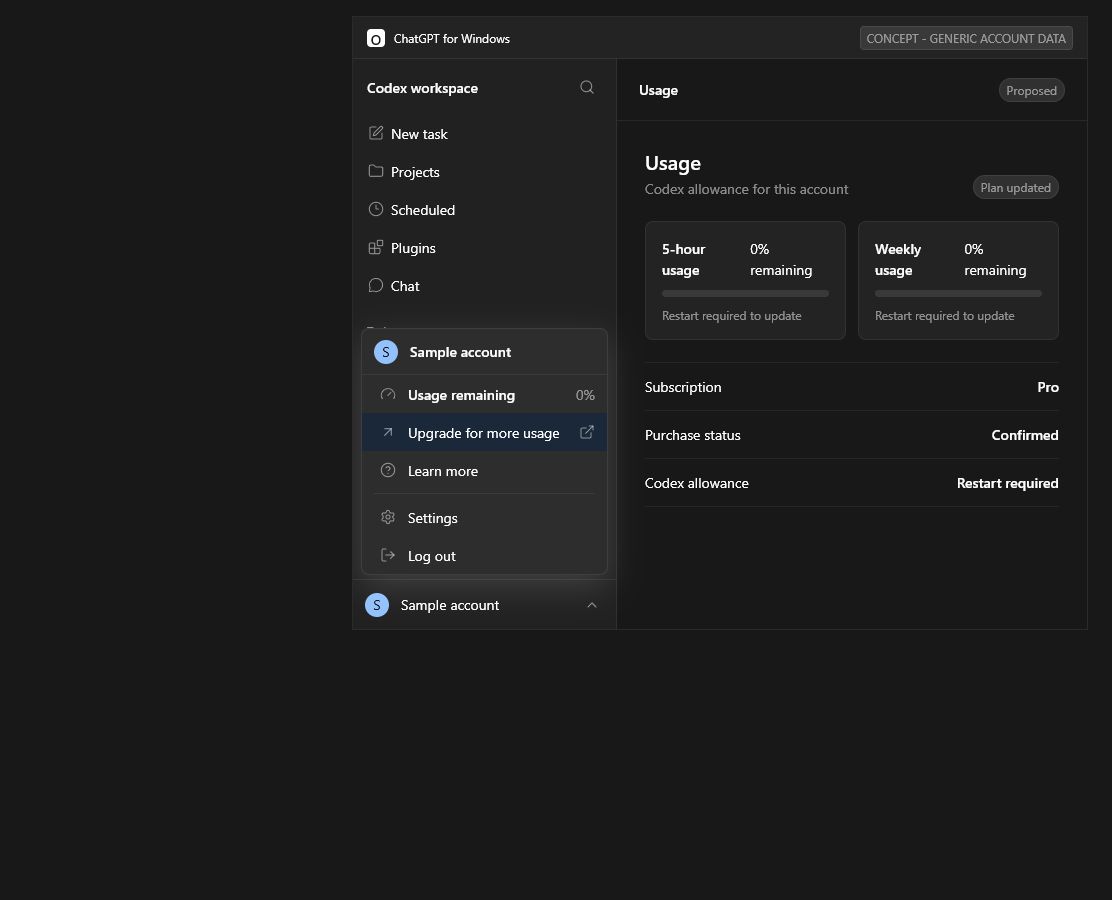
The same issue exists whether checkout is opened directly from Codex or reached through Upgrade for more usage in the existing profile menu. This request does not propose adding a permanent billing item to that menu.
After the plan change succeeds, the usage limit shown in Codex may require an app restart before it updates. The interface provides no instruction or restart button, so users have to discover and perform the restart manually.
Proposed UX
- Keep the existing profile menu unchanged.
- Use the same improved confirmation dialog from both existing upgrade entry points.
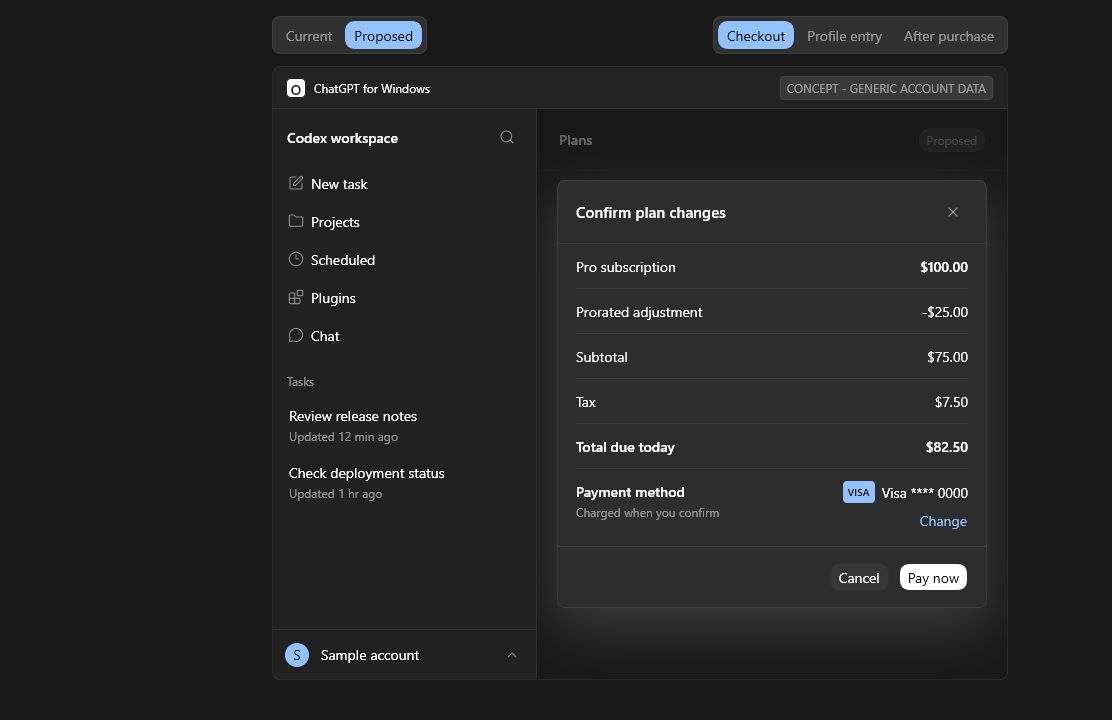
- Right-align the masked payment method in the payment row.
- Place Change directly below the masked last-four example.
- Reuse the authoritative payment-management surface and preserve the selected plan, proration, tax, and total when the user returns.
- Revalidate payment method and totals before purchase.
- Apply the updated usage limit automatically when possible.
- Acknowledge the successful upgrade with a brief, non-blocking check-and-spark motion.
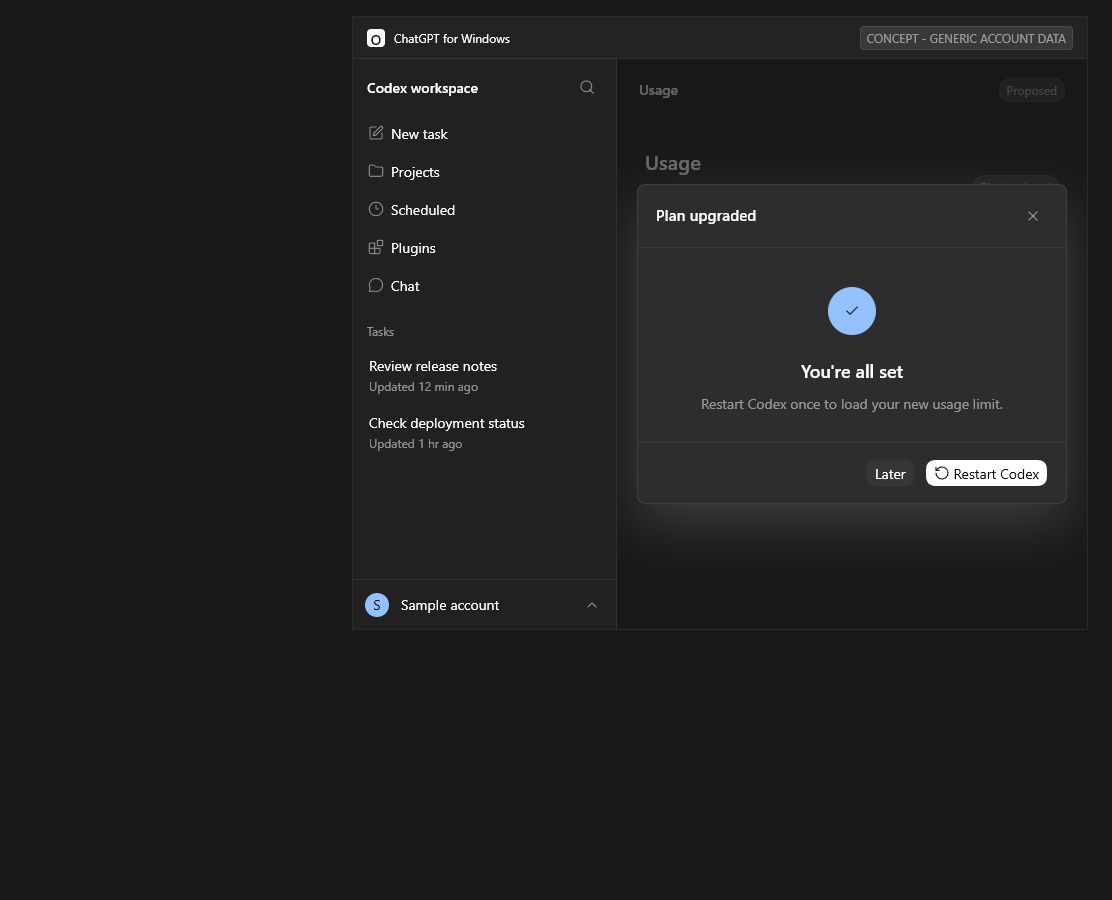
- When a restart is required, show one compact message: You're all set. Restart Codex once to load your new usage limit.
- Provide Restart Codex as the primary action and Later as the secondary action.
- Avoid repeating the same status in a title, checklist, body paragraph, and footer.
- After restart, show the account-sourced updated usage limit.
Acceptance Criteria
- The profile menu gains no permanent billing or payment item.
- Checkout exposes a separate Change action directly below the right-aligned masked card digits.
- Returning from payment management preserves the upgrade context and recalculates totals.
- A successful plan change is not mislabeled as delayed or failed.
- A required restart is explained immediately and can be completed with one click.
- The success animation plays once, never blocks interaction, and respects reduced-motion preferences.
- Completion copy remains concise and non-repetitive.
- Purchase and restart actions cannot be submitted twice.
- Sensitive payment data is not exposed beyond a minimal masked label.
Evidence Boundary
This request reflects an observed Windows journey in which restarting Codex makes the updated usage limit appear. It does not claim that payment was delayed, that entitlement propagation failed, or that the account encountered a quota outage.
Prototype
Current confirmation state:
Proposed payment-method action:
Existing profile entry point, intentionally unchanged:
Proposed one-click restart instruction:
The reporter's source screenshots are not included. The prototype uses generic labels and invented card digits, with no real name, email, address, project names, or account values.
- Dominant language
- Rust
- Stars
- 125k
- Forks
- 19.5k
- Avg merge
- 1m
- Merged PRs (30d)
- 1k
Contributor guide
First steps
- Read the whole issue, then the project's contributing guide.
- Comment on the issue to say you are picking it up — it saves two people doing the same work.
- Fork the repository and make your change on a branch.
- Open a pull request that references the issue number.
More from openai/codex
-
enhancement remote
Difficulty 2/5 1-3 hours Newbie friendliness 68/100
-
bug CLI windows-os
Difficulty 2/5 1-3 hours Newbie friendliness 76/100
-
macOS sandbox blocks hw.optional.arm64 sysctl, causing Flutter to misdetect Apple Silicon as x64 Openbug CLI sandbox
Difficulty 2/5 1-3 hours Newbie friendliness 78/100
-
bug CLI TUI
Difficulty 2/5 1-3 hours Newbie friendliness 90/100
-
CLI config enhancement skills
Difficulty 2/5 1-3 hours Newbie friendliness 84/100
Similar issues
-
Difficulty 2/5 1-3 hours Newbie friendliness 86/100
kwakseongjae/auto-hwp#319 ·
-
area:cli bug filter-quality good first issue priority:medium
Difficulty 2/5 1-3 hours Newbie friendliness 84/100
-
Difficulty 1/5 Under an hour Newbie friendliness 72/100
bevyengine/bevy#25861 ·
-
comp-datalake
Difficulty 2/5 1-3 hours Newbie friendliness 88/100
ClickHouse/ClickHouse#121222 ·
-
A-linter
Difficulty 2/5 1-3 hours Newbie friendliness 72/100
oxc-project/oxc#26863 ·