oceanbase / oceanbase/oceanbase
[Bug]: Fail to set net_write_timeout
@caifeizhi is already working on this.
Since Jun 23, 2022.
- Dominant language
- C++
- Stars
- 10.3k
- Forks
- 1.9k
- PR merge metrics
- No merged PRs in 30d
Description
Please check the issue list for the same bug
- I have checked issue list and this bug is encountered for the first time.
Environment
- OB Version&commit_id or other module version&commit_id (e.g. observer V3.1.2 8b23a93):
- Hardware parameter:OS type & Compliler & CPU etc.
- Others
### 部署:1台obproxy 3个实例
### 版本:
obproxy (OceanBase 3.2.0 1)
observer 实例版本 3.1.1

### 硬件:
obproxy :  8core, 32G
observer : 16core ,64G

### OS
obproxy及obsever 都部署在以下版本系统中
Distributor ID: CentOS
Description:    CentOS Linux release 7.5.1804 (Core)
Release:        7.5.1804
Fast Reproduce Steps(Required)
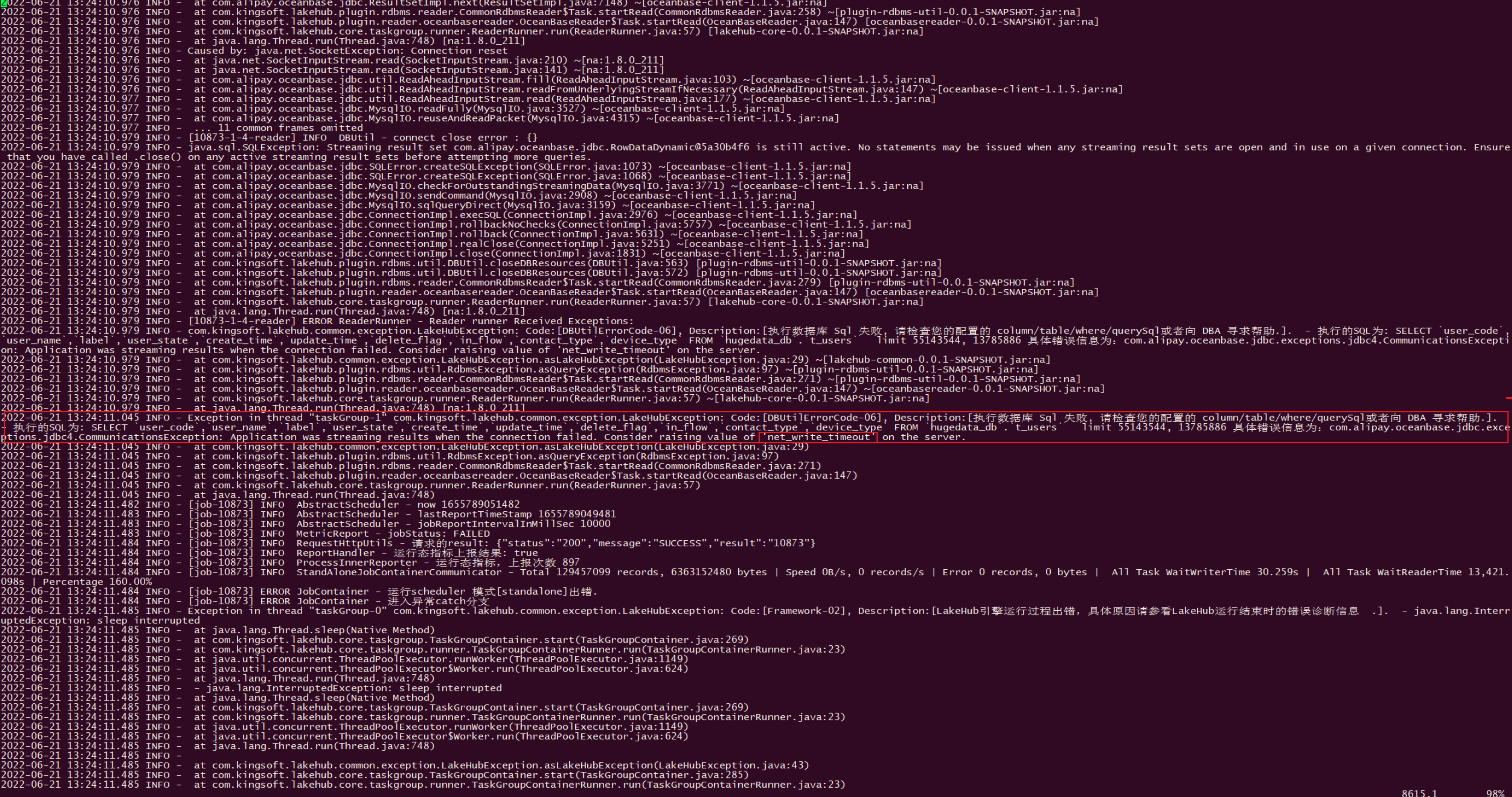
我是用流模式读取ob (1.3亿左右),跑了45分钟报的是这个错 com.alipay.oceanbase.jdbc.exceptions.jdbc4.CommunicationsException: App
lication was streaming results when the connection failed. Consider raising value of 'net_write_timeout' on the server. net_write_timeout这个参数默认是60s;然后我在obproxy 通过set global net_write_timeout=28800; 但是跑任务依然报相同的错(其实jdbcurl也设置了netTimeoutForStreamingResults=28800),感觉没有生效,也就是说我在服务端及客户端的jdbcUrl都尝试调大参数net_write_timeout ,但任务依然45分钟左右失败,报net_write_timeout 超时,感觉没有生效。
ps:一下参数也是设置了的
"set ob_trx_idle_timeout=172800000000;"
"set wait_timeout=300000;"
"set ob_query_timeout=172800000000;"
"set ob_trx_timeout=172800000000;"
Actual Behavior
com.alipay.oceanbase.jdbc.exceptions.jdbc4.CommunicationsException: App
lication was streaming results when the connection failed. Consider raising value of 'net_write_timeout' on the server.
Expected Behavior
1
other information
1
Contributor guide
First steps
- Read the whole issue, then the project's contributing guide.
- Comment on the issue to say you are picking it up — it saves two people doing the same work.
- Fork the repository and make your change on a branch.
- Open a pull request that references the issue number.
Assessment
This issue has not been assessed yet.