obsproject / obsproject/obs-studio
OBS Crashes when launch without second monitor connected
Nobody has claimed this yet.
- Dominant language
- C
- Stars
- 76.4k
- Forks
- 10.2k
- Avg merge
- 4d 23h
- Merged PRs (30d)
- 12
Description
Operating System Info
macOS 13
Other OS
No response
OBS Studio Version
28.1.2
OBS Studio Version (Other)
No response
OBS Studio Log URL
https://obsproject.com/logs/tWps5eF951TCtoSy
OBS Studio Crash Log URL
No response
Expected Behavior
Launch OBS
Current Behavior
Crashes when launch OBS
The only thing appear is a window from advanced scene switcher plugin:
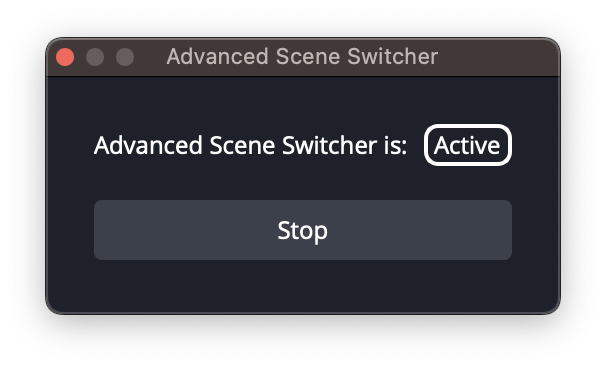
(normal behavior would appear 1-2 second then OBS launches)
Temporary fix: I need to connect with an external monitor (I'm using a MacBook), then disconnect. The program works fine with no monitor connected, It just not open.
Steps to Reproduce
- Open application
- Crash
- Need to force quit
Anything else we should know?
- I've tried in OBS 28.0.3 (Which was previously working fine), 28.1, 29.0 Beta 3. All not working
- Every time it crashes, the log last line is "ffmpeg_options:"
- Have seen 2 similar issues reported: https://github.com/obsproject/obs-studio/issues/7854 https://github.com/obsproject/obs-studio/issues/7750
- If you want more details/files please tell me how to get it. I'm not very good at coding. Thanks.
Contributor guide
First steps
- Read the whole issue, then the project's contributing guide.
- Comment on the issue to say you are picking it up — it saves two people doing the same work.
- Fork the repository and make your change on a branch.
- Open a pull request that references the issue number.
Research direction
Start by reviewing the OBS log at the provided URL, especially the final "ffmpeg_options:" line, and compare the behavior with and without an external monitor. Read related issues 7854 and 7750 for context, then reproduce the launch failure on macOS 13. Done means OBS launches normally without a second monitor connected.
Written by the indexing model from the issue text.
Assessment
- Tech stack
- c, macos
- Domain
- desktop, operating-systems
- Issue type
- Bug
- Difficulty
- 4/5
- Estimated time
- 3-5 days
- Activity status
- Stale
- Clarity
- Mostly clear
- Newbie friendliness
- 25/100