obsproject / obsproject/obs-studio
Can not use PrtSc as a part of hotkey
Open
Nobody has claimed this yet.
platform/windows
- Dominant language
- C
- Stars
- 76.4k
- Forks
- 10.2k
- Avg merge
- 4d 23h
- Merged PRs (30d)
- 12
Description
Operating System Info
Windows 10
Other OS
No response
OBS Studio Version
Other
OBS Studio Version (Other)
27.2.4
OBS Studio Log URL
https://obsproject.com/logs/xPaqvaHgdznsLm1x
OBS Studio Crash Log URL
No response
Expected Behavior
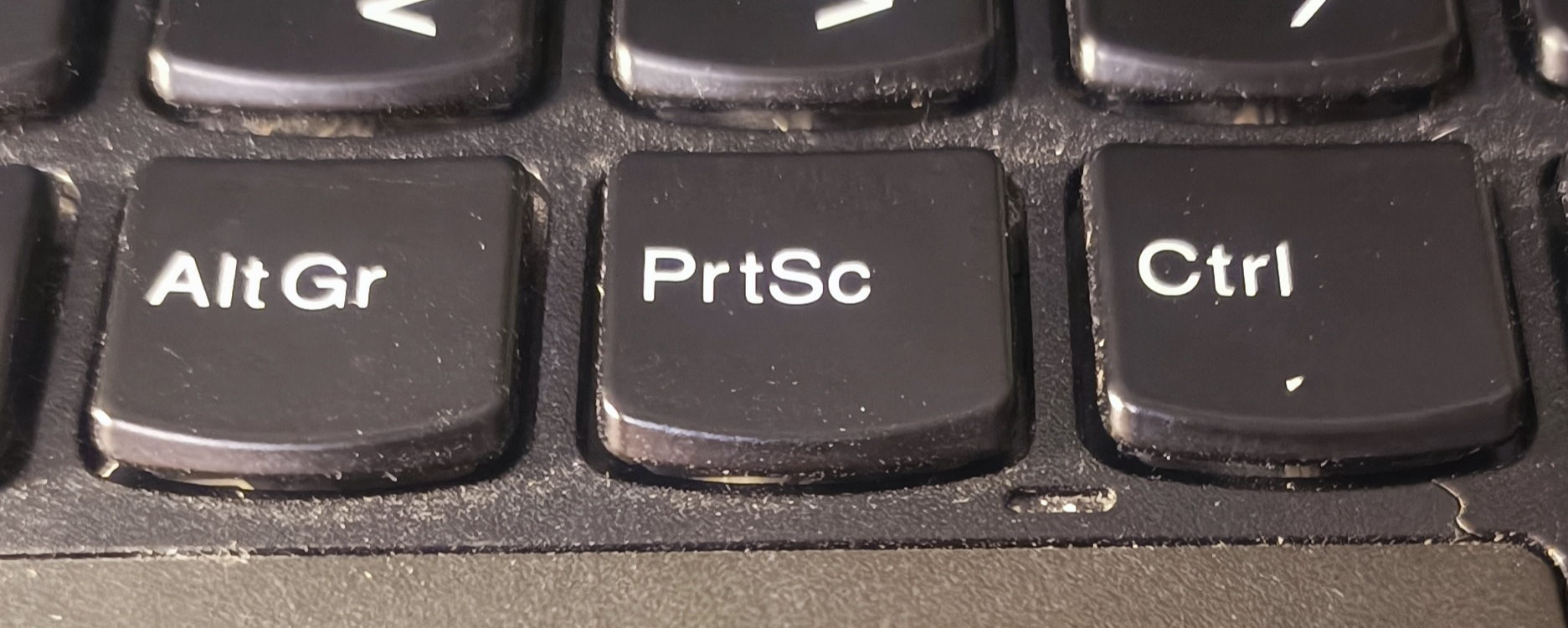
Expected the screenshot capture hotkey be set as Ctrl + PrtSc or Ctrl + Sys Req (like it displays in xbox game bar).
Current Behavior
OBS sets Ctrl as a hotkey, not Ctrl + PrtSc
Steps to Reproduce
- Go to settings > hotkeys
- Try to set combination of Ctrl + PrtSc as a hotkey
- Get Ctrl as a result
Anything else we should know?
I have lenovo t460p laptop
Contributor guide
First steps
- Read the whole issue, then the project's contributing guide.
- Comment on the issue to say you are picking it up — it saves two people doing the same work.
- Fork the repository and make your change on a branch.
- Open a pull request that references the issue number.
Research direction
Start by reproducing the issue in Settings > Hotkeys on Windows 10, using Ctrl + PrtSc as described. The work is done when OBS preserves the full combination instead of registering only Ctrl; the payload does not identify a source file or test to inspect.
Written by the indexing model from the issue text.
Assessment
- Tech stack
- c
- Domain
- desktop, operating-systems
- Issue type
- Bug
- Difficulty
- 4/5
- Estimated time
- 3-5 days
- Activity status
- Stale
- Clarity
- Mostly clear
- Newbie friendliness
- 45/100