obsproject / obsproject/obs-studio
Image slide show transitions problem
Nobody has claimed this yet.
- Dominant language
- C
- Stars
- 76.4k
- Forks
- 10.2k
- Avg merge
- 4d 23h
- Merged PRs (30d)
- 12
Description
Operating System Info
macOS 10.15
Other OS
No response
OBS Studio Version
27.2.4
OBS Studio Version (Other)
No response
OBS Studio Log URL
https://obsproject.com/logs/sbYwuAVSo9QaKSYT
OBS Studio Crash Log URL
No response
Expected Behavior
In Image Slide Show properties, when you select Transition > Fade, the slide show should fade properly in background (controlled by an hotkey) even if the source is hidden or a different scene is active. For example on a Fullscreen/Windowed projector (source).
Current Behavior
In Image Slide Show properties, when you select Transition > Fade and the (slide show) source is hidden or a different scene is active, on a Fullscreen/Windowed projector (source), using an hotkey to select next, the transition fade always from the last shown image when the scene or source was active (number "1"), not the actual image in the playlist. So the transition is not 1>2, 2>3, 3>4, 4>5 but 1>2, 1>3, 1>4, 1>5.
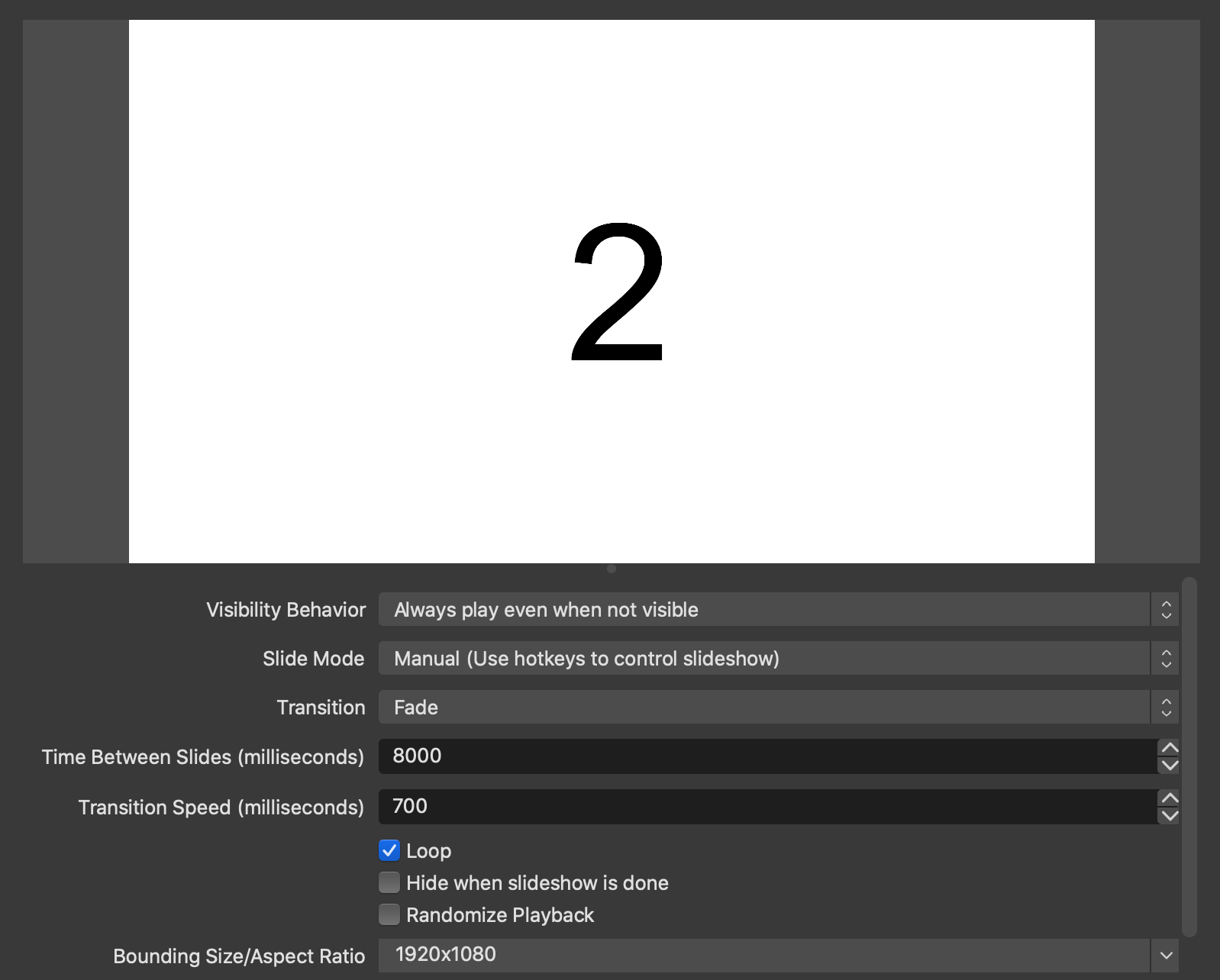
Steps to Reproduce
Anything else we should know?
It occurs also with Slide and Wipe transitions, not with Cut. With and without selecting "Loop" option.
It occurs only when the source is hidden or the source's scene is not active.
Same behaviour on Mac and Win (tested Win 10).
Contributor guide
First steps
- Read the whole issue, then the project's contributing guide.
- Comment on the issue to say you are picking it up — it saves two people doing the same work.
- Fork the repository and make your change on a branch.
- Open a pull request that references the issue number.
Research direction
Start at the Image Slide Show source's transition handling and reproduce the issue with a hidden source or inactive scene, using the Fade, Slide, and Wipe options and a hotkey. Done means transitions advance from the current playlist image rather than repeatedly fading from the last image shown when the source was active.
Written by the indexing model from the issue text.
Assessment
- Tech stack
- c
- Domain
- desktop
- Issue type
- Bug
- Difficulty
- 3/5
- Estimated time
- 1-2 days
- Activity status
- Stale
- Clarity
- Mostly clear
- Newbie friendliness
- 45/100