obsproject / obsproject/obs-studio
OBS UI issues on dual monitor setup with different resolutions
Nobody has claimed this yet.
- Dominant language
- C
- Stars
- 76.4k
- Forks
- 10.2k
- Avg merge
- 4d 23h
- Merged PRs (30d)
- 12
Description
Operating System Info
Windows 11
Other OS
No response
OBS Studio Version
27.2.3
OBS Studio Version (Other)
No response
OBS Studio Log URL
https://obsproject.com/logs/RIJ-odpJvXqV83gn
OBS Studio Crash Log URL
No response
Expected Behavior
OBS's UI should display properly on both monitors
Current Behavior
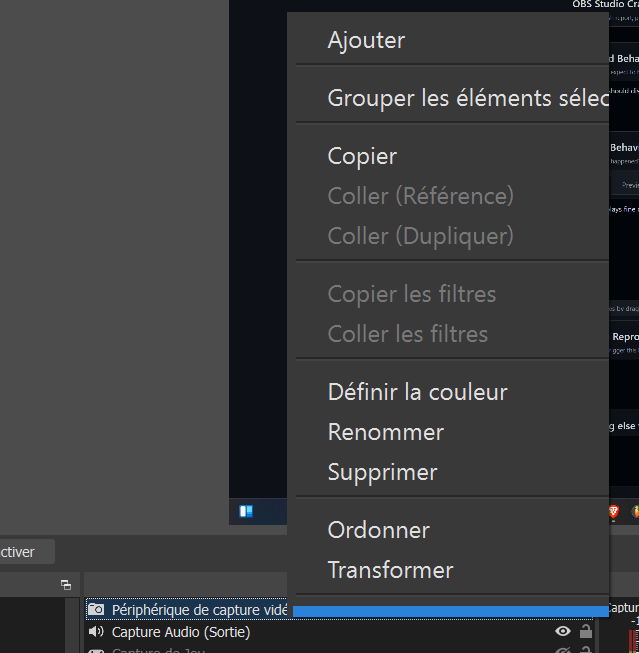
OBS displays fine on my 2560x1080 monitor, but the menus when we right click for instance are too big and don't display all the options (the menu stops at transform but we can see that there are options below that are cut off
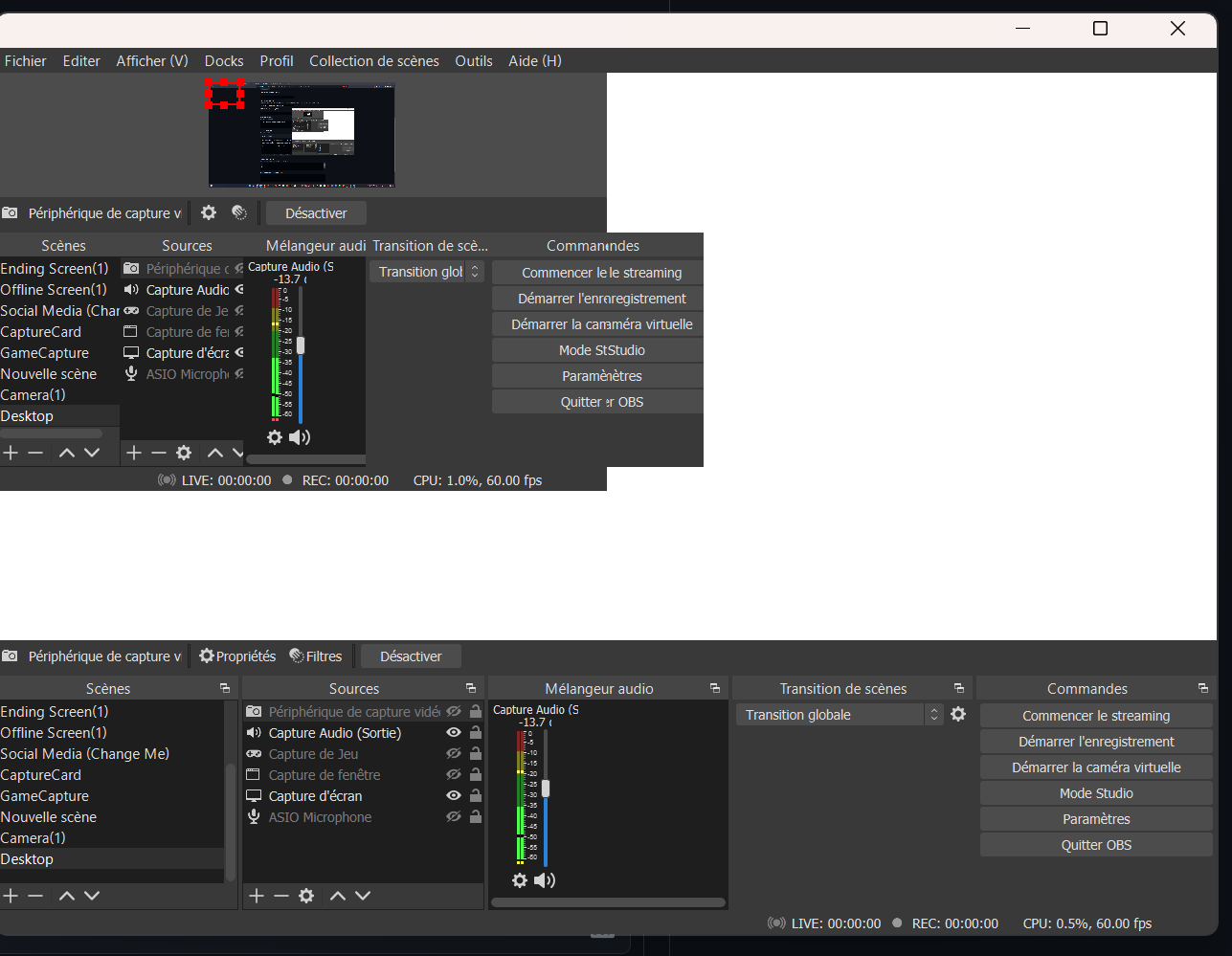
OBS is completely unusable when I drag the OBS window to the 4k monitor, the UI is completely broken
Steps to Reproduce
- Use Windows 11 on a pc with both a 4k monitor and a 2560x1080 monitor
- Obs starts on the secondary monitor (can't tell the cause)
- The issue occurs
Anything else we should know?
No response
Contributor guide
First steps
- Read the whole issue, then the project's contributing guide.
- Comment on the issue to say you are picking it up — it saves two people doing the same work.
- Fork the repository and make your change on a branch.
- Open a pull request that references the issue number.
Research direction
Start by reviewing the linked OBS Studio log and reproducing the issue on Windows 11 with 4K and 2560x1080 monitors. Check the UI behavior when the window moves between displays, including clipped context menus and the broken 4K layout. Done means the OBS interface and menus render completely and correctly on both resolutions.
Written by the indexing model from the issue text.
Assessment
- Tech stack
- c
- Domain
- design, desktop, operating-systems
- Issue type
- Bug
- Difficulty
- 4/5
- Estimated time
- 3-5 days
- Activity status
- Stale
- Clarity
- Mostly clear
- Newbie friendliness
- 35/100