obsproject / obsproject/obs-studio
[Improvement] Preview of property window will flicker once while switching monitor
Nobody has claimed this yet.
- Dominant language
- C
- Stars
- 76.4k
- Forks
- 10.2k
- Avg merge
- 4d 23h
- Merged PRs (30d)
- 12
Description
Operating System Info
Windows 10
Other OS
No response
OBS Studio Version
27.0.0
OBS Studio Version (Other)
No response
OBS Studio Log URL
https://obsproject.com/logs/XVfCniQ0fMRcnDG-
OBS Studio Crash Log URL
No response
Expected Behavior
After switching new monitor, the preview should be changed as below:
- firstly, preview may be black because we free the old duplicator;
- then, preview should be video of new monitor
Current Behavior
After switching new monitor, the preview will be changed as below:
- firstly, preview will be video of new monitor;
- then, preview will be black;
- preview will revert to video of new monitor
This can be reproduced by both "DXGI" and "WGC" modes.
Steps to Reproduce
- Add monitor source, open its property window;
- Switch different monitor or check/uncheck "Capture Cursor", look at the preview window.
Anything else we should know?
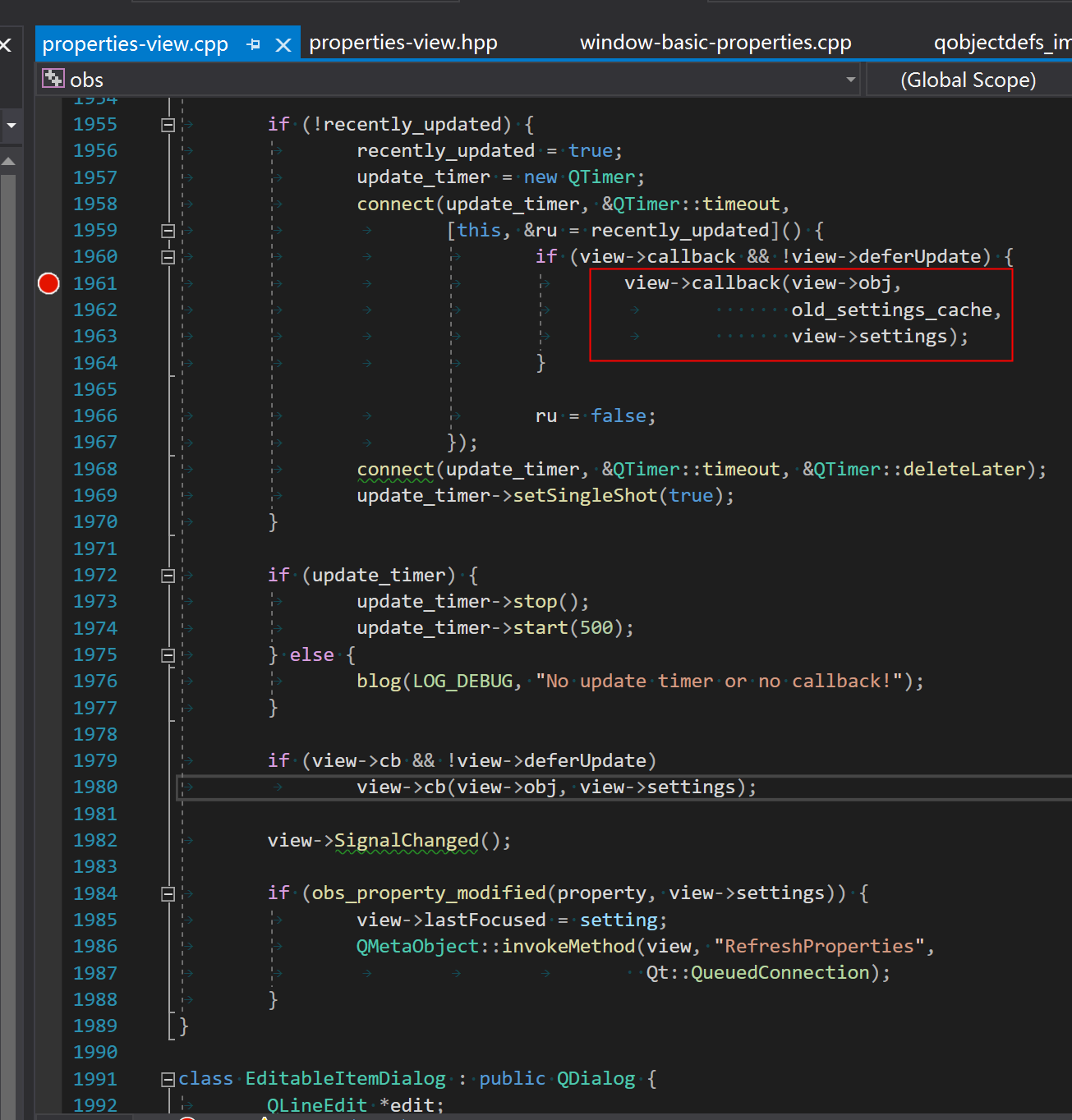
After debugging, I have confirmed that every time I switched monitor, obs_source_update() will be called twice.
That makes the monitor plugin be reset twice, the flicker is happenned between the two resetting.
- firstly, preview will be video of new monitor; (first update is done)
- then, preview will be black; (second update causes free logic)
- preview will revert to video of new monitor (second update is done)
This issue begins with this commit, please confirm:
Contributor guide
First steps
- Read the whole issue, then the project's contributing guide.
- Comment on the issue to say you are picking it up — it saves two people doing the same work.
- Fork the repository and make your change on a branch.
- Open a pull request that references the issue number.
Research direction
Start by tracing the monitor source updates around obs_source_update() for the DXGI and WGC modes, using the provided OBS log and the reproduction steps. Confirm why switching monitors or toggling Capture Cursor triggers two updates, then verify that the preview transitions directly to the new monitor without the intermediate flicker.
Written by the indexing model from the issue text.
Assessment
- Tech stack
- c
- Domain
- desktop, operating-systems
- Issue type
- Bug
- Difficulty
- 4/5
- Estimated time
- 3-5 days
- Activity status
- Stale
- Clarity
- Mostly clear
- Newbie friendliness
- 35/100