notepad-plus-plus / notepad-plus-plus/notepad-plus-plus
Found a strange visual bug about the text positioning of TabBar
Nobody has claimed this yet.
- Dominant language
- C++
- Stars
- 29.4k
- Forks
- 5.4k
- PR merge metrics
- No merged PRs in 30d
Description
Description of the Issue
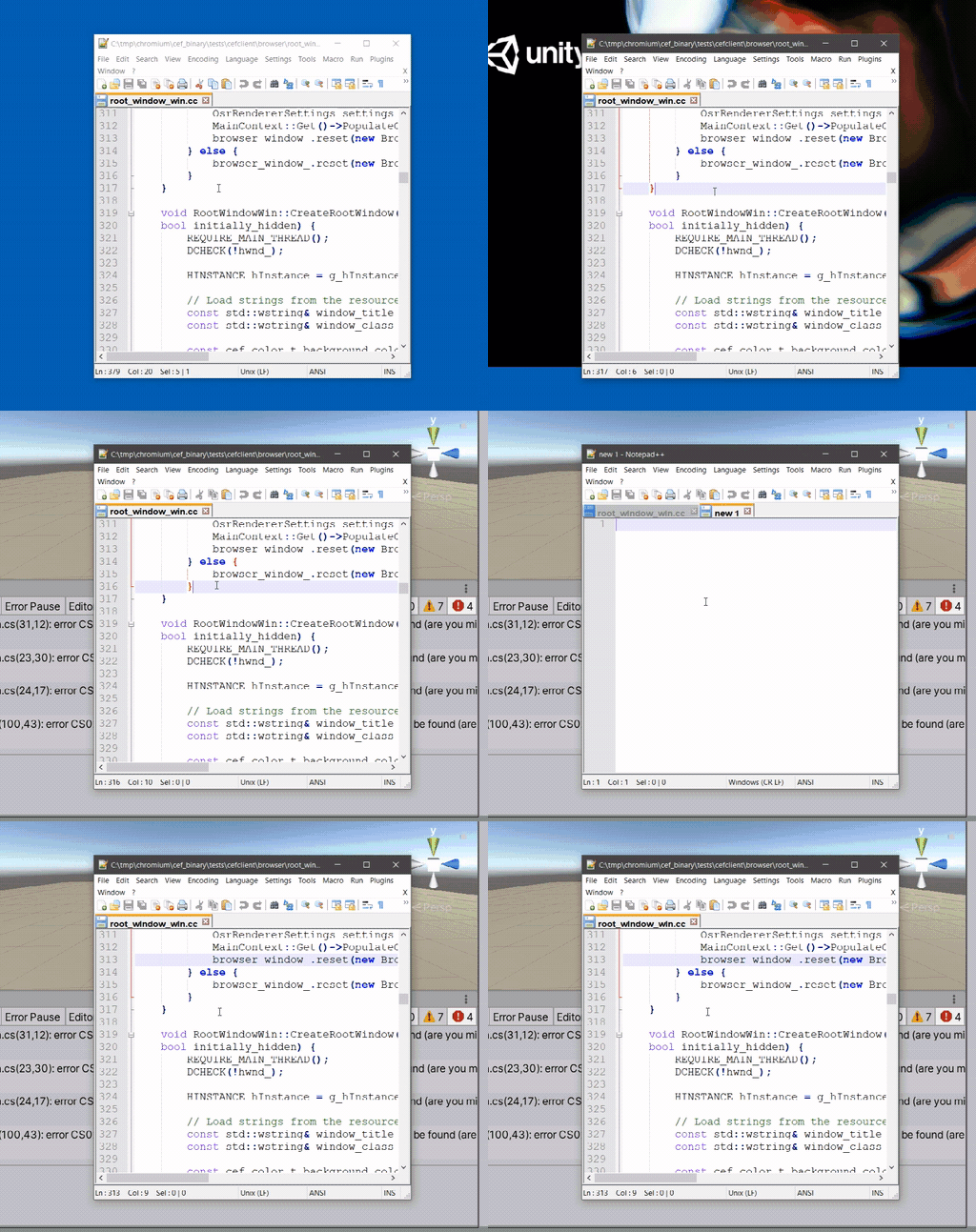
It's related to the Unity game engine and the Npp TabBar. After the game engine being launched,
the text positioning of Tabs became incorrect even the game engine was closed. The tab's text becomes too low, and doesn't look nice.
Steps to Reproduce the Issue
- Open the Unity game engine.
- Open Npp
Expected Behavior
Tabs' titles centered vertically
Actual Behavior
Tabs' titles are near the bottom
Debug Information
Notepad++ v7.8.9   (64-bit)
Build time : Sep 13 2020 - 13:16:38
Path : D:\Downloads\npp.latest\PowerEditor\bin64\notepad++.exe
Admin mode : OFF
Local Conf mode : ON
OS Name : Windows 10 Home (64-bit)
OS Version : 1909
OS Build : 18363.1316
Current ANSI codepage : 65001
Plugins : none
GIF demo
Infos
The text positioning becomes normal if I restart or sign out/sign in the windows. Only Unity triggers this strange issue, other softwares live peacefully with NPP.
Contributor guide
First steps
- Read the whole issue, then the project's contributing guide.
- Comment on the issue to say you are picking it up — it saves two people doing the same work.
- Fork the repository and make your change on a branch.
- Open a pull request that references the issue number.
Research direction
No source file, test, or entry point is identified. Start by reproducing the issue with Unity and Notepad++ on the listed Windows environment, including closing Unity and checking whether the tab titles remain vertically misaligned; done means the titles stay centered in that scenario.
Written by the indexing model from the issue text.
Assessment
- Tech stack
- cpp, unity
- Domain
- design, desktop
- Issue type
- Bug
- Difficulty
- 4/5
- Estimated time
- 3-5 days
- Activity status
- Stale
- Clarity
- Mostly clear
- Newbie friendliness
- 25/100