notepad-plus-plus / notepad-plus-plus/notepad-plus-plus
Function list display corruption multiple monitors
Nobody has claimed this yet.
- Dominant language
- C++
- Stars
- 29.4k
- Forks
- 5.4k
- PR merge metrics
- No merged PRs in 30d
Description
Description of the Issue
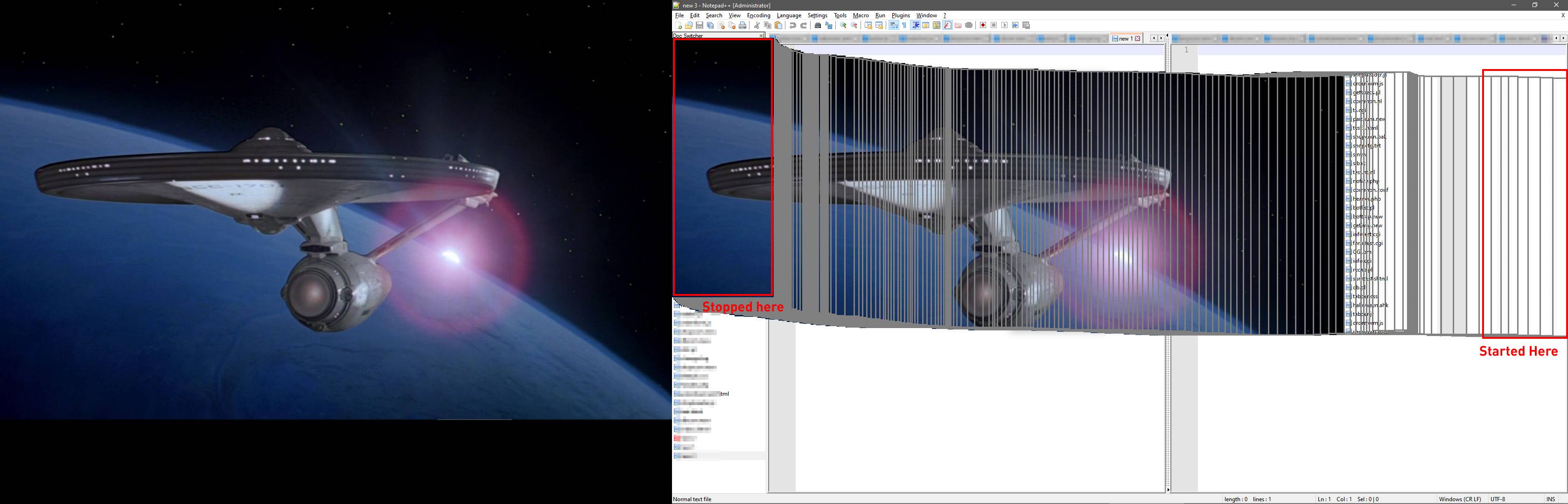
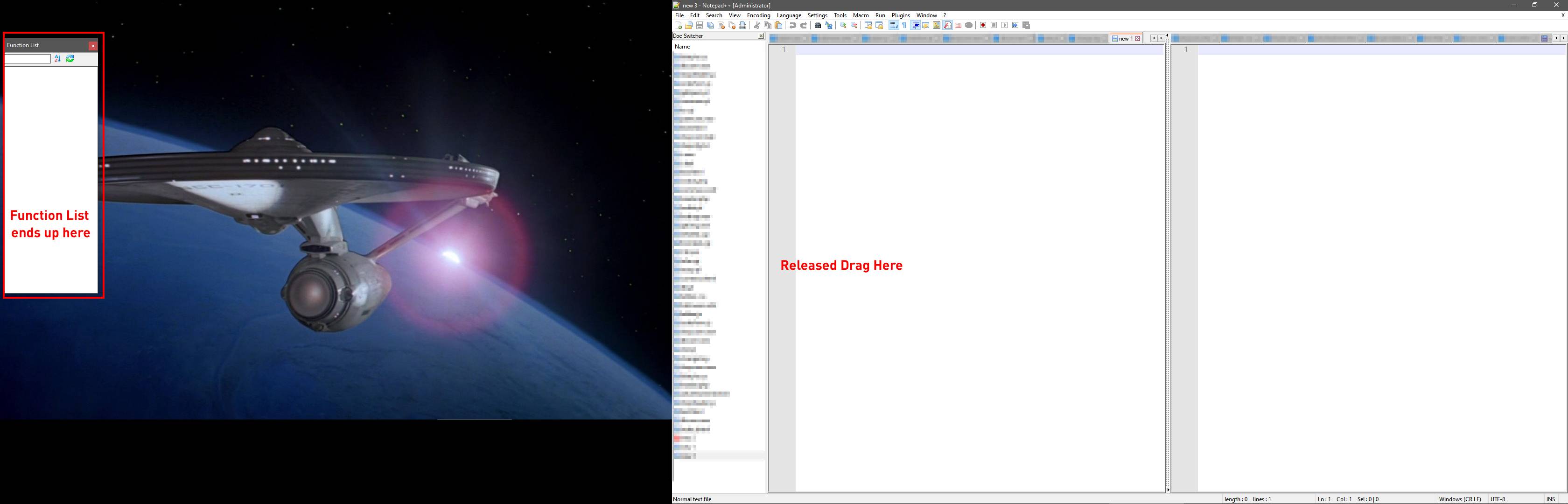
With two monitors, attempting to dock the function list by dragging results in corruption of the display until the drag ends. The function list then ends up in an unexpected location. The outline of the list doesn't follow the mouse properly.
Steps to Reproduce the Issue
- Connect two monitors
- Drag the function list around.
Expected Behavior
Function list would dock properly
Actual Behavior
The function list then ends up in an unexpected location. Its outline doesn't follow the mouse position.
Debug Information
Notepad++ v7.8.6 (64-bit)
Build time : Apr 21 2020 - 15:23:03
Path : C:\Program Files\Notepad++\notepad++.exe
Admin mode : ON
Local Conf mode : OFF
OS Name : Windows 10 Pro (64-bit)
OS Version : 1909
OS Build : 18363.778
Plugins : Comment Wrap.dll mimeTools.dll NavigateTo.dll NppConverter.dll NppExport.dll
Contributor guide
First steps
- Read the whole issue, then the project's contributing guide.
- Comment on the issue to say you are picking it up — it saves two people doing the same work.
- Fork the repository and make your change on a branch.
- Open a pull request that references the issue number.
Research direction
No source files or tests are named. First reproduce the function-list docking problem with two monitors on Windows 10, then trace the function-list drag and docking entry point. Done means the outline follows the mouse during dragging and the function list docks in the expected location.
Written by the indexing model from the issue text.
Assessment
- Tech stack
- cpp
- Domain
- desktop
- Issue type
- Bug
- Difficulty
- 4/5
- Estimated time
- 3-5 days
- Activity status
- Stale
- Clarity
- Needs clarification
- Newbie friendliness
- 35/100