notepad-plus-plus / notepad-plus-plus/notepad-plus-plus
Font artifacts
Nobody has claimed this yet.
- Dominant language
- C++
- Stars
- 29.4k
- Forks
- 5.4k
- PR merge metrics
- No merged PRs in 30d
Description
Description of the Issue
Font rendering produces artifacts on 2560x1440 screen, see screenshot, pixels between words in the middle, there are 2 half-visible lines.
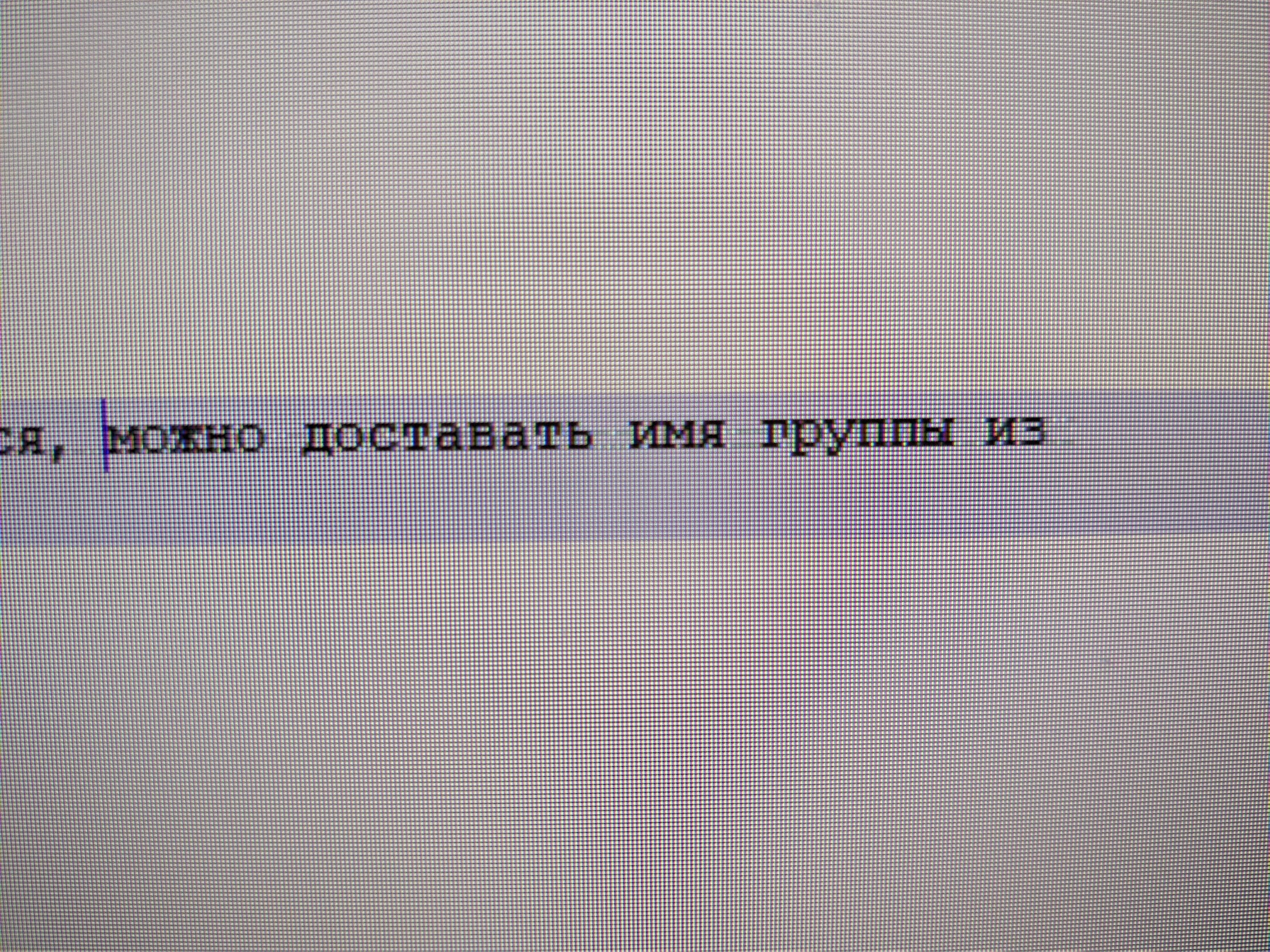
I don't have any software scaling enabled, it's set to 100%.
Sometimes Firefox has the same issue, but mostly depends on the website.
Other programs on PC work fine and do not produce artifacts.
If I scale font up the issue is going away.
Debug Information
Notepad++ v8.3.3 (64-bit)
Build time : Mar 13 2022 - 17:20:02
Path : C:\Program Files\Notepad++\notepad++.exe
Command Line :
Admin mode : OFF
Local Conf mode : OFF
Cloud Config : OFF
OS Name : Windows 10 Pro (64-bit)
OS Version : 2009
OS Build : 19043.1586
Current ANSI codepage : 1251
Plugins : mimeTools.dll NppConverter.dll NppExport.dll
Contributor guide
First steps
- Read the whole issue, then the project's contributing guide.
- Comment on the issue to say you are picking it up — it saves two people doing the same work.
- Fork the repository and make your change on a branch.
- Open a pull request that references the issue number.
Research direction
No source file, test, or entry point is named. Start by reproducing the artifact on Windows 10 at 2560x1440 with 100% scaling using the supplied screenshot and debug information; done means the half-visible lines between words no longer appear without changing font size.
Written by the indexing model from the issue text.
Assessment
- Tech stack
- cpp
- Domain
- desktop
- Issue type
- Bug
- Difficulty
- 4/5
- Estimated time
- 3-5 days
- Activity status
- Stale
- Clarity
- Needs clarification
- Newbie friendliness
- 25/100