Npcap installation aborted
Nobody has claimed this yet.
- Dominant language
- C
- Stars
- 3.6k
- Forks
- 592
- PR merge metrics
- No merged PRs in 30d
Description
Hello there. I tried to install Npcap per warning message I received during Azure ATP sensor installation steps. I removed the WinPcap via Windows control panel, and proceeded to install the Npcap with the following options: loopback_support=no & winpcap_mode=yes.
Unfortunately, the Npcap install process failed and I gathered the logs and screen shot for further review. Any guidance or support/assistance is greatly appreciated. Let me know please. Thank you.
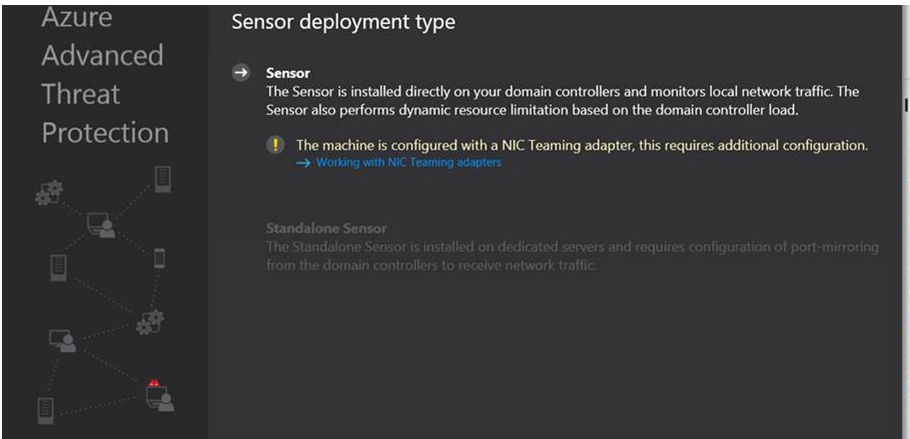
 [NPFInstall.log](https://github.com/nmap/nmap/files/3911535/NPFInstall.log)
[install.log](https://github.com/nmap/nmap/files/3911536/install.log)
[NPFInstall.log](https://github.com/nmap/nmap/files/3911535/NPFInstall.log)
[install.log](https://github.com/nmap/nmap/files/3911536/install.log)
Contributor guide
No contributing guide indexed for this repository
First steps
- Read the whole issue, then the project's contributing guide.
- Comment on the issue to say you are picking it up — it saves two people doing the same work.
- Fork the repository and make your change on a branch.
- Open a pull request that references the issue number.
Research direction
Start with the attached NPFInstall.log and install.log, then compare them with the NpcapInstallationAborted and NICTeamingWarningMessage screenshots. No source file, test, or concrete change is identified; done would require isolating and documenting the installation failure and its resolution.
Written by the indexing model from the issue text.
Assessment
- Tech stack
- azure
- Domain
- operating-systems
- Issue type
- Bug
- Difficulty
- 4/5
- Estimated time
- 3-5 days
- Activity status
- Stale
- Clarity
- Needs clarification
- Newbie friendliness
- 20/100