nginx-proxy / nginx-proxy/nginx-proxy
Nginx-Proxy not forwarding
Nobody has claimed this yet.
- Dominant language
- Python
- Stars
- 19.9k
- Forks
- 3k
- Avg merge
- 2d 11h
- Merged PRs (30d)
- 1
Description
Hi there,
currently i am not able to get my setup running.
From the logs i suppose there could be something wrong with docker-gen, but not sure.
However , the containers share the same network, everything is up an running but nginx does not forward to the upstream.
All Variables are set (VIRTUAL_HOST, VIRTUAL_PORT), net is nginx-proxy, all containers share the same network.
Did start up using this config (currently used 0.3.0 because of a hint in the issue queue, but same result with the latest version):
version: "2"
services:
  nginx-proxy:
    image: jwilder/nginx-proxy:0.3.0
    container_name: nginx-proxy
    ports:
      - "80:80"
    volumes:
      - /var/run/docker.sock:/tmp/docker.sock:ro
      - /opt/nginx-proxy/nginx/vhost.d:/etc/nginx/vhost.d:ro
networks:
  default:
    external:
      name: nginx-proxy
From the console output i get:
nginx-proxy    | dockergen.1 | 2018/01/17 08:47:55 Received event start for container 5b55cef77e47
 nginx-proxy    | dockergen.1 | 2018/01/17 08:47:55 Contents of /etc/nginx/conf.d/default.conf did not change. Skipping notification 'nginx -s reload'
 nginx-proxy    | dockergen.1 | 2018/01/17 08:48:47 Received event start for container 339d87e922e8
 nginx-proxy    | dockergen.1 | 2018/01/17 08:48:48 Generated '/etc/nginx/conf.d/default.conf' from 9 containers
 nginx-proxy    | dockergen.1 | 2018/01/17 08:48:48 Running 'nginx -s reload'
 nginx-proxy    | dockergen.1 | 2018/01/17 08:48:48 Error running notify command: nginx -s reload, exit status 1
So i suppose it has to do something with :
Error running notify command: nginx -s reload, exit status 1
All i get is the default nginx welcome when trying to access the domain (see screenshot).
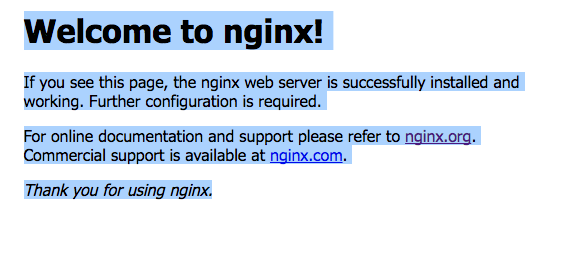
Many thanks for any hint on that.
Best
Contributor guide
No contributing guide indexed for this repository
First steps
- Read the whole issue, then the project's contributing guide.
- Comment on the issue to say you are picking it up — it saves two people doing the same work.
- Fork the repository and make your change on a branch.
- Open a pull request that references the issue number.
Research direction
Start with the supplied docker-compose configuration and the dockergen/nginx logs, especially the failed nginx -s reload notification. Confirm that the generated configuration reloads successfully and that requests for the configured domain reach the upstream instead of the default Nginx welcome page.
Written by the indexing model from the issue text.
Assessment
- Tech stack
- docker, nginx
- Domain
- backend, devops, networking
- Issue type
- Bug
- Difficulty
- 4/5
- Estimated time
- 3-5 days
- Activity status
- Stale
- Clarity
- Needs clarification
- Newbie friendliness
- 35/100