Color managed photos are not displayed properly
Nobody has claimed this yet.
- Dominant language
- JavaScript
- Stars
- 119
- Forks
- 72
- Avg merge
- 18h 42m
- Merged PRs (30d)
- 24
Description
Color profiles are being ignored when displaying photos. From my understanding almost all browser support color management with photos so I would not think it would be much work to fix. I will attach a photo that can be used for testing that has a wide color space. At least in my browser it looks fine here but not in the Nextcloud viewer.
In this case it is actually a somewhat important issues as iPhone's nowadays shoot in the p3 color space. I checked with the photos auto-uploded from my phone and they are also being displayed incorrectly. In the case with the iPhone the effect is small, I only could tell when comparing them next to each other.

This photo has a very large color space
To Reproduce
Steps to reproduce the behavior:
- Upload this photo or another one with a large color space
- See how photo is displayed
Expected behavior
Photo is displayed properly
Screenshots
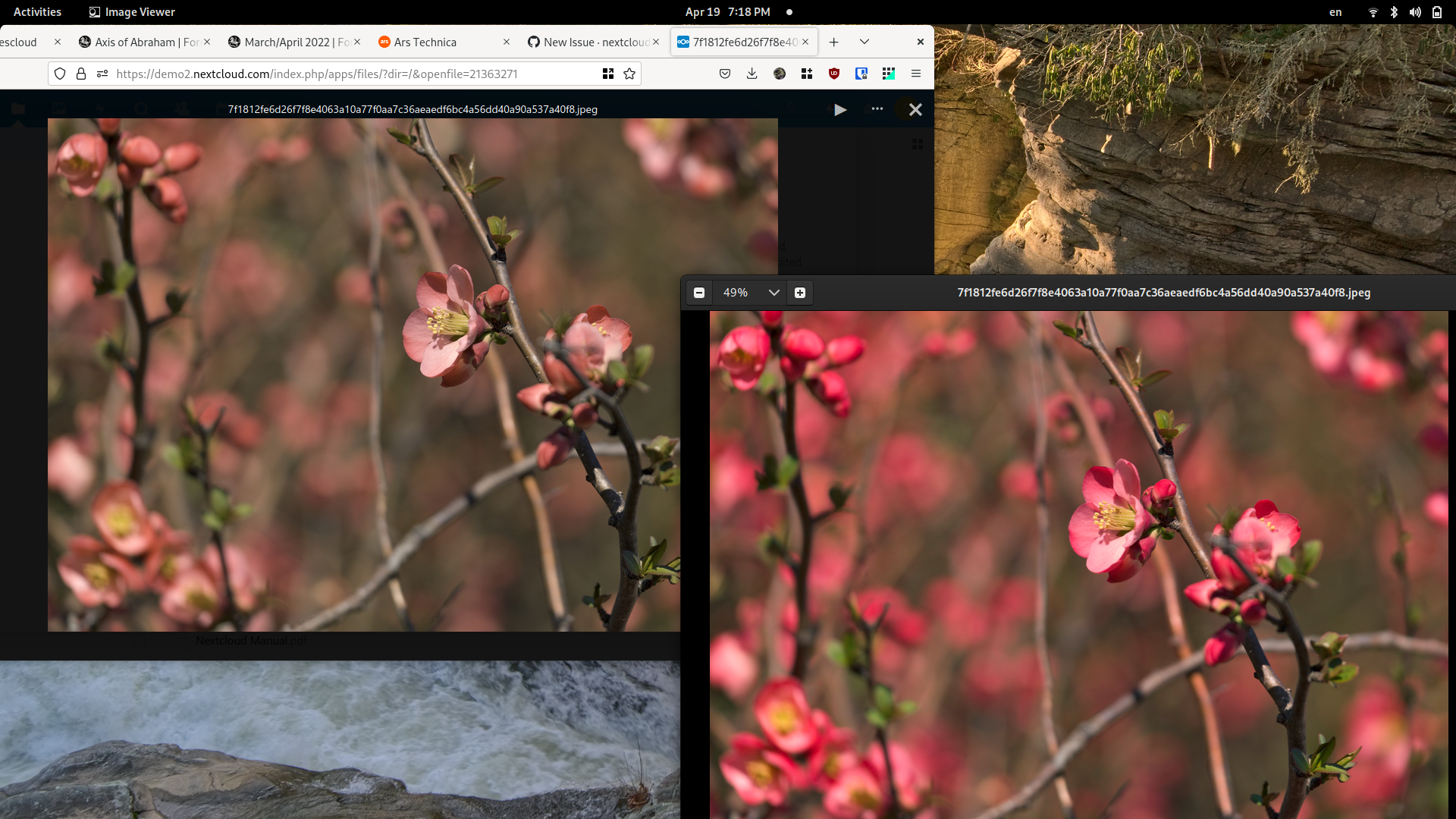
Desktop (please complete the following information):
- OS: Linux
- Browser Firefox, Chrome
- Version Latest
Browser log
Don't think this issues in the log is at all related but here they are
Opening viewer for file /7f1812fe6d26f7f8e4063a10a77f0aa7c36aeaedf6bc4a56dd40a90a537a40f8.jpeg Viewer.vue:273
Uncaught TypeError: document.getElementById(...) is null
I files.js:20
EventListener.handleEvent* files.js:24
NextJS 2
files.js:20:10
I files.js:20
(Async: EventListener.handleEvent)
files.js:24
NextJS 2
Contributor guide
First steps
- Read the whole issue, then the project's contributing guide.
- Comment on the issue to say you are picking it up — it saves two people doing the same work.
- Fork the repository and make your change on a branch.
- Open a pull request that references the issue number.
Research direction
Reproduce the issue in Firefox or Chrome with the attached wide-color-space photo, then start by reading Viewer.vue and the referenced files.js log location. Compare the viewer rendering with the browser's display of the same photo; done means color-managed photos display correctly in the viewer without the reported behavior.
Written by the indexing model from the issue text.
Assessment
- Tech stack
- javascript
- Domain
- frontend
- Issue type
- Bug
- Difficulty
- 4/5
- Estimated time
- 3-5 days
- Activity status
- Stale
- Clarity
- Mostly clear
- Newbie friendliness
- 38/100