nextcloud / nextcloud/talk-android
Android Talk does not establish a Phonecall connection like a browser (ends in error)
Nobody has claimed this yet.
- Dominant language
- Kotlin
- Stars
- 739
- Forks
- 321
- Avg merge
- 14h 59m
- Merged PRs (30d)
- 151
Description
Hi Devs,
I just want to bring it up here cause I am frustrated I could not get behind it.
Steps to reproduce
- A starts a call in Talk from PC
- B tries to enter call in Nextcloud Android App
- No connection established (just spinning wheel) (On same Android with Browser connection will be established)
Expected behaviour
Connection is established within seconds
Actual behaviour
No connection established (just spinning wheel)
Device information
Device: Motorola One
Android version: 10
Talk version: 11.1.0
Server information
Nextcloud version: 21.0.2
Talk version: 11.2.2
Custom Signaling server configured: yes/no and version (see talk admin settings: /index.php/index.php/settings/admin/talk#signaling_server)
Custom TURN server configured: yes (turn only TCP only)
Custom STUN server configured: no (stun.nextcloud.com:443)
Server log (data/nextcloud.log)
talkuse_pc = user which I used from PC
talkuse_android = user which I used from android
[nextcloud_git.log](https://github.com/nextcloud/talk-android/files/6657916/nextcloud_git.log)
Aditionally from another date:
Wireshark log from firewall:
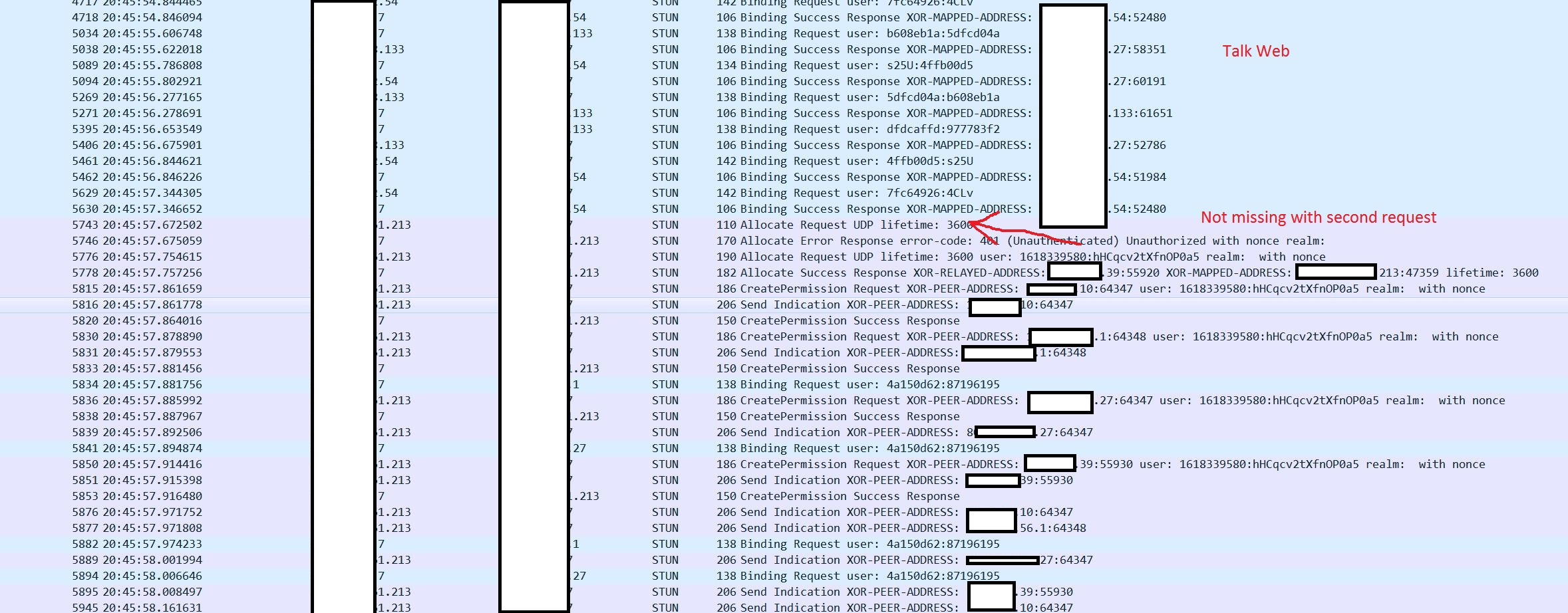
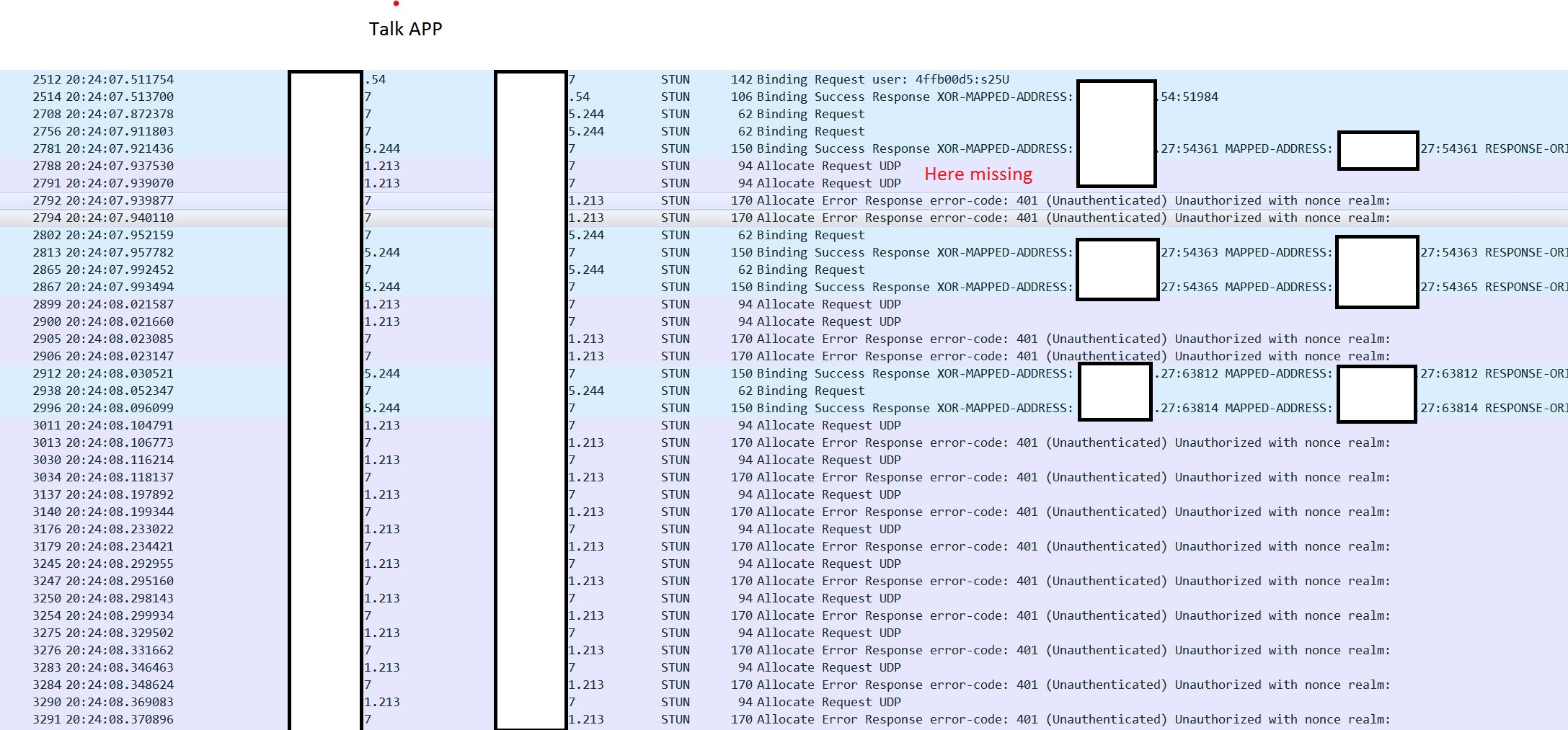
Nginx config:
server {
listen 443 ssl;
error_log /var/log/nginx/error.log debug;
server_name  one.example.com;
ssl_certificate_key /root/.acme.sh/one.example.com/one.example.com.key;
ssl_certificate     /root/.acme.sh/one.example.com/fullchain.cer;

ssl_session_cache    shared:SSL:1m;
ssl_session_timeout  5m;

ssl_protocols  TLSv1.2;

ssl_ciphers 'EECDH+AESGCM:EDH+AESGCM:AES256+EECDH:AES256+EDH';
ssl_prefer_server_ciphers  on;

location / {
    proxy_pass https://192.168.5.102;
    root   nextcloud;
    index  index.html index.htm;

    proxy_pass_header Authorization;
    proxy_set_header Host $host;
    proxy_set_header X-Real-IP $remote_addr;
    proxy_set_header X-Forwarded-For $proxy_add_x_forwarded_for;
    proxy_http_version 1.1;
    proxy_set_header Connection "";
proxy_buffering off;
    client_max_body_size 0;
    proxy_read_timeout 36000s;
    proxy_redirect off;
}
}
Contributor guide
First steps
- Read the whole issue, then the project's contributing guide.
- Comment on the issue to say you are picking it up — it saves two people doing the same work.
- Fork the repository and make your change on a branch.
- Open a pull request that references the issue number.
Research direction
Start by reproducing the call with the Android app and reviewing the attached nextcloud_git.log alongside the reported Nextcloud and Talk versions. Compare the Android behavior with the browser connection, then inspect the listed signaling, TURN, STUN, and Nginx configuration. Done means the Android participant establishes the call instead of remaining on the spinning wheel.
Written by the indexing model from the issue text.
Assessment
- Tech stack
- android, kotlin
- Domain
- audio-video-rtc, mobile, networking
- Issue type
- Bug
- Difficulty
- 4/5
- Estimated time
- 3-5 days
- Activity status
- Stale
- Clarity
- Mostly clear
- Newbie friendliness
- 35/100