Not possible to remove useless panel
Nobody has claimed this yet.
- Dominant language
- Swift
- Stars
- 2.5k
- Forks
- 1k
- Avg merge
- 2d 18h
- Merged PRs (30d)
- 13
Description
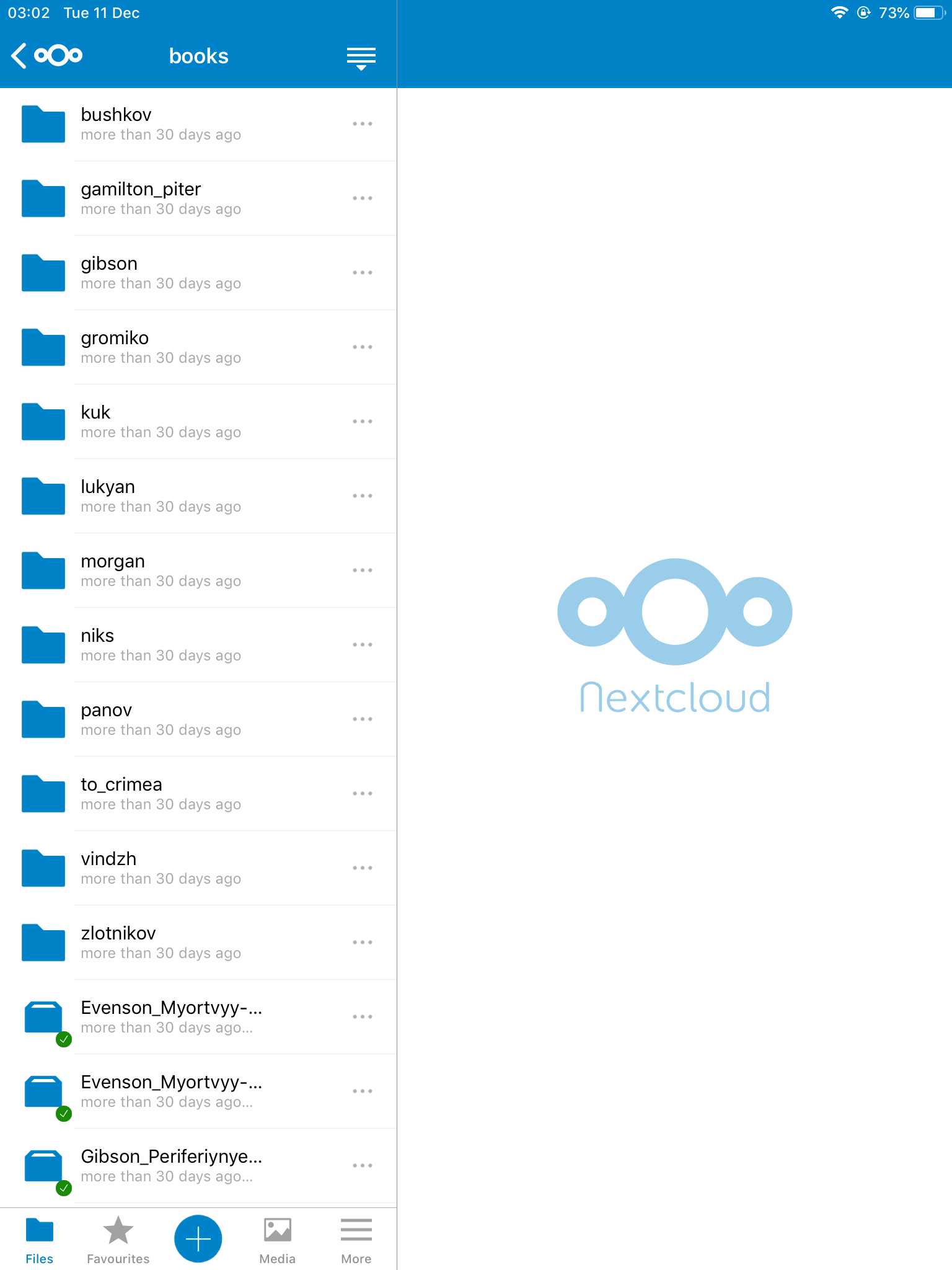
Expected behaviour
Possibility to read long filenames on left part of panel. And remove(resize) nag panel on right side.
Actual behaviour
Absolutely useless right panel with nextcloud logo occupy more than half screen on Ipad and not possible to remove, resize or disable it. Due to it no way to recognize file names on left part of screen if its longer than 20 or so characters. In uploaded example you see in left bottom 2 files with really different names but in nextcloud client files not possible to recognize due to not expandable "...".
Steps to reproduce
Trivial
iOS version
ANY
App version
ANY
Server configuration
Doesn`t matter
Contributor guide
First steps
- Read the whole issue, then the project's contributing guide.
- Comment on the issue to say you are picking it up — it saves two people doing the same work.
- Fork the repository and make your change on a branch.
- Open a pull request that references the issue number.
Research direction
Start by reproducing the issue on an iPad using the Nextcloud iOS app, focusing on the file list and the fixed right-side panel. Trace the iPad layout entry point responsible for that panel and determine how its width and visibility are controlled. Done means the panel can be removed or resized and long filenames remain distinguishable.
Written by the indexing model from the issue text.
Assessment
- Tech stack
- swift
- Domain
- mobile
- Issue type
- Bug
- Difficulty
- 4/5
- Estimated time
- 3-5 days
- Activity status
- Stale
- Clarity
- Mostly clear
- Newbie friendliness
- 35/100