New share dialogue
Nobody has claimed this yet.
- Dominant language
- Swift
- Stars
- 2.5k
- Forks
- 1k
- Avg merge
- 2d 18h
- Merged PRs (30d)
- 13
Description
I'd like to propose a more intuitive share dialogue. The current share view is rather complicated and it can be confusing at times. A client recently failed to share a file because she did not understand the UI. Ideally, the two views (general share settings & find user/group) can be combined to one simpler view.
Combining search for a username and enter username
Currently, there are two input fields for entering a known username and searching for a username. This is really confusing. The search doesn't say anything if nothing was found. There are long text labels explaining a simple operation.
The current screen to select a user/group:
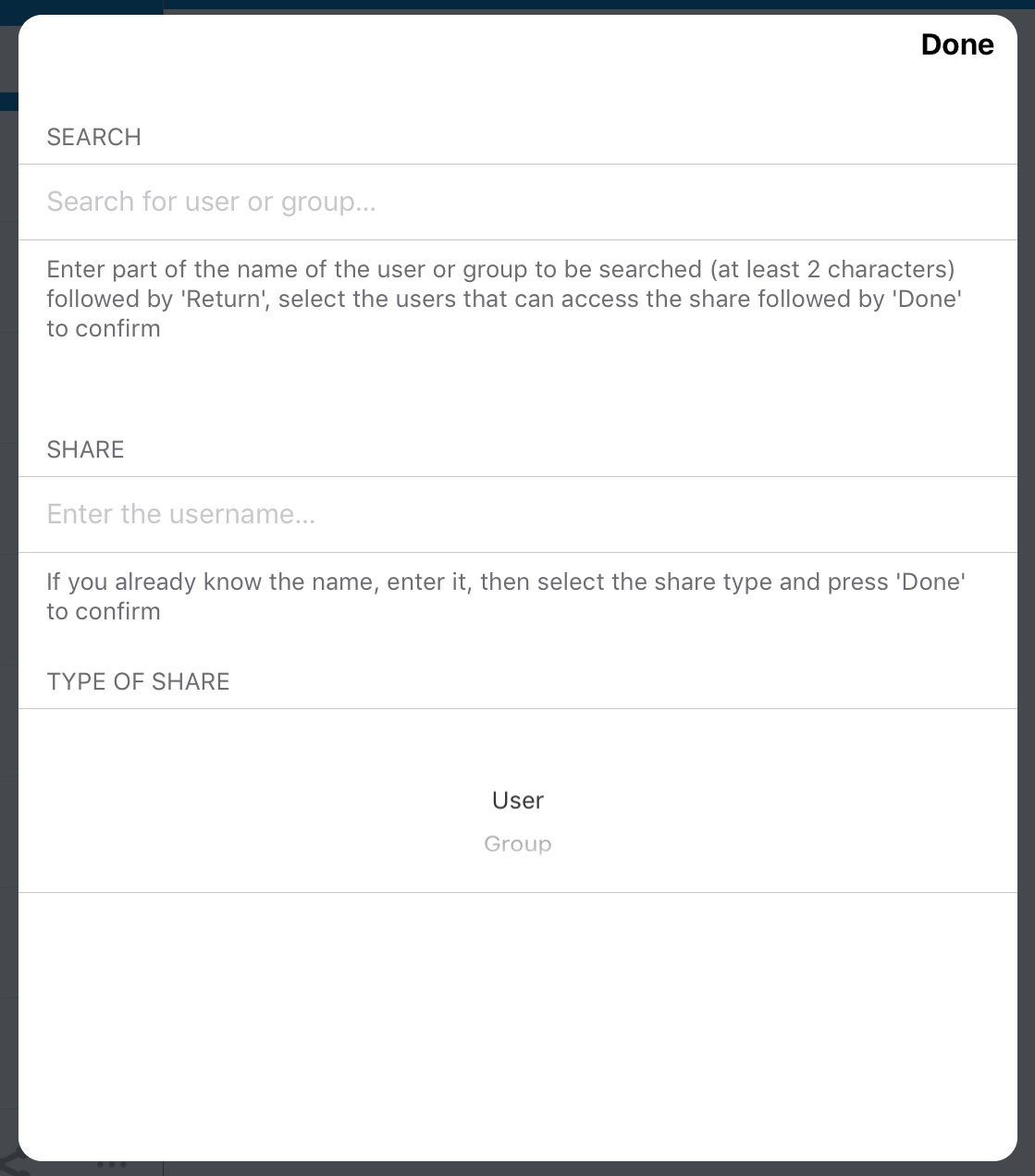
I think this can be reduced to a single input field. Dropbox has solved the share screen very elegantly:
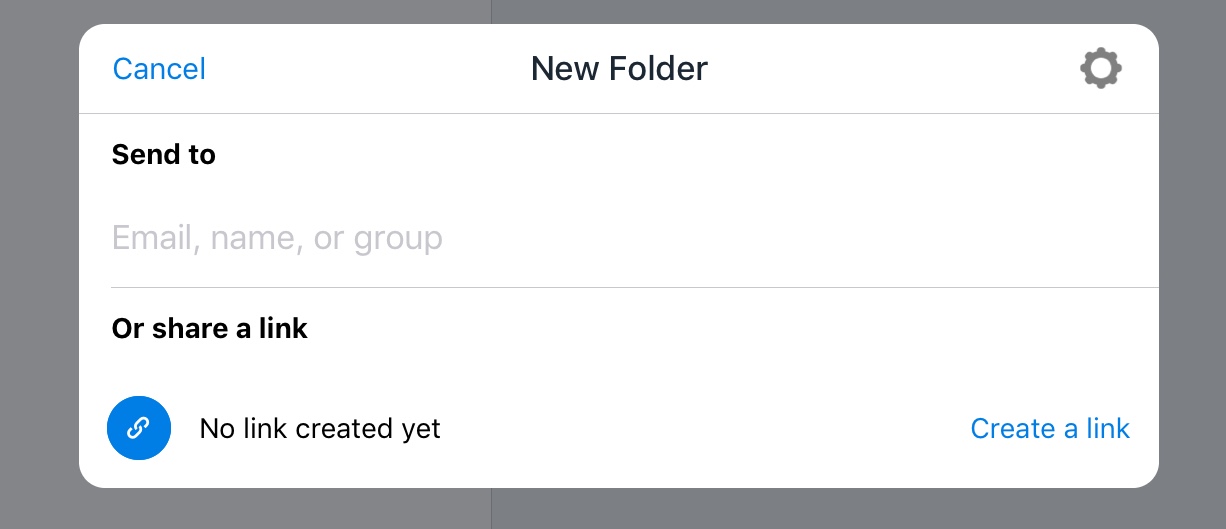
Similar to dropbox I suggest for NC a single input field.
- Typing in a valid group/user name followed by "Return" will add the share.
- If the user didn't type a valid username or group name the search result is shown below the input field.
- If the user typed an email address the (federated) email share option could be triggered (like on the web interface)
Each added share with a user or group appears below the input field. The username or group name is prepended with an group icon for groups and the avatar for users. Swiping left on the share removes it.
Using a single input field with a meaningful placeholder (like dropbox) will allow to remove all of the explanatory text.
The reduced size allows the input field to be integrated in the first share view. Combining the two views into one.
Simplified look
It could look something like this:
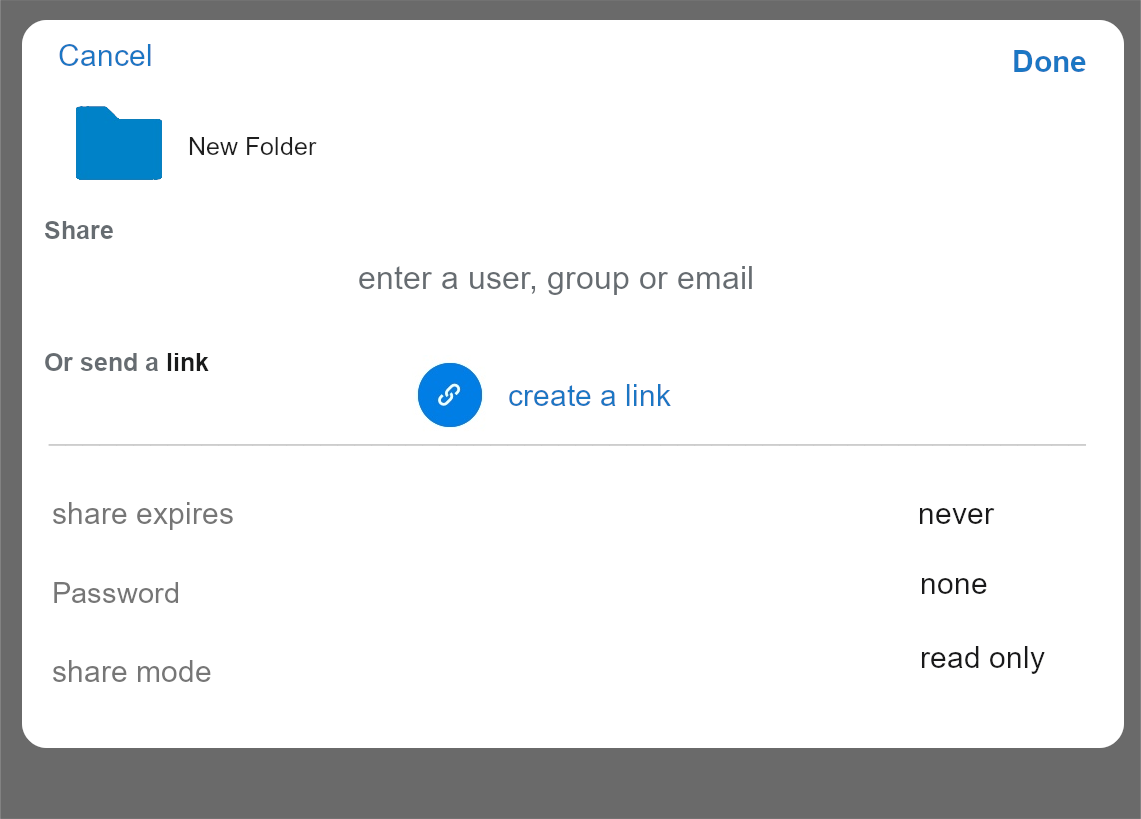
Tapping on "create a link", a pop up appears (taken from dropbox):
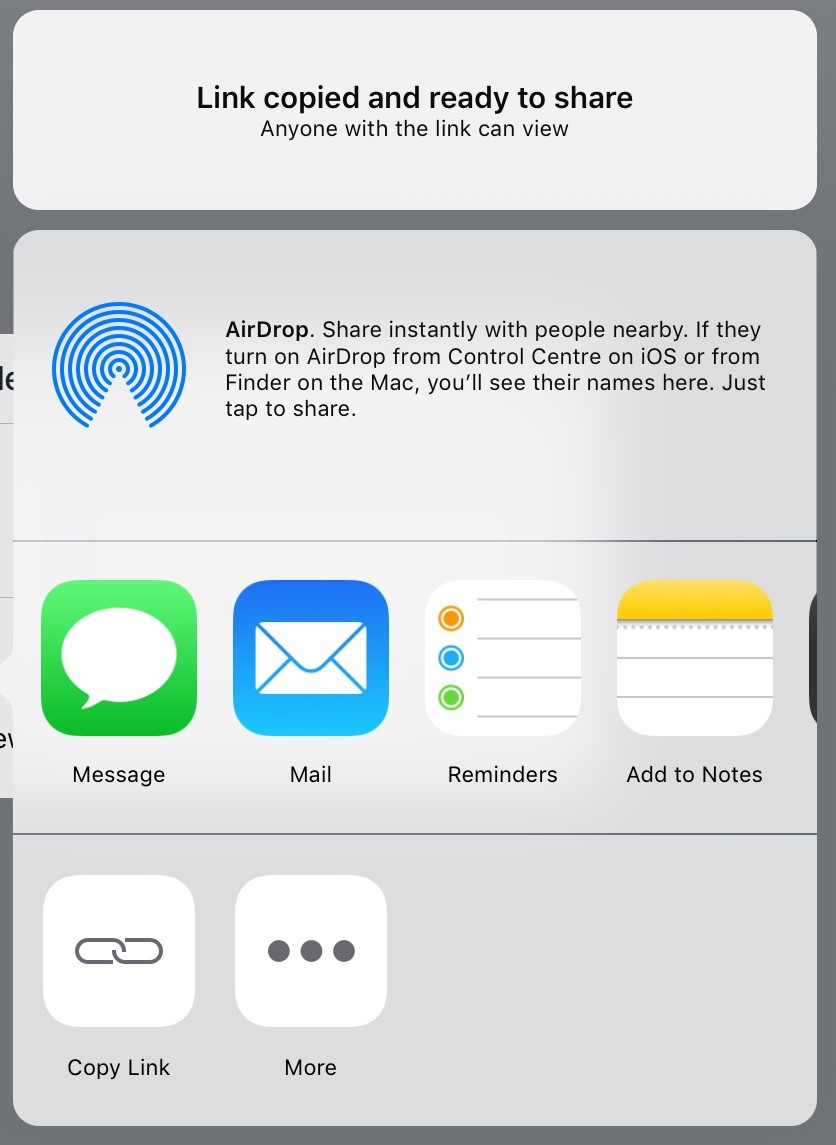
Two users added and link sharing:
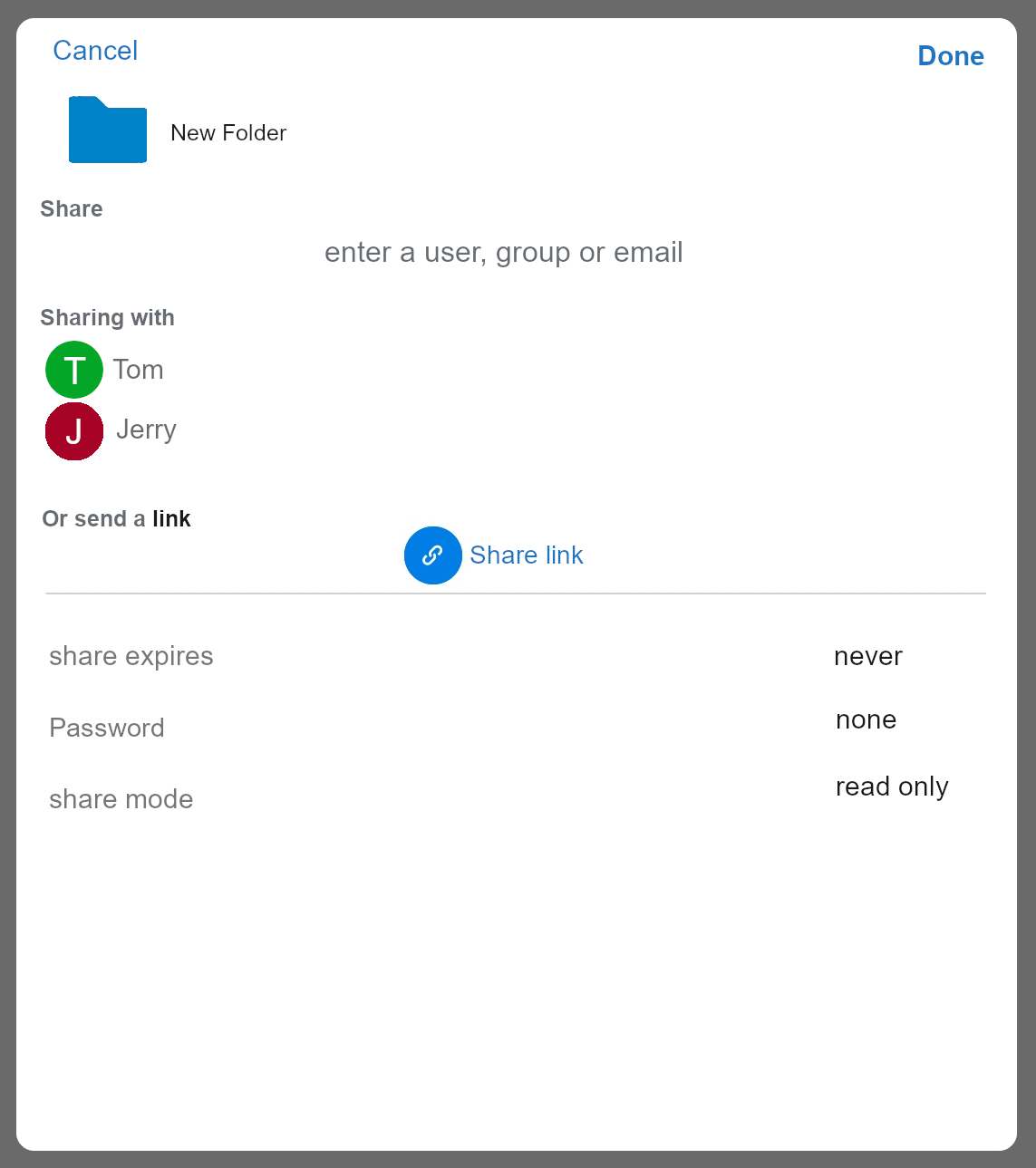
What do you think?
Contributor guide
First steps
- Read the whole issue, then the project's contributing guide.
- Comment on the issue to say you are picking it up — it saves two people doing the same work.
- Fork the repository and make your change on a branch.
- Open a pull request that references the issue number.
Research direction
Start by locating the current share view and its user/group search flow, then compare it with the requested single-field interaction and screenshots in the issue. Done means the share settings and recipient search are combined, valid users or groups can be added, invalid searches are shown, email sharing can be triggered, and added shares or link sharing remain manageable.
Written by the indexing model from the issue text.
Assessment
- Tech stack
- swift
- Domain
- mobile
- Issue type
- Feature
- Difficulty
- 5/5
- Estimated time
- Over a week
- Activity status
- Stale
- Clarity
- Mostly clear
- Newbie friendliness
- 20/100