Unable to Upload to E2E Encrypted Folder from iOS App
Nobody has claimed this yet.
- Dominant language
- Swift
- Stars
- 2.5k
- Forks
- 1k
- Avg merge
- 2d 18h
- Merged PRs (30d)
- 13
Description
Steps to reproduce
- Open encrypted folder (Relating to Nextcloud's E2EE app)
- Upload any file
Expected behaviour
File encrypts and uploads successfully
Actual behaviour
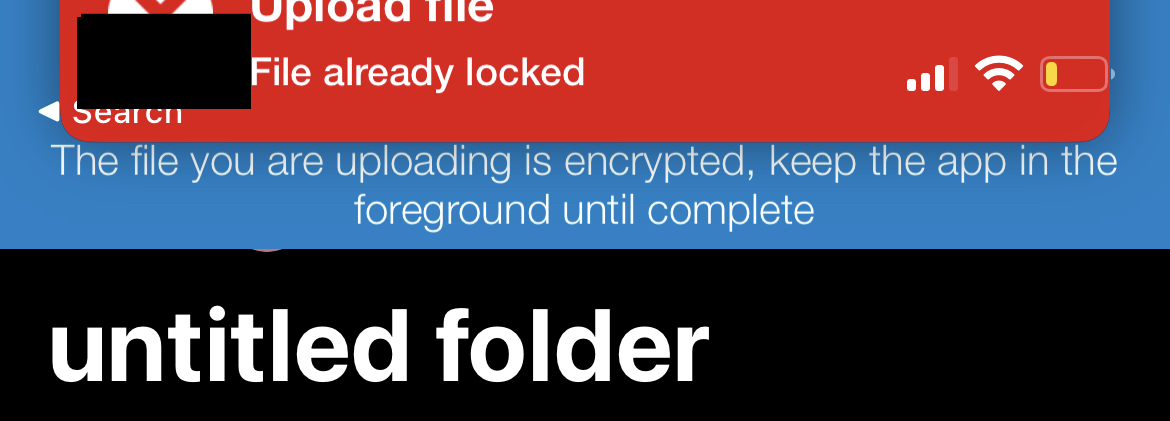
Loops an error message, going from "The file you are uploading is encrypted, keep the app in the foreground until complete" to the error "File already locked" repeatedly, every few seconds until the transfer is manually stopped from the "More" tab.
Screenshots
Reasoning or why should it be changed/implemented?
Because it removes the ability to use E2EE on iOS devices.
Environment data
iOS version: e.g. iOS 15.4.1
Nextcloud iOS app version: 4.3.1
Nextcloud version: 23.0.2
End-to-end Encryption app version: 1.9.1
Contributor guide
First steps
- Read the whole issue, then the project's contributing guide.
- Comment on the issue to say you are picking it up — it saves two people doing the same work.
- Fork the repository and make your change on a branch.
- Open a pull request that references the issue number.
Research direction
Start by reproducing the encrypted-folder upload from the iOS app using the listed app, Nextcloud, and E2EE versions. Trace the encrypted upload entry point and the repeated “File already locked” state; done means a file uploads successfully without looping or requiring manual cancellation.
Written by the indexing model from the issue text.
Assessment
- Tech stack
- ios, swift
- Domain
- mobile-dev, security
- Issue type
- Bug
- Difficulty
- 4/5
- Estimated time
- 3-5 days
- Activity status
- Stale
- Clarity
- Mostly clear
- Newbie friendliness
- 35/100