Add a way to fully navigate to a "Recent" file in its actual folder
Nobody has claimed this yet.
- Dominant language
- Swift
- Stars
- 2.5k
- Forks
- 1k
- Avg merge
- 2d 18h
- Merged PRs (30d)
- 13
Description
Steps to reproduce
- Load NC app
- Select "More" in the bottom right
- Select "Recent"
- Select a file (e.g. image or video)
- Select the three dots menu in the top right of image viewing window
- Select "View in folder"
- Attempt to open any file listed in that folder that's being viewed
Expected behaviour
Selecting "View in folder" should fully open the file selected in "Recent" and its Nextcloud folder, instead of opening a type of preview window, or there should be another option similar to "View in folder" that has this capability, such as adding an "Open folder" button in the "View in folder" preview window.
This works as expected through a browser on desktop.
Actual behaviour
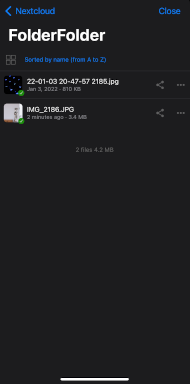
Selecting "View in folder" for a file in "Recent" opens a preview window where files in that folder can't be opened, basically just showing what is in the folder of the file selected in "Recent".
Screenshots
Nextcloud app main screen
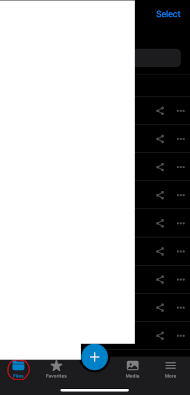
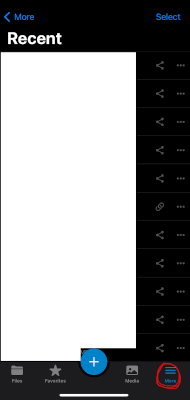
Selecting "Recent"
Selecting "More"
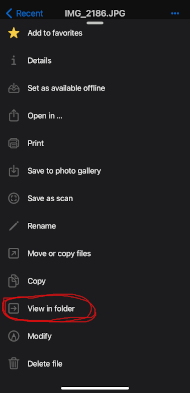
Viewing file (image) and selecting three menu dots

Selecting "View in folder"
Viewing folder through "View in folder", and where I'm not able to select any files
Reasoning or why should it be changed/implemented?
This is how NC works on desktop.
"View in folder" seems to mean that that file and its Nextcloud folder will be opened in such a way where it's possible to interact with the other files in that folder (just like normal when a folder is opened) but, "View in folder" instead opens a preview window that only shows what else is in that folder, meaning to actually open the file and its Nextcloud folder, it's necessary to now redundantly navigate to it (after it was already open through "View in folder").
Environment data
iOS version: iOS 15.4.1
Nextcloud iOS app version: 4.3.1.0
Server operating system: Dietpi
Nextcloud version: 23.0.3
Contributor guide
First steps
- Read the whole issue, then the project's contributing guide.
- Comment on the issue to say you are picking it up — it saves two people doing the same work.
- Fork the repository and make your change on a branch.
- Open a pull request that references the issue number.
Research direction
Start by reproducing the Recent-to-View in folder flow in the Nextcloud iOS app, using the steps and screenshots in the issue. Trace the View in folder entry point and verify the folder view's file interactions; done means the selected file and its folder open in an interactive folder view, or an equivalent Open folder action is available.
Written by the indexing model from the issue text.
Assessment
- Tech stack
- ios, swift
- Domain
- mobile
- Issue type
- Bug
- Difficulty
- 3/5
- Estimated time
- 1-2 days
- Activity status
- Stale
- Clarity
- Mostly clear
- Newbie friendliness
- 42/100