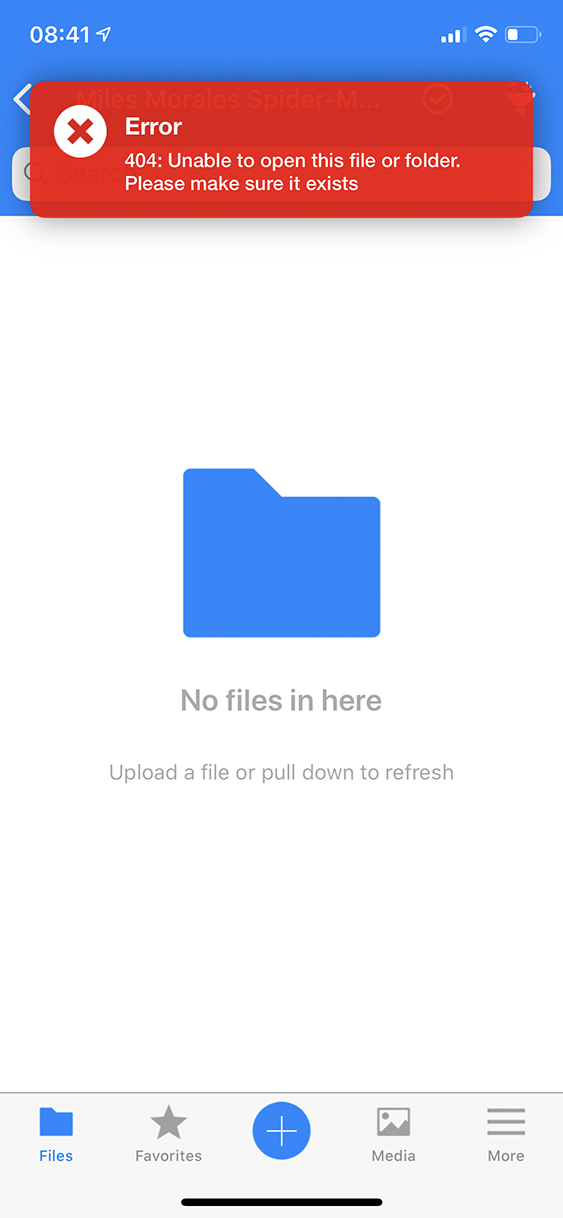
Opening a folder with a # in the name throws up a 404 message
Nobody has claimed this yet.
- Dominant language
- Swift
- Stars
- 2.5k
- Forks
- 1k
- Avg merge
- 2d 18h
- Merged PRs (30d)
- 13
Description
Expected behaviour
All the files are displayed as with any other folder.
Actual behaviour
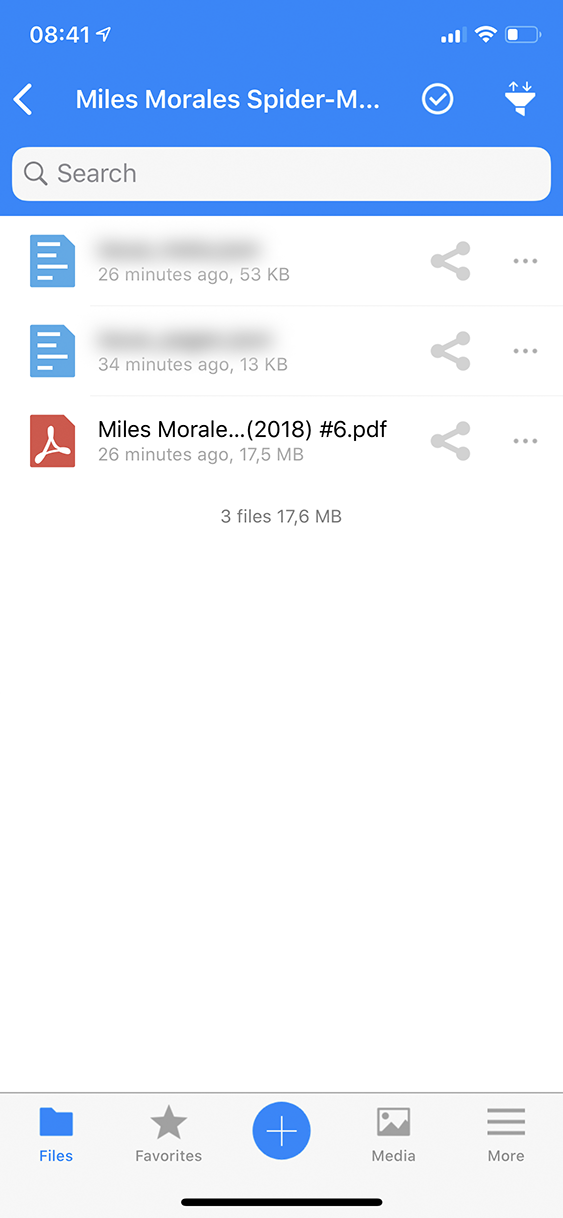
The app displays a 404 message. Only after a manual refresh do the files get loaded.
Steps to reproduce
- Create a directory structure like this:
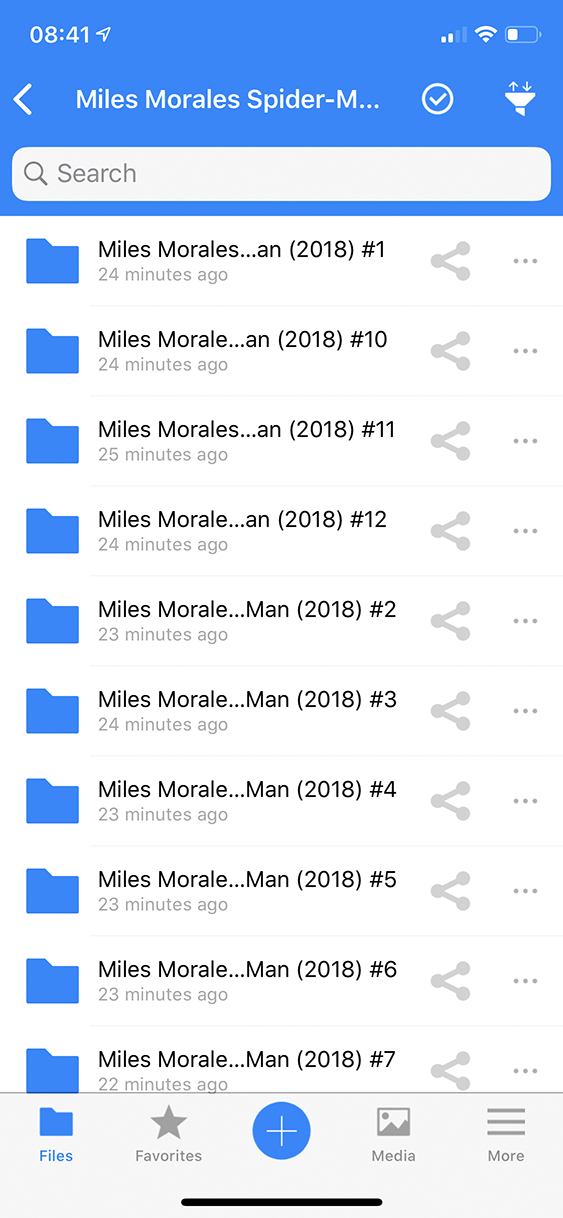
<nextcloud root>/Miles Morales Spider-Man (2018 - Present)/Miles Morales Spider-Man (2018) #6
and put files in it. - Try to access the folder in the iOS app. The app will throw a 404 error
- Manually drag to refresh
- The files are now there
On every subsequent opening of the folder, the app will throw up the 404 error again, even though the file list is cached and the app already knows there are files there
Screenshots
The list of directories:
The 404 error in question:
After a manual refresh:
Reasoning or why should it be changed/implemented?
Should be self-evident, really
iOS version
13.5
App version
2.25.9.2
Server configuration
Operating system: Debian 10
Web server: nginx 1.19.0
Database: MariaDB 10.4.13
PHP version: PHP 7.3.18
Nextcloud version: 18.0.6
Contributor guide
First steps
- Read the whole issue, then the project's contributing guide.
- Comment on the issue to say you are picking it up — it saves two people doing the same work.
- Fork the repository and make your change on a branch.
- Open a pull request that references the issue number.
Research direction
No source file, test, or entry point is named. Reproduce the issue in the iOS app with a folder containing #, then trace how that folder path is opened and refreshed; done means the folder loads normally on every opening without a manual refresh.
Written by the indexing model from the issue text.
Assessment
- Tech stack
- ios, swift
- Domain
- mobile
- Issue type
- Bug
- Difficulty
- 3/5
- Estimated time
- 1-2 days
- Activity status
- Stale
- Clarity
- Mostly clear
- Newbie friendliness
- 35/100