Testflight: Feature: View offline favourites under "Manage offline files"
Nobody has claimed this yet.
- Dominant language
- Swift
- Stars
- 2.5k
- Forks
- 1k
- Avg merge
- 2d 18h
- Merged PRs (30d)
- 13
Description
Expected behaviour
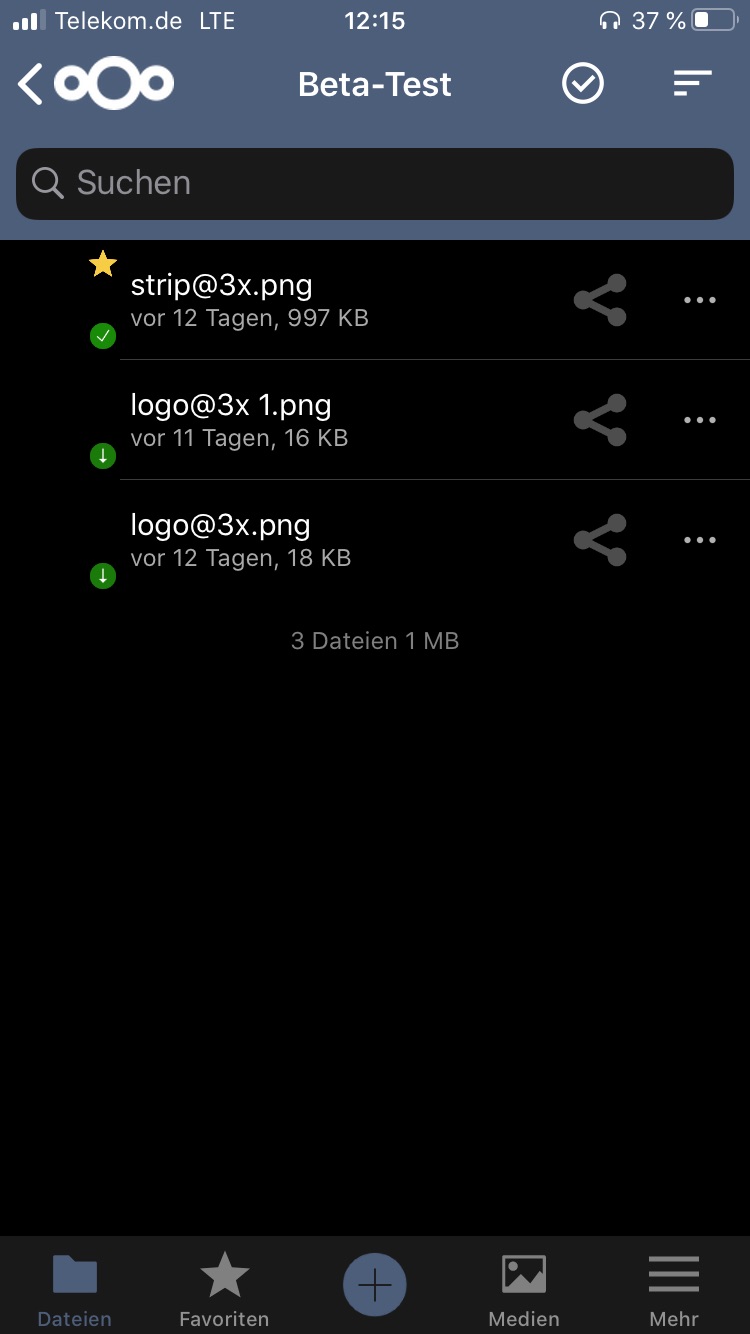
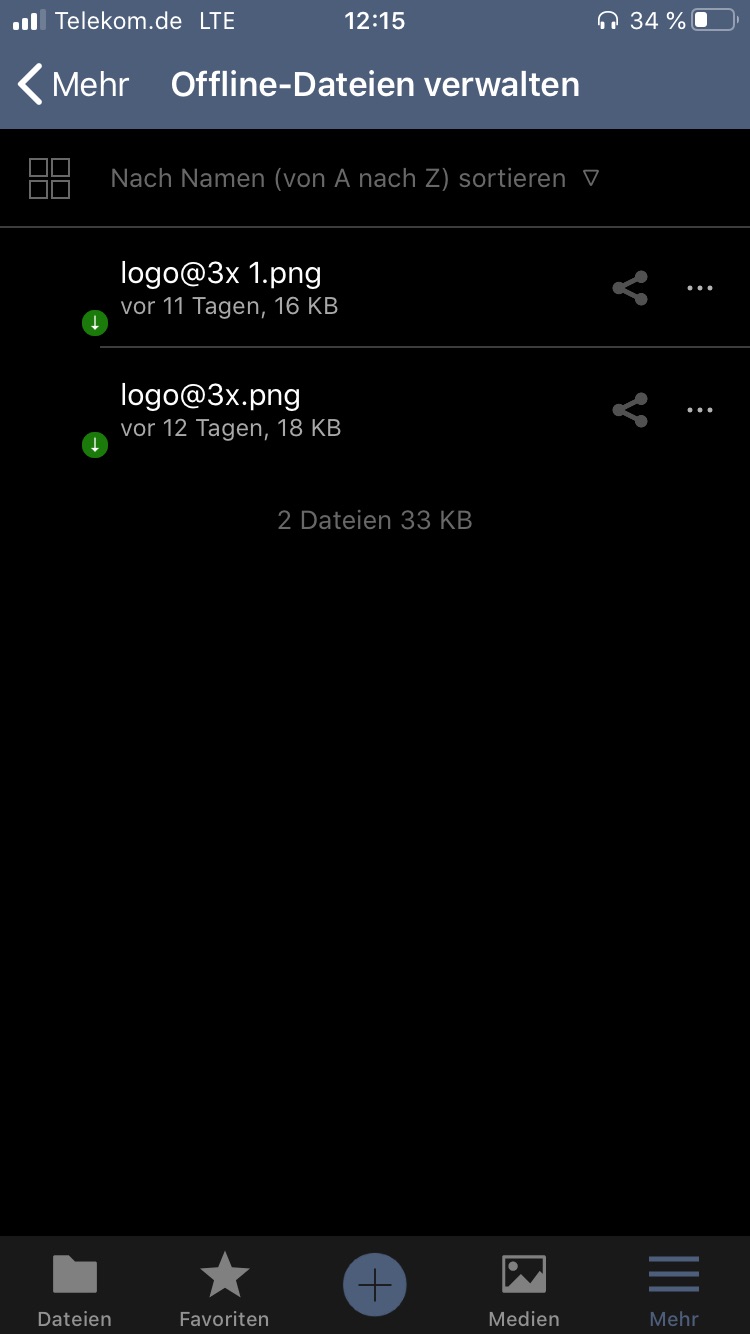
When a folder is marked as Favourite and in settings the "Favourites available offline" feature is activated, those files/folders should appear inside "Manage offline files".
Actual behaviour
Favourite files made available offline don't appear under "Manage offline files".
Steps to reproduce
Mark files as favourite, make favourite files available offline, have a look under "Manage offline files".
Reasoning or why should it be changed/implemented?
Makes more sense to me.
iOS version
13.4.1
App version
Testflight 3.0.0 (46)
Contributor guide
First steps
- Read the whole issue, then the project's contributing guide.
- Comment on the issue to say you are picking it up — it saves two people doing the same work.
- Fork the repository and make your change on a branch.
- Open a pull request that references the issue number.
Research direction
Start by reproducing the issue on the iOS app using the listed steps: mark files or folders as favourites, enable “Favourites available offline,” and open “Manage offline files.” Trace the existing offline-favourites handling and make the resulting files and folders appear there, then verify the behaviour against the expected and actual results described above.
Written by the indexing model from the issue text.
Assessment
- Tech stack
- swift
- Domain
- mobile
- Issue type
- Bug
- Difficulty
- 3/5
- Estimated time
- 1-2 days
- Activity status
- Stale
- Clarity
- Mostly clear
- Newbie friendliness
- 42/100