Brave/Chrome/Chromium shortcut shows incorrect icon for Deck
Nobody has claimed this yet.
- Dominant language
- JavaScript
- Stars
- 1.4k
- Forks
- 354
- Avg merge
- 1d 10h
- Merged PRs (30d)
- 43
Description
Describe the bug
I use Brave browser shortcuts to use Deck, Calendar and Tasks as web apps on Pop!_OS.
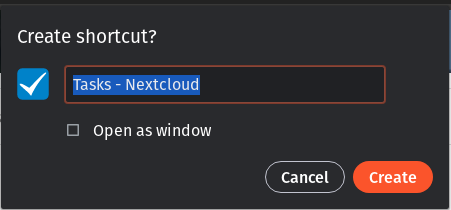
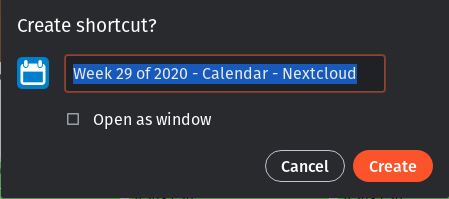
When creating the shortcuts for Calendar and Tasks, the icon from that application is used for the shortcut, as you can see from the following shortcuts.
This is nice functionality, because this way the icon in my desktop dock is also automatically set to this image when I add it.
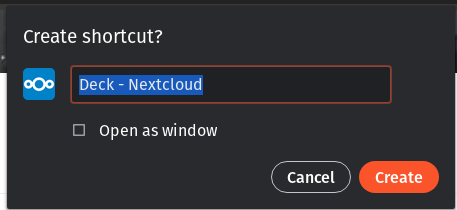
But when I do the same for Deck, it shows the Nextcloud icon.
I imagine this is an app configuration, maybe it misses an icon for the type/resolution that Brave / Chrome / Chromium requests from the site.
To Reproduce
Steps to reproduce the behavior:
Using Brave / Chrome / Chromium
- Open Deck
- Menu - More Tools - Create Shortcut
- Verify the default Nextcloud icon is shown and used instead of the app icon
Expected behavior
The icon from the Deck app is used (like this is the case for the other apps) instead of the Nextcloud default icon.
Screenshots
The application icons are used to create the shortcuts
For Deck, the Nextcloud icon is used for the shortcut
How the apps are shown in Brave/Chromium and in Desktop Dock (Pop! OS)
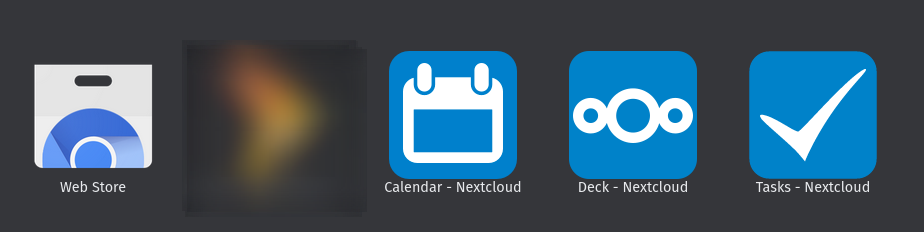
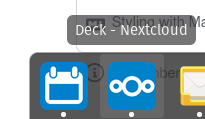
Interesting detail; in the New Tab page from Brave, the Deck icon is shown and it seems to be of lower quality than the other Nextcloud apps

Client details:
- OS: Pop!_OS
- Browser: Chromium / Brave / Chrome
- Version: Chromium 83.0.4103.116, Brave Version 1.10.97
- Device: Desktop
Server details:
Nextcloud version: 19.0.0
Deck Version: 1.0.5
Contributor guide
First steps
- Read the whole issue, then the project's contributing guide.
- Comment on the issue to say you are picking it up — it saves two people doing the same work.
- Fork the repository and make your change on a branch.
- Open a pull request that references the issue number.
Research direction
Start by inspecting Deck's web-app icon metadata and comparing it with the metadata used by Calendar and Tasks. Reproduce the Menu - More Tools - Create Shortcut flow in Brave, Chrome, or Chromium; done when the generated shortcut uses the Deck icon rather than the default Nextcloud icon.
Written by the indexing model from the issue text.
Assessment
- Tech stack
- javascript
- Domain
- frontend
- Issue type
- Bug
- Difficulty
- 3/5
- Estimated time
- 1-2 days
- Activity status
- Stale
- Clarity
- Mostly clear
- Newbie friendliness
- 45/100