nextcloud / nextcloud/contacts
Contacts not show in app.
Nobody has claimed this yet.
- Dominant language
- JavaScript
- Stars
- 642
- Forks
- 220
- Avg merge
- 14h 39m
- Merged PRs (30d)
- 51
Description
Describe the bug
Its fresh install of nextcloud on ubuntu 22.4 and when try to import contacts from vcf file contacts seem to be added, but when sync with phone, or just press F5 after import is done contacts dissapeared and There are not contacts yet message displayed.
After that I think that may be vcf file is the problem, I try another one and resut was the same.
After that I start thinking that problem is with importing functionality, and try to add some test contact, result the same, contact appear and after refreshing page dissapear.
After that I checked database to be sure that database is ok, and its not broken. So in table oc_cards contacts are present, and in table oc_cards_properties info is present. From here I understand that may be this is a app issue.
Next some images with debugging from developer console.

This is network page when importing contacts from vcf file:

This is console output when started importing:

this is response from one of the 400 bad request messages:
[HTTP/1.1 400 Bad Request 78ms]
<d:error xmlns:d="DAV:" xmlns:s="http://sabredav.org/ns">
<s:exception>Sabre\DAV\Exception\BadRequest</s:exception>
<s:message>VCard object with uid already exists in this addressbook collection.</s:message>
</d:error>
and also appear this error in console output
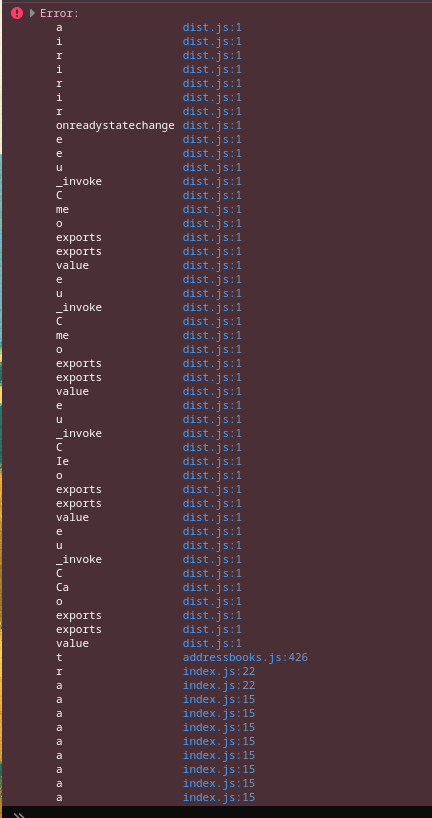
Also from the logging functionality I get this error messages
Validation error in vCard: CardDAV servers are not allowed to accept vCard 2.1.
Vcards created from my another instance of nextcloud, it was version 22 I think.
So thats all that I collected
Here is reproducing that issue on video.
https://user-images.githubusercontent.com/60692725/213726438-f4a90e73-bebf-4006-94a7-c7cc42f07e16.mp4
Steps to reproduce
First scenario
- Go to Contacts app.
- Click on Contacts Settings
- Add address book if its not present, or if its present click on import contacts.
- Select vcf file from PC or cloud.
- Contacts seems to be imported.
- Refresh page with Contacts.
Second scenario
- Go to Contacts app.
- Add new Test contact with random information.
- Contact seems to be saved.
- Refresh page.
Third scenario
- Go to Contacts app.
- Add new Test contact with random information. (or import vcf both valid cases).
- Update phone contacts list and see that contacts are present.
- Refresh browser page.
Expected behavior
Contacts are present and available in all 3 scenarios.
Actual behavior
Contacts are not shown in app, but they are present in DB as described.
Contacts unable to import.
Contacts dont sync with phone.
Contact version
5.0.2
Operating system
Ubuntu 22.04.1 LTS x86_64
PHP engine version
PHP 8.1
Web server
Apache (supported)
Database
MariaDB
Additional info
No response
Contributor guide
First steps
- Read the whole issue, then the project's contributing guide.
- Comment on the issue to say you are picking it up — it saves two people doing the same work.
- Fork the repository and make your change on a branch.
- Open a pull request that references the issue number.
Research direction
Start by reproducing the Contacts app import and manual-save flows described in the issue, then inspect the network requests returning 400 Bad Request and the related console output. Check how the saved contacts are loaded after a page refresh and through phone sync. Done means imported and manually created contacts remain visible after refresh and are available to sync.
Written by the indexing model from the issue text.
Assessment
- Tech stack
- apache, javascript, mariadb, php
- Domain
- api, databases, full-stack
- Issue type
- Bug
- Difficulty
- 4/5
- Estimated time
- 3-5 days
- Activity status
- Stale
- Clarity
- Mostly clear
- Newbie friendliness
- 35/100