nextcloud-libraries / nextcloud-libraries/nextcloud-vue
Admin settings, layout broken
Open
Nobody has claimed this yet.
0. to triage
bug
feature: settings
- Dominant language
- Vue
- Stars
- 246
- Forks
- 99
- Avg merge
- 1d 20h
- Merged PRs (30d)
- 103
Description
I just noticed it on Nextcloud 25.0.2.
I assume it is a vue-issue, if not feel free to move it to a different repository
- Have Nextcloud Office enabled. (probably works with every setting page where you have to scroll)
- Go to the Office admin settings
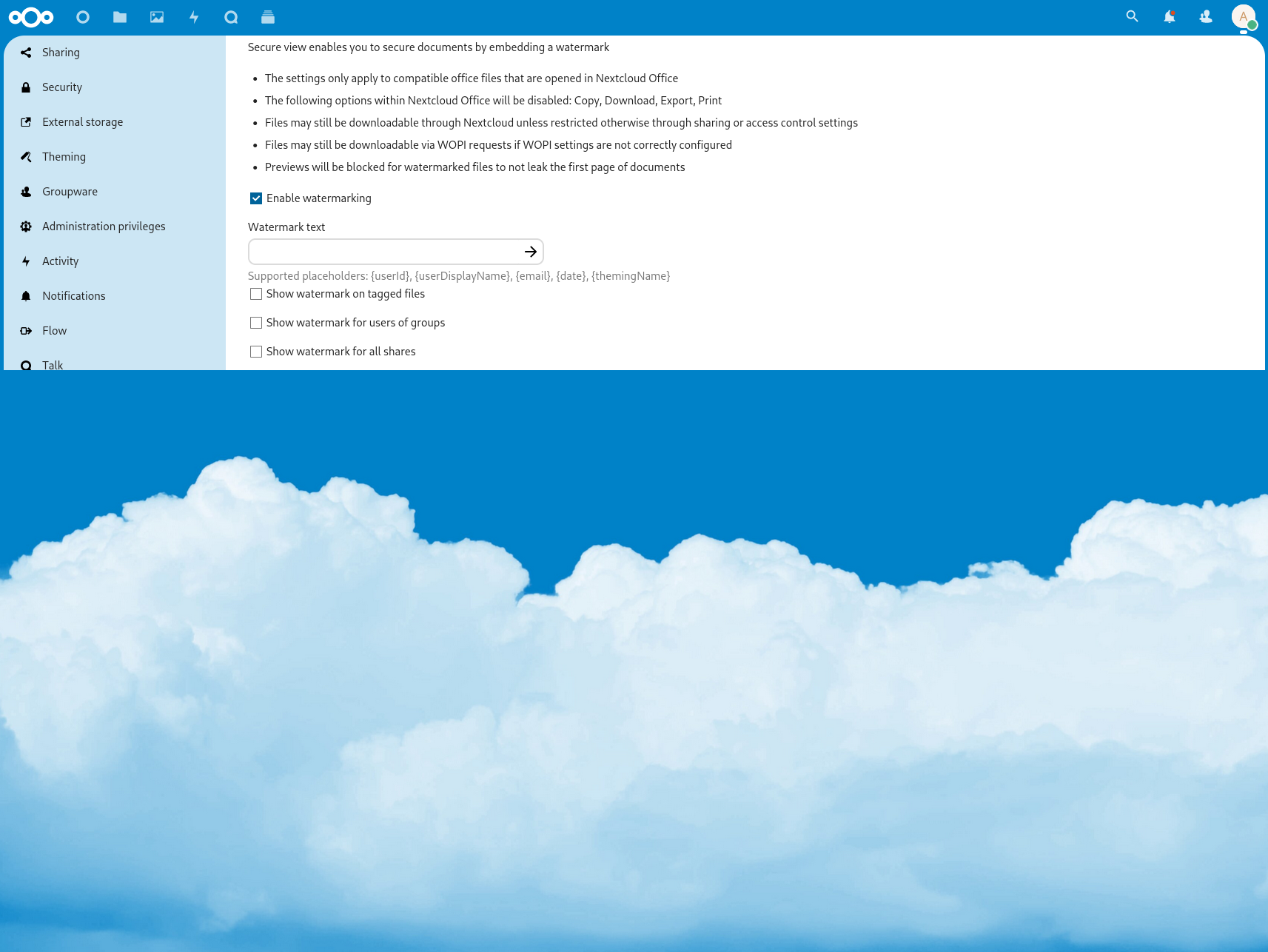
- Scroll down until you see the "Enable watermarking" checkbox:

- click the checkbox
Result:
Contributor guide
First steps
- Read the whole issue, then the project's contributing guide.
- Comment on the issue to say you are picking it up — it saves two people doing the same work.
- Fork the repository and make your change on a branch.
- Open a pull request that references the issue number.
Research direction
Reproduce the issue in the Office admin settings with Nextcloud Office enabled, then scroll to the “Enable watermarking” checkbox and toggle it. Compare the layout before and after the toggle using the provided screenshots; done means the settings page remains correctly laid out after the checkbox is clicked.
Written by the indexing model from the issue text.
Assessment
- Tech stack
- javascript
- Domain
- frontend
- Issue type
- Bug
- Difficulty
- 3/5
- Estimated time
- 1-2 days
- Activity status
- Stale
- Clarity
- Mostly clear
- Newbie friendliness
- 45/100