nextcloud-libraries / nextcloud-libraries/nextcloud-vue
Safari Layout issues
Open
Nobody has claimed this yet.
2. developing
feature: app-content
feature: app-navigation
- Dominant language
- Vue
- Stars
- 246
- Forks
- 99
- Avg merge
- 1d 20h
- Merged PRs (30d)
- 103
Description
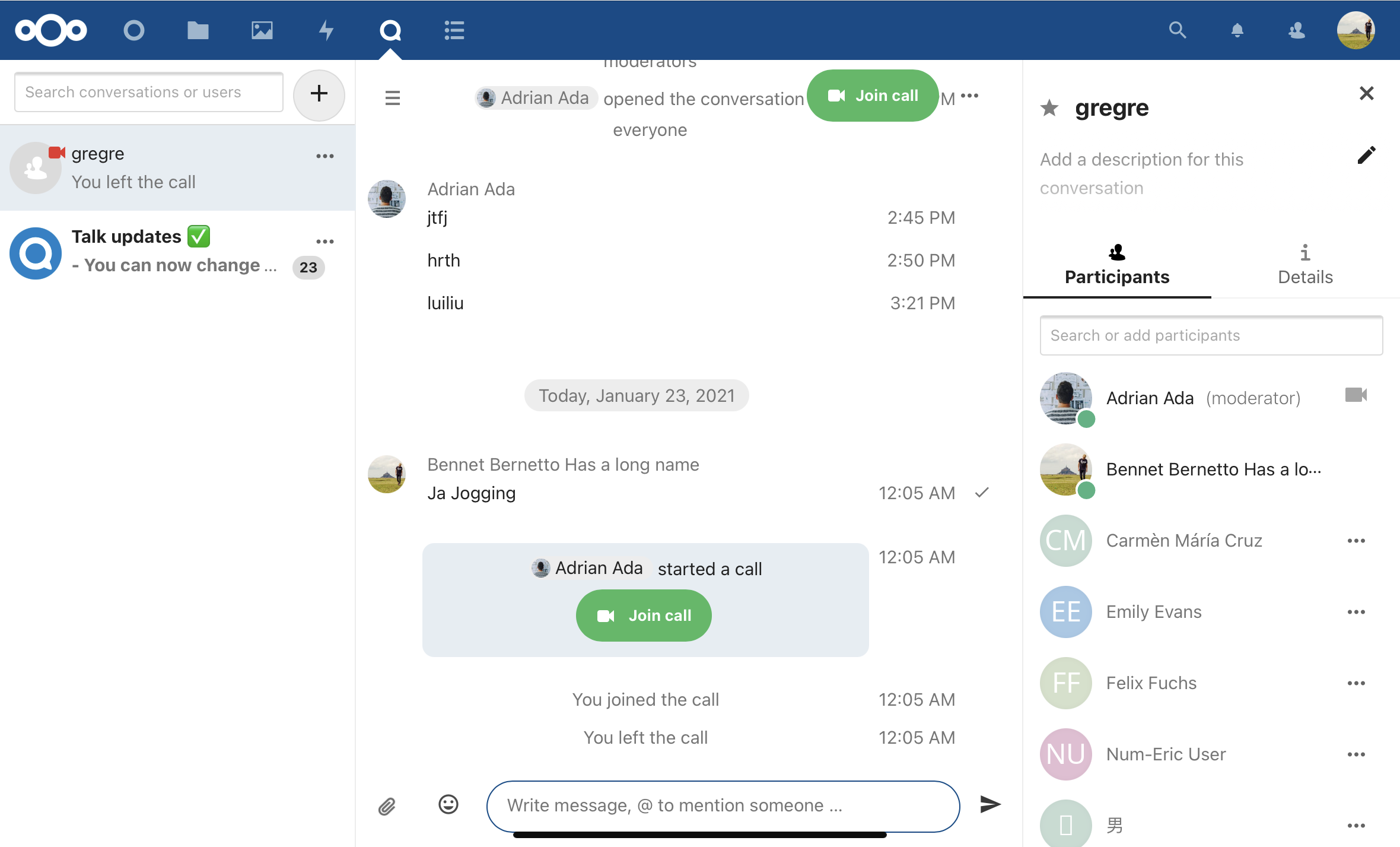
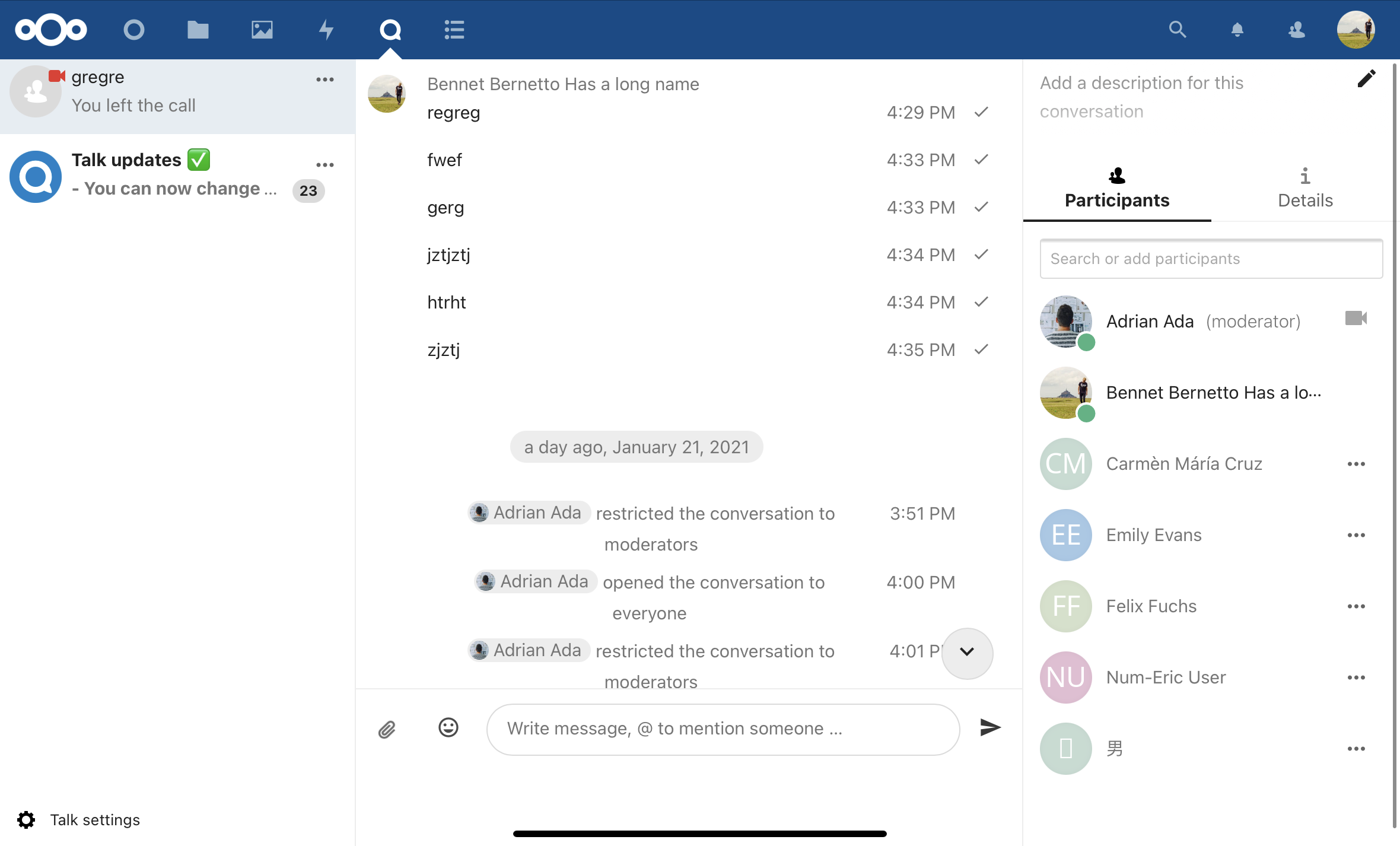
There is some weird scrolling going on, see first the top on the left.
Then scrolling down:
- settings appear ✅
- create button+search field disappear 💥
- space below the input 💥
| Top | Bottom |
|---|---|
 |
 |
Talk app
Talk app version: master
Browser
Microphone available: yes
Camera available: yes
Operating system: iPadOS
Browser name: Safari
Browser version: 14.0.2
Contributor guide
First steps
- Read the whole issue, then the project's contributing guide.
- Comment on the issue to say you are picking it up — it saves two people doing the same work.
- Fork the repository and make your change on a branch.
- Open a pull request that references the issue number.
Research direction
Start by reproducing the scrolling behavior in the Talk app on iPadOS with Safari 14.0.2, comparing the top and bottom states shown in the issue screenshots. Done means the settings remain usable while scrolling, the create button and search field do not disappear unexpectedly, and the extra space below the input is removed.
Written by the indexing model from the issue text.
Assessment
- Tech stack
- javascript
- Domain
- frontend
- Issue type
- Bug
- Difficulty
- 3/5
- Estimated time
- 1-2 days
- Activity status
- Stale
- Clarity
- Mostly clear
- Newbie friendliness
- 35/100