musescore / musescore/MuseScore
Audio is not detected by Izotope VST plugin AI assistants
@RomanPudashkin is already working on this.
Since Aug 31, 2023.
- Dominant language
- C++
- Stars
- 15.1k
- Forks
- 3.3k
- Avg merge
- 2d 2h
- Merged PRs (30d)
- 91
Description
Describe the bug
When using Izotope VST plugins, audio is not detected by Izotope AI assistants. Audio is detected by individual Izoptope plugins, e.g., Neutron Equalizer, just not the assistants.
To Reproduce
Steps to reproduce the behavior:
- Open an existing score or create a new score.
- In the mixer, under one of your instruments, under audio FX, add Izotope's Neutron 4(or Ozone Pro, any plugin that comes with their assistant)
- Begin playback in MS.
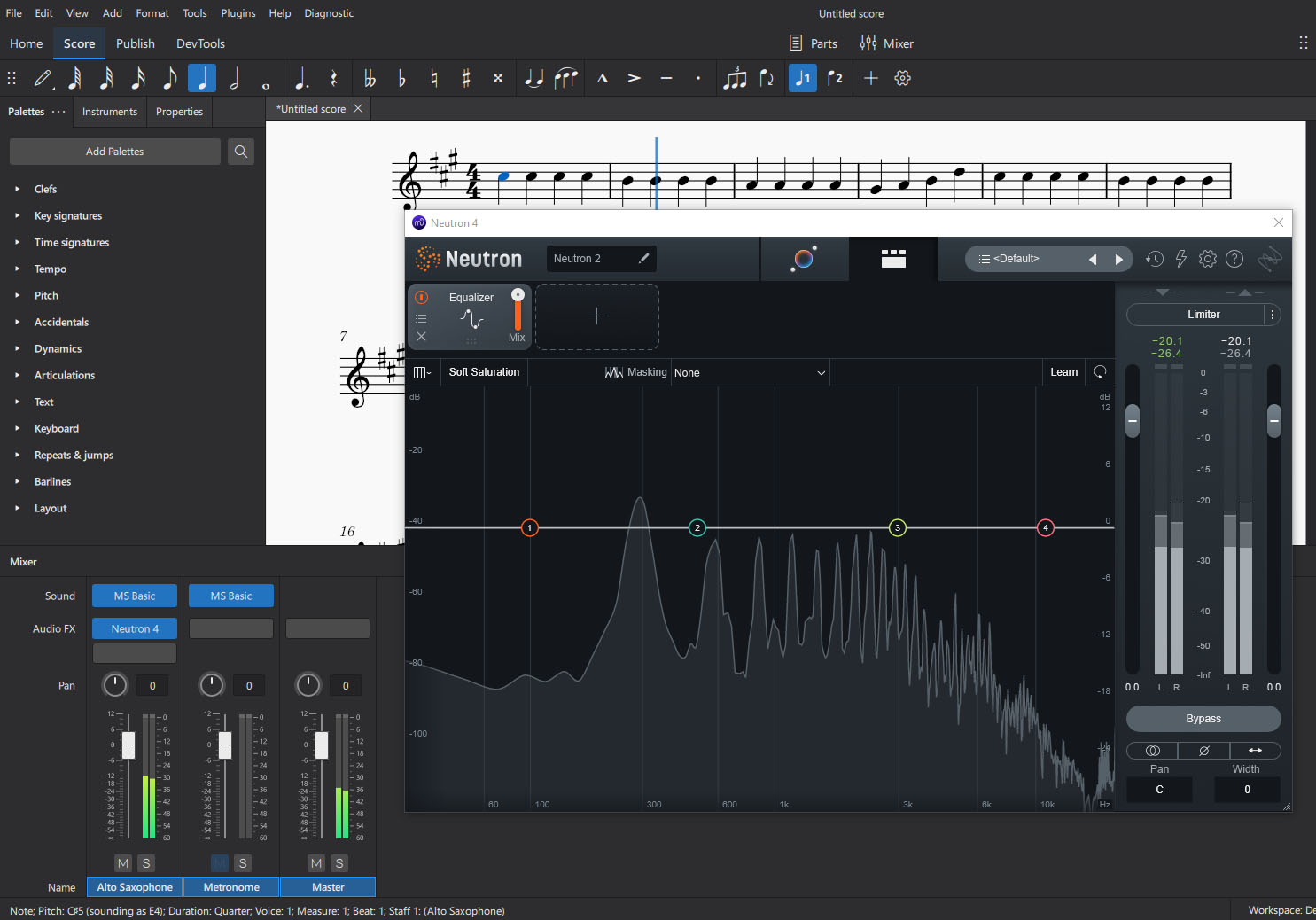
- You will see the audio being detected in the main Izotope plugins (e.g., the equalizer) (see screenshot)
- Now switch to the assistant view in the Izotope plugin.
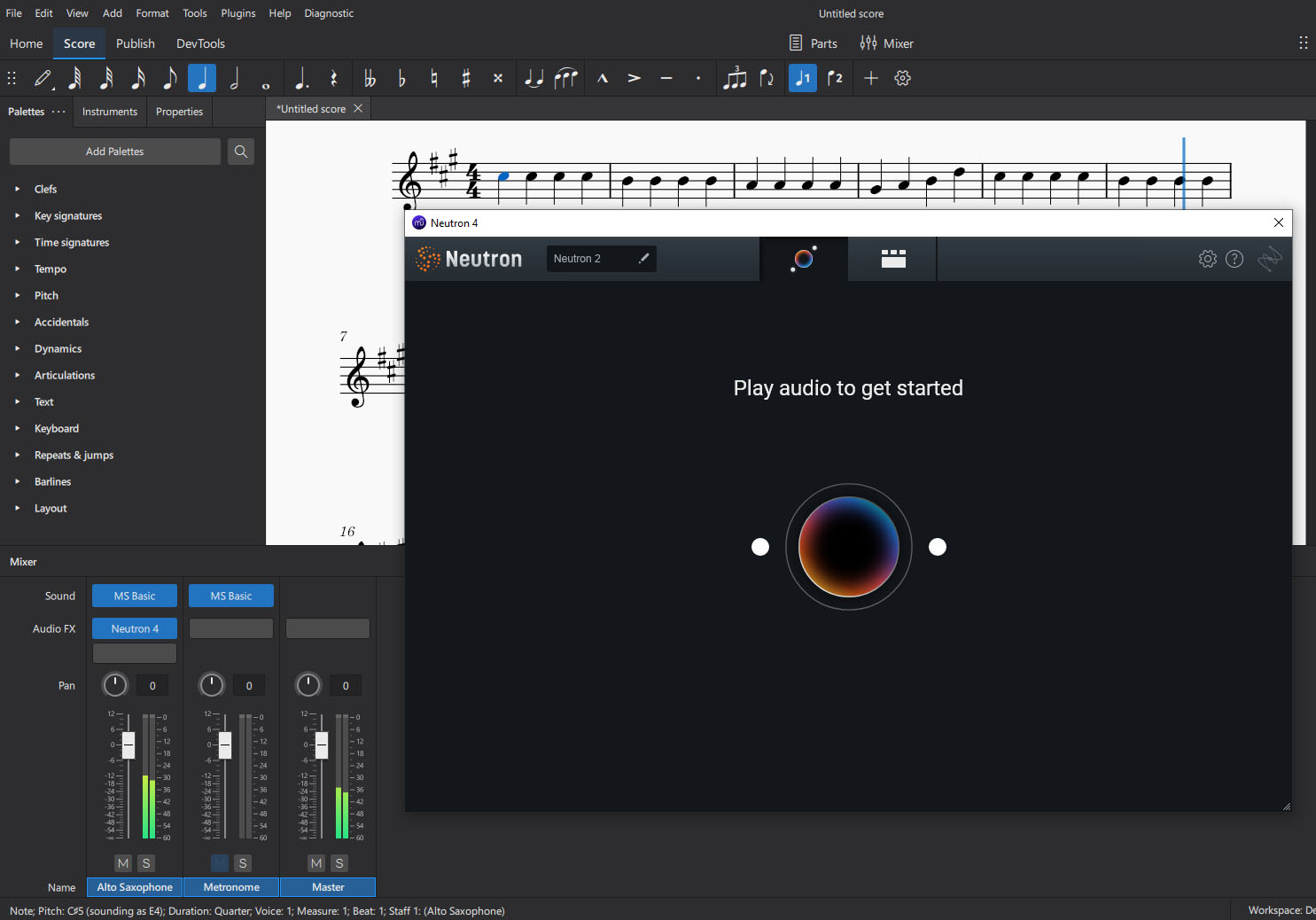
- It never detects the audio (see screenshot)
Expected behavior
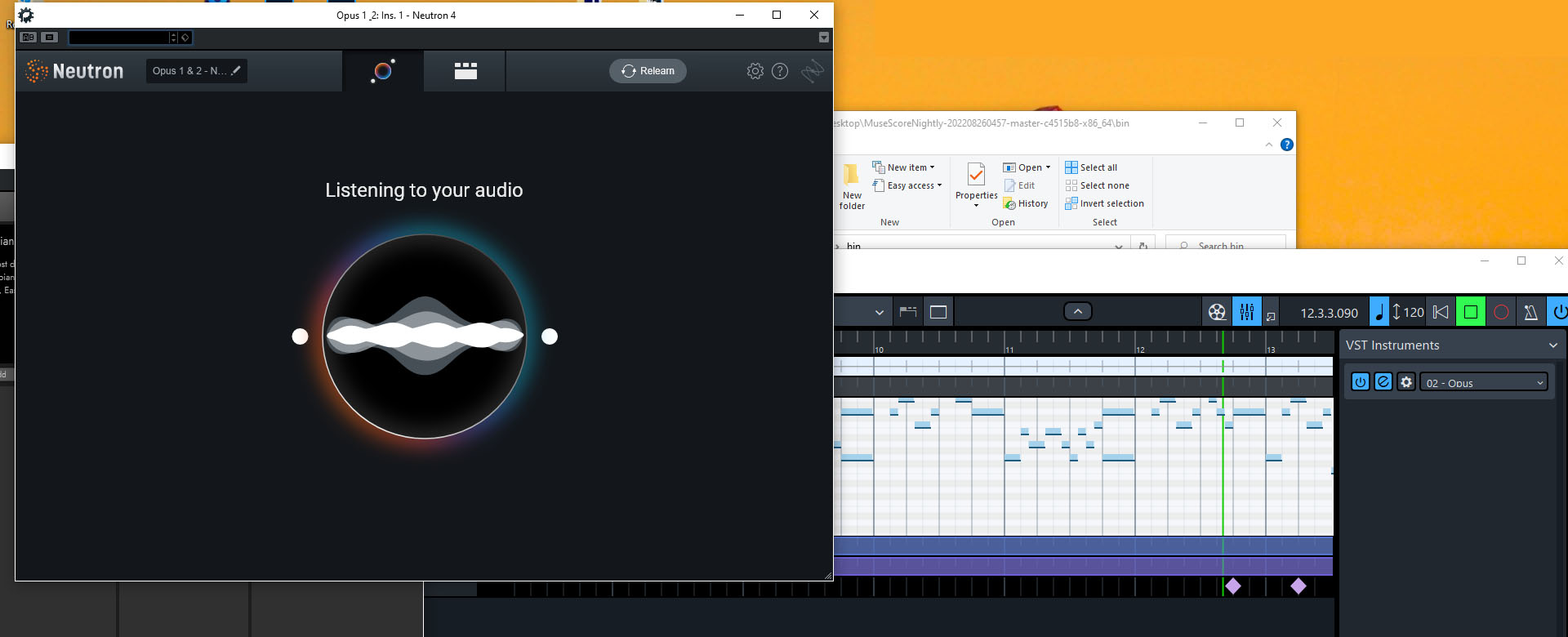
Izotope assistant view detects playing audio. (see screenshot of it working in another program)
Screenshots
Audio detected in basic Izotope Plugins (e.g., equalizer)
Audio not detected in Izoptope assistant
Example of proper detection in different program
Additional context
I initially contacted Izoptope support to see if they had a fix. Their response was basically that it's not officially supported in MS. They said that when the audio is being fed to the plug-in but the assistant is not hearing it, it is often related to the plug-in not being able to access its resource files. They suggested running MS as an administrator. I tried running as an administrator but had the same result.
Platform information
Windows 10
MS Build: MuseScoreNightly-202208260457-master-c4515b8-x86_64
Contributor guide
First steps
- Read the whole issue, then the project's contributing guide.
- Comment on the issue to say you are picking it up — it saves two people doing the same work.
- Fork the repository and make your change on a branch.
- Open a pull request that references the issue number.
Assessment
This issue has not been assessed yet.