musescore / musescore/MuseScore
[MU4 Issue] Playback controls and status details move outside window boundaries
Open
Nobody has claimed this yet.
P2
UI
- Dominant language
- C++
- Stars
- 15.1k
- Forks
- 3.3k
- Avg merge
- 2d 2h
- Merged PRs (30d)
- 91
Description
Describe the bug
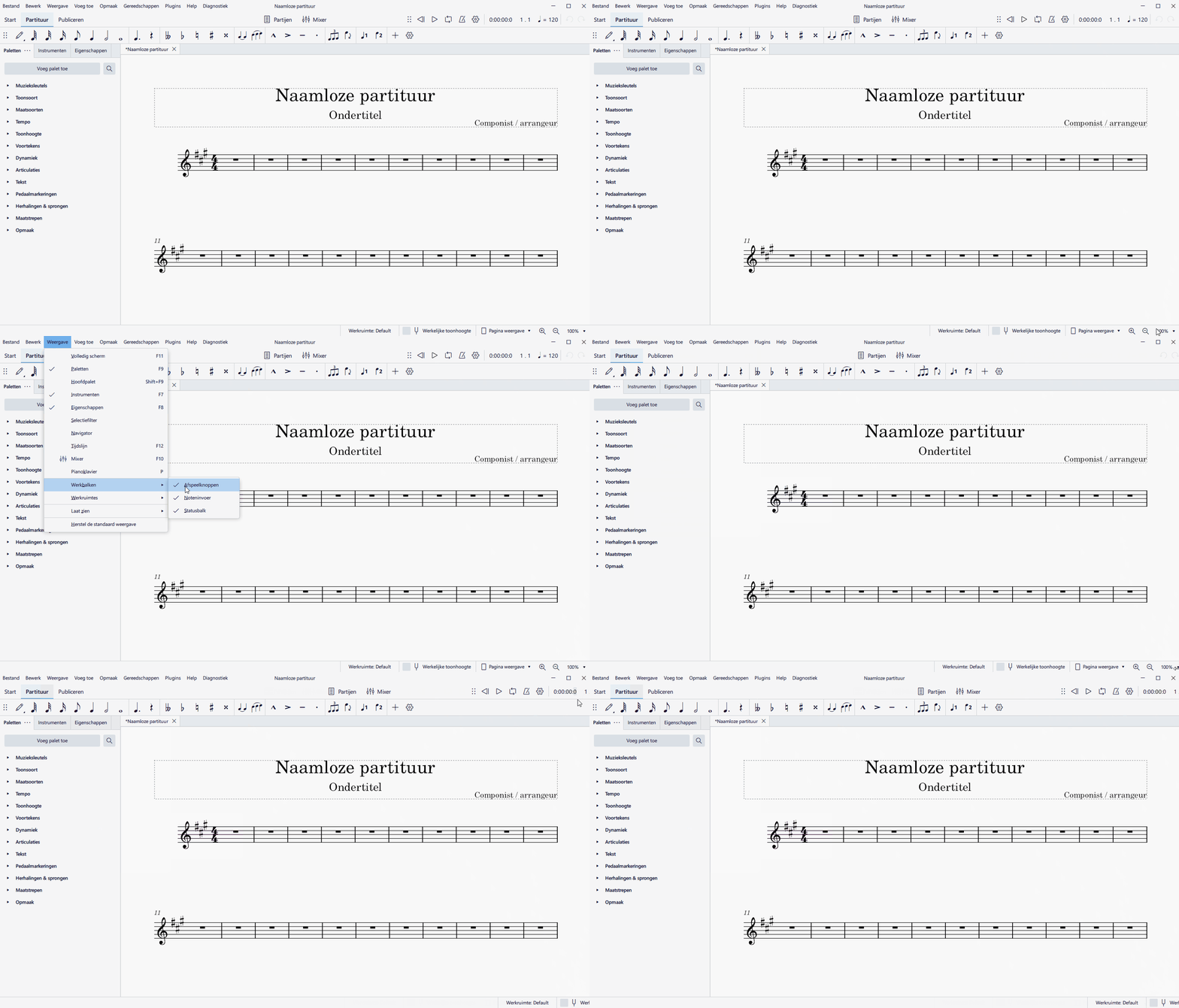
When I disable the playback controls and re-enable it, the position is not correct.
Also the position of the status bar content is moving.
To Reproduce
Steps to reproduce the behavior:
- Start with a fresh MS4 setup (perform reset preference and factory reset to ensure no custom settings are retained)
- Create a New Score and finish the wizard
- Check the position of the status bar and undo/redo icons (nice placed to the edge of the window)
- Disable the visibility of the playback controls (use the menu->display->toolbar->playback controls)
- Check the position of the status bar and undo/redo icons (compared to before, they have moved to the right)
- Enable the visibility of the playback controls (use the menu->display->toolbar->playback controls)
- Check the position of the status bar and playback controls (items are moved outside the window boundaries)
Expected behavior
Items should not move outside the window boundaries.
I am using a sized window for recording purpose, the same also applies when using a maximized window.
Screenshots
Platform information
- OS: Windows 10
Contributor guide
First steps
- Read the whole issue, then the project's contributing guide.
- Comment on the issue to say you are picking it up — it saves two people doing the same work.
- Fork the repository and make your change on a branch.
- Open a pull request that references the issue number.
Assessment
This issue has not been assessed yet.