[ScopedCssBaseline] Style injection order changing when passing dynamic sizing.
Nobody has claimed this yet.
- Dominant language
- JavaScript
- Stars
- 99.1k
- Forks
- 32.5k
- Avg merge
- 2d 17h
- Merged PRs (30d)
- 106
Description
Duplicates
- I have searched the existing issues
Latest version
- I have tested the latest version
Current behavior 😯
For reference please see this reproducer - codesandbox
I have created two themes - theme1 (spacing - 4) and theme2 (spacing 2). I have rendered MUI Sliders in each of the themes wrapped under ScopedCssBaseline. In each theme, I have added custom scrollbar style by overriding the styles of ScopedCssBaseline. In custom scrollbar, I am passing minHeight css property which is dynamic in nature and dependent on the spacing factor in each theme.
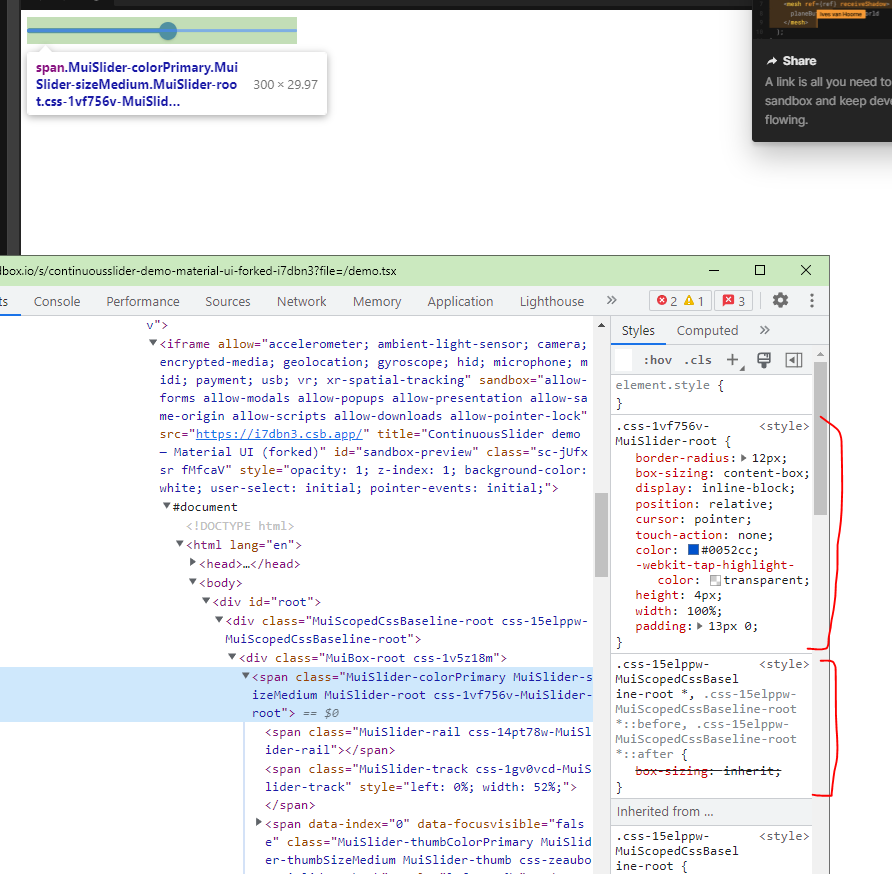
The issue is that when I am rendering two Sliders one wrapped under in each theme and ScopedCssBaseline, I am seeing differences in slider track heights. On looking further into the issue, I found that it is happening because of the change in order of style applied by ScopedCssBaseline in each one of the slider.
Styling order in first slider:
Styling order in second slider:
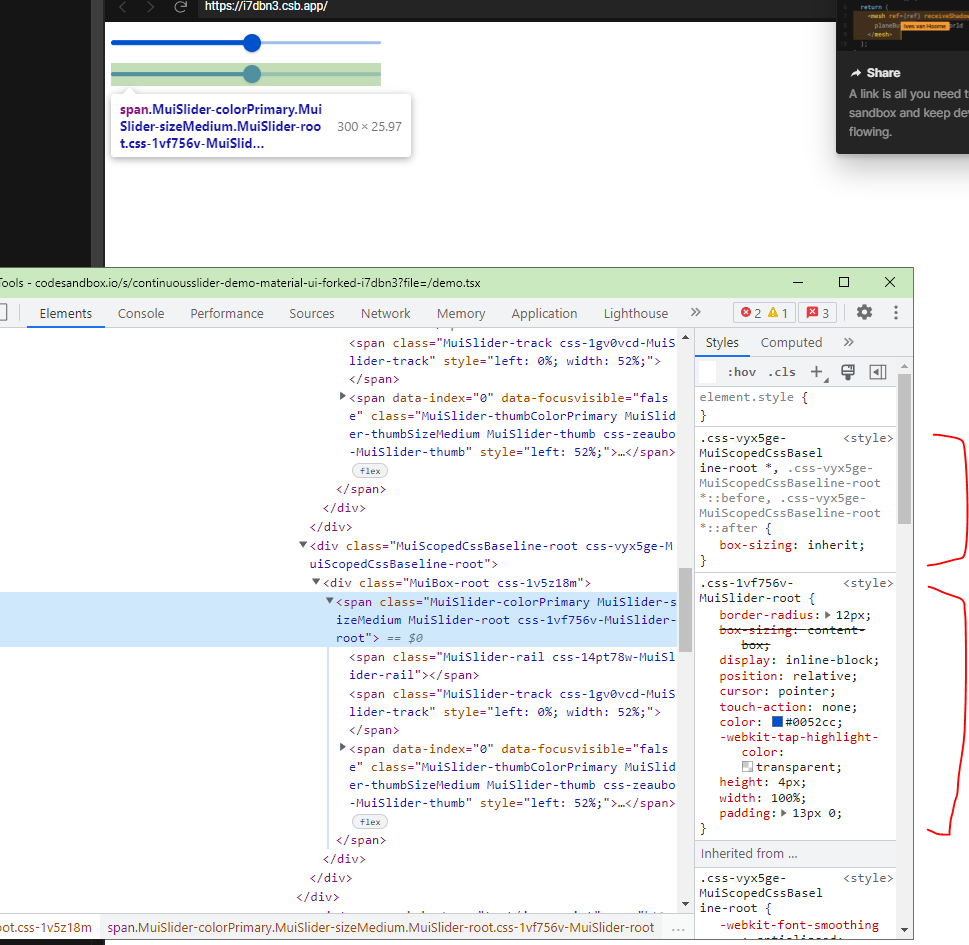
Due to the change in order, box-sizing property is getting overridden causing Slider track height to shrink. If we will give minHeight in customScollbar as static value as 50px the issue goes away.
As suggested in https://github.com/mui/material-ui/issues/20461, I am also importing ScopedCssBaseline at first, but still the order is changing.
Expected behavior 🤔
Ideally both sliders should have same track height.
Steps to reproduce 🕹
Steps:
- Visit codesandbox reproducer - https://codesandbox.io/s/continuousslider-demo-material-ui-forked-i7dbn3
- See second slider and notice the track height. It will be less than the first one. Ideally both should be same.
- Change
minHeightin customScrollbar style to50pxand the issue will be resolved.
So it looks adding dynamic sizing changes the style injection order.
Context 🔦
I am trying to showcase component's look and feel for all custom themes in a single page for better comparison.
Your environment 🌎
npx @mui/envinfo
  System:
    OS: Linux 3.10 Red Hat Enterprise Linux Server 7.9 (Maipo)
  Binaries:
    Node: 16.13.0
    Yarn: 1.22.11
    npm: 7.23.0
  Browser:
    Chrome: 103.0.5060.114 (Official Build) (64-bit)
  npmPackages:
    @emotion/react: ^11.9.3 => 11.9.3
    @emotion/styled: ^11.9.3 => 11.9.3
    @mui/icons-material: ^5.8.4 => 5.8.4
    @mui/lab: 5.0.0-alpha.87 => 5.0.0-alpha.87
    @mui/material: ^5.8.5 => 5.8.6
    @mui/types:  7.1.3
    @types/react: ^17.0.6 => 17.0.45
    react: ^17.0.0 => 17.0.2
    react-dom: ^17.0.2 => 17.0.2
    typescript:  4.7.4
Contributor guide
First steps
- Read the whole issue, then the project's contributing guide.
- Comment on the issue to say you are picking it up — it saves two people doing the same work.
- Fork the repository and make your change on a branch.
- Open a pull request that references the issue number.
Research direction
Start with the linked CodeSandbox reproducer and inspect how ScopedCssBaseline and Slider interact when two themes use dynamic minHeight values. Compare the injected style order for both sliders and verify that both track heights remain equal when the reproducer is fixed.
Written by the indexing model from the issue text.
Assessment
- Tech stack
- javascript, react
- Domain
- frontend
- Issue type
- Bug
- Difficulty
- 4/5
- Estimated time
- 3-5 days
- Activity status
- Stale
- Clarity
- Mostly clear
- Newbie friendliness
- 25/100