Some components appear far from their original position when the zoom style is applied
Nobody has claimed this yet.
- Dominant language
- JavaScript
- Stars
- 99.1k
- Forks
- 32.5k
- Avg merge
- 2d 17h
- Merged PRs (30d)
- 106
Description
Duplicates
- I have searched the existing issues
Latest version
- I have tested the latest version
Current behavior 😯
Some components like Menu and Tooltip appear far from their original position when the zoom style is applied like the screenshots below from my local computer:
- for the Menu component
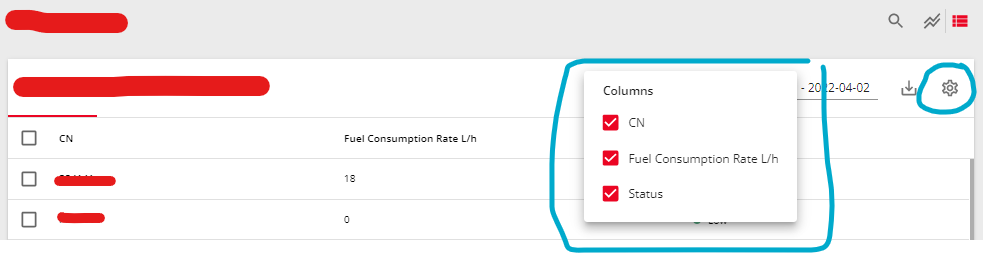
- for the Tooltip component
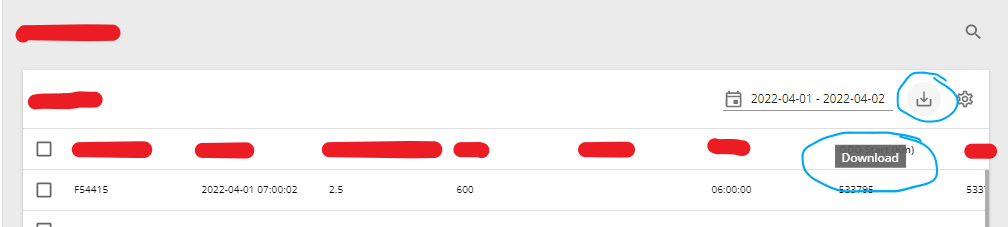
Here is the original position (when the zoom style is not applied) from my local computer:
- for the Menu component
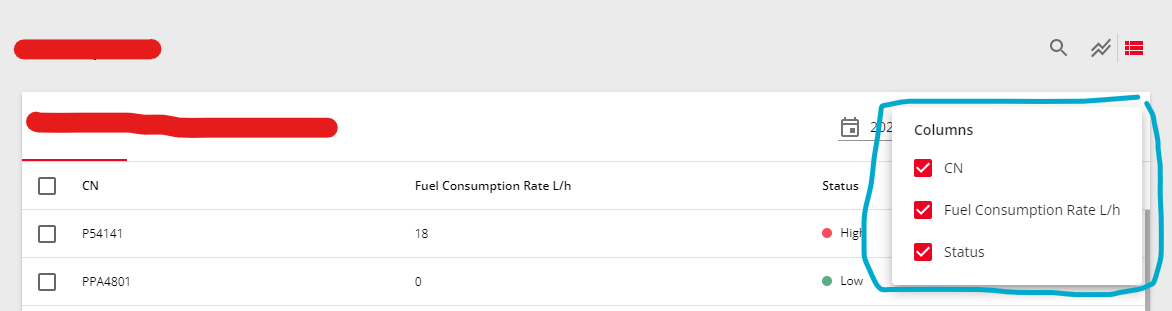
- for the Tooltip component
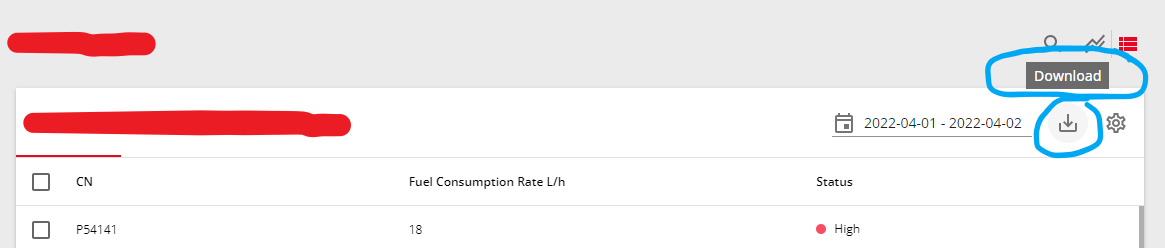
Expected behavior 🤔
All components appear from their original position whether the zoom style is applied or not
Steps to reproduce 🕹
Steps:
- Run the codesandbox above
- Test the appearance of the Menu and Tooltip components
- The case appears
- If this case doesn't appear, maybe you could run the code on your local computer
Context 🔦
What I want to do is to apply the zoom property on smaller screen sizes so I create this code:
- apply no zoom style to the body and some container components
- apply the zoom style to all component contents
The zoom style is only applied for specific screen sizes (code from my local computer):
// 1.176470588 = 1 / 0.85

'@media only screen and (max-height: 820px)': {
  'body': {
    zoom: 0.85,
  },
  '.zoom': {
    zoom: 0.85,
  },
  '.no-zoom': {
    zoom: 1.176470588,
  },
}
Here is the codesandbox demo: https://codesandbox.io/s/github-mui-menu-on-zoom-j7tb7q
This case doesn't happen in the codesandbox but happens in my local computer (also my deployed app) with a similar code like the first four screenshots above
I already use the newest MUI dependencies in my local computer here:
dependencies
"dependencies": {
  "@emotion/react": "^11.9.0",
  "@emotion/styled": "^11.8.1",
  "@mui/icons-material": "^5.6.2",
  "@mui/lab": "^5.0.0-alpha.63",
  "@mui/material": "^5.7.0",
  "@mui/styles": "^5.7.0",
  "@mui/x-data-grid": "^5.10.0",
  "@mui/x-data-grid-pro": "^5.10.0",
  "@testing-library/jest-dom": "^5.16.1",
  "@testing-library/react": "^12.1.2",
  "@testing-library/user-event": "^13.5.0",
  "react": "^17.0.2",
  "react-dom": "^17.0.2",
  "react-router-dom": "^6.2.1",
  "react-scripts": "5.0.0",
  "web-vitals": "^2.1.3"
},
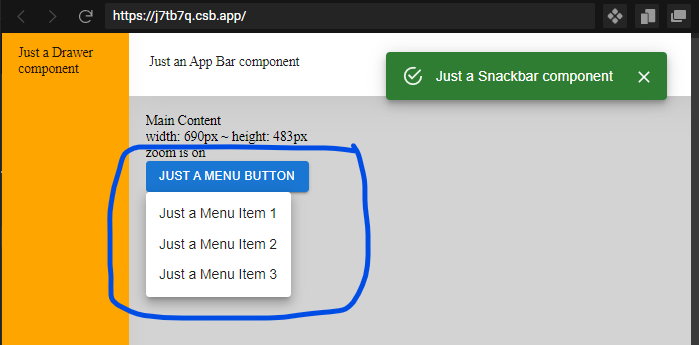
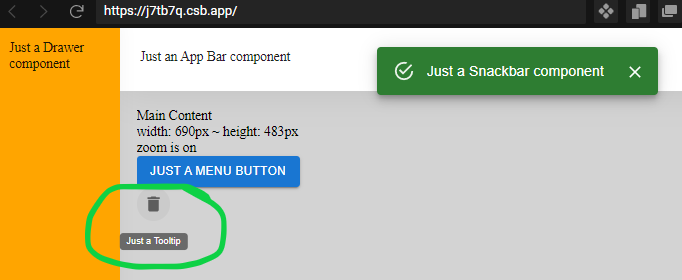
These screenshots below show the result from the codesandbox:
- for the Menu component
- for the Tooltip component
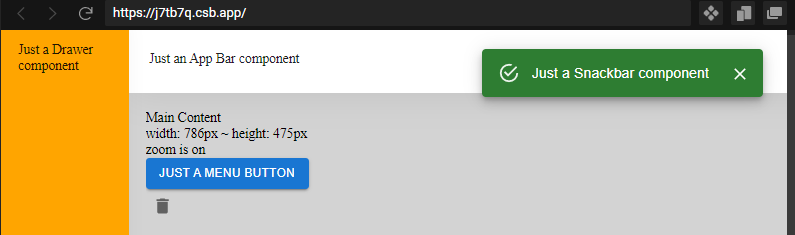
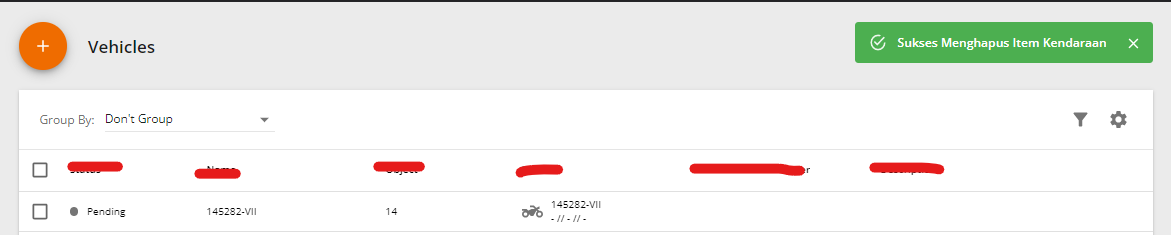
I just want to make a note (outside of the case) that the Snackbar component isn't affected by the zoom style on the codesanbox
but it's affected by the zoom style on my local computer
Your environment 🌎
`npx @mui/envinfo`
OS: Windows 11
Browser: Chrome 101
Browser viewport: 1920px x 929px
Contributor guide
First steps
- Read the whole issue, then the project's contributing guide.
- Comment on the issue to say you are picking it up — it saves two people doing the same work.
- Fork the repository and make your change on a branch.
- Open a pull request that references the issue number.
Research direction
Start with the linked CodeSandbox and compare Menu and Tooltip positioning under the reported body, .zoom, and .no-zoom styles in Chrome. Reproduce the discrepancy locally, then trace the affected component positioning behavior; done means these components remain aligned with their original positions when zoom styles are applied.
Written by the indexing model from the issue text.
Assessment
- Tech stack
- css, javascript, react
- Domain
- frontend
- Issue type
- Bug
- Difficulty
- 4/5
- Estimated time
- 3-5 days
- Activity status
- Stale
- Clarity
- Mostly clear
- Newbie friendliness
- 30/100