There is no audio when playing HEVC RTSP stream
Nobody has claimed this yet.
- Dominant language
- C
- Stars
- 37k
- Forks
- 3.5k
- Avg merge
- 1d 10h
- Merged PRs (30d)
- 22
Description
Important Information
Provide following Information:
- 0.34
- Windows 10
https://sourceforge.net/projects/mpv-player-windows/files/64bit/
Reproduction steps
open mpv.exe,
loadfile "rtsp://xxxx" h265 stream
Expected behavior
mpv will play video and audio at the same time.
Actual behavior
mpv only play video but no audio.
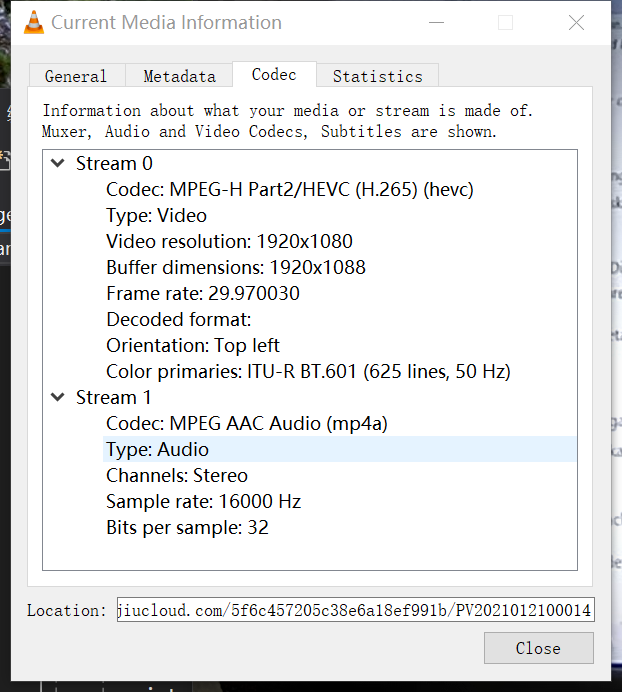
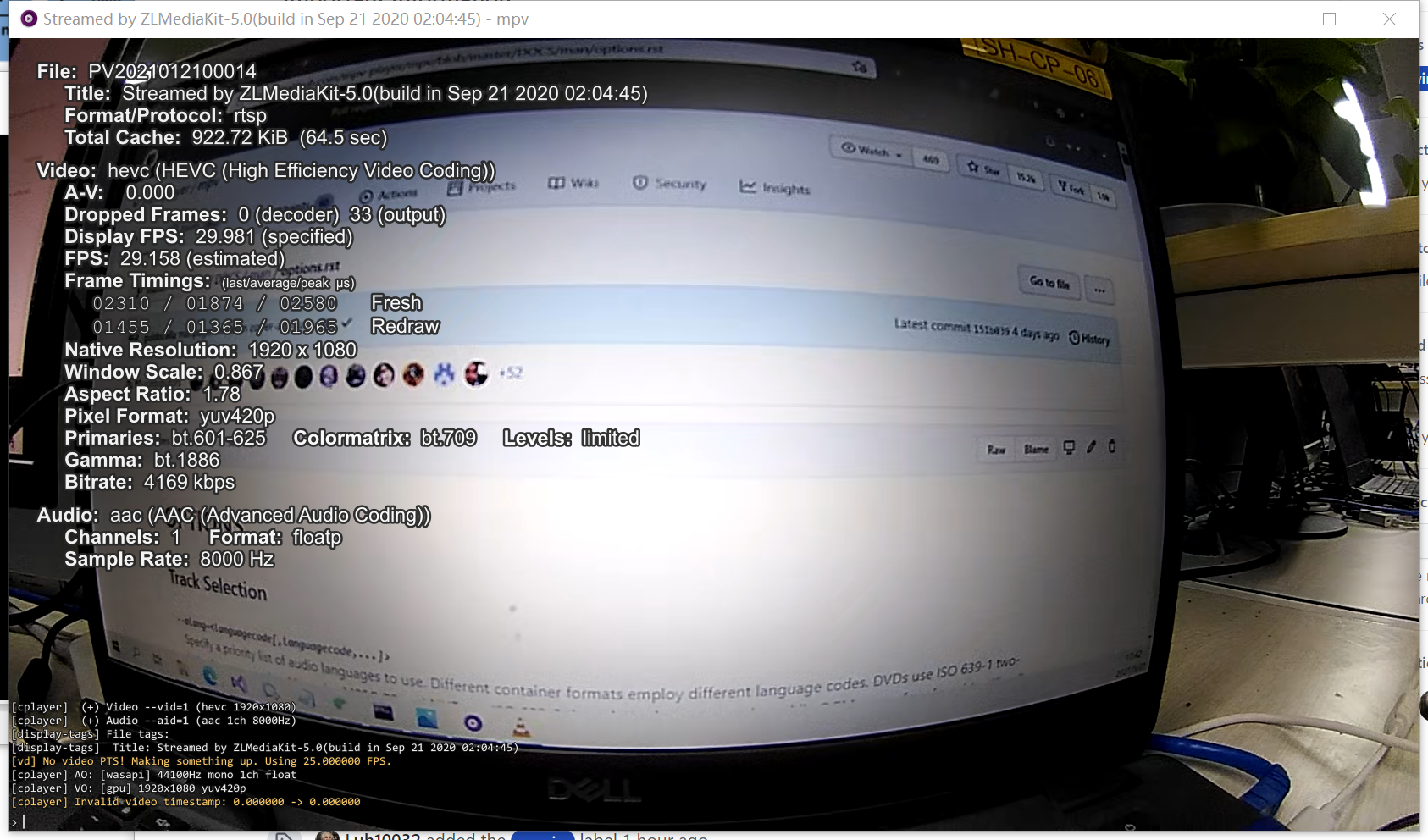
This HEVC RTSP stream can play audio and video normally in VLC Player, and the audio Sample Rate shows 16000HZ. I set "audio-samplerate=16000" in the mpv.conf file, but the Sample Rate in the MPV Player is still only 8000HZ and Bitrate does not appear in the Audio column When I show filename on OSD.
I'm not sure if the problem is with the bitrate.
VLC information:
MPV information
Log file
Contributor guide
No contributing guide indexed for this repository
First steps
- Read the whole issue, then the project's contributing guide.
- Comment on the issue to say you are picking it up — it saves two people doing the same work.
- Fork the repository and make your change on a branch.
- Open a pull request that references the issue number.
Research direction
Start by reviewing the attached output.log and reproducing the reported open mpv.exe and loadfile "rtsp://xxxx" steps with the HEVC stream on Windows 10. Compare mpv's detected audio sample rate and bitrate with VLC; done means the stream plays both video and audio in mpv at the expected 16000 Hz rate.
Written by the indexing model from the issue text.
Assessment
- Tech stack
- c
- Domain
- audio-video-rtc
- Issue type
- Bug
- Difficulty
- 4/5
- Estimated time
- 3-5 days
- Activity status
- Stale
- Clarity
- Needs clarification
- Newbie friendliness
- 28/100