microsoftgraph / microsoftgraph/microsoft-graph-comms-samples
Teams Bot recording is not starting - teams-recording-bot project
Nobody has claimed this yet.
- Dominant language
- No language data
- Stars
- 253
- Forks
- 275
- Avg merge
- 1d 5h
- Merged PRs (30d)
- 1
Description
I am trying to set up and run the teams-recording-bot project. The bot is joining the meeting but it is not starting the recording.
In the teams-recording-bot Readme file, the setup process is only mentioned till the bot joins the call, But there is no information on how the bot records the meeting.
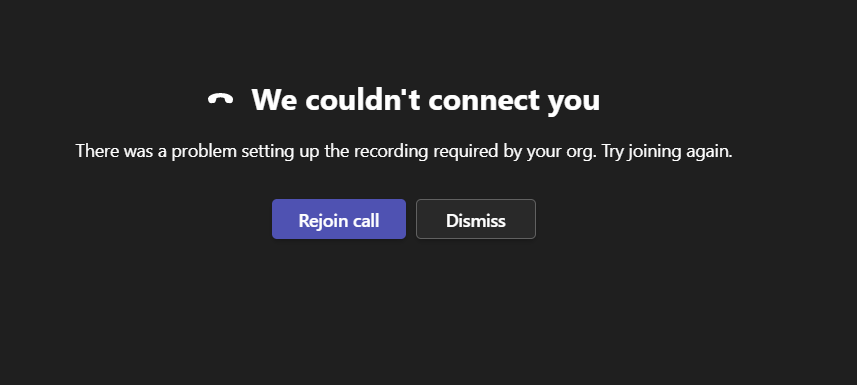
I have also created recording policies for my account but after creating the policy I am unable to join any meeting from my teams app or website. I am getting below error
"There was a problem setting up the recording required by your org. Try joining again."
Can you suggest how the recording process starts after the bot joins the meeting?
Contributor guide
No contributing guide indexed for this repository
First steps
- Read the whole issue, then the project's contributing guide.
- Comment on the issue to say you are picking it up — it saves two people doing the same work.
- Fork the repository and make your change on a branch.
- Open a pull request that references the issue number.
Research direction
Start with the teams-recording-bot README and review the setup steps through the point where the bot joins the meeting. Determine what recording prerequisites and user actions are missing, then update the README so the recording process and expected completion state are clear; verify the documented flow against the reported Teams policy error.
Written by the indexing model from the issue text.
Assessment
- Domain
- audio-video-rtc, documentation
- Issue type
- Documentation
- Difficulty
- 3/5
- Estimated time
- 1-2 days
- Activity status
- Stale
- Clarity
- Needs clarification
- Newbie friendliness
- 25/100