microsoftgraph / microsoftgraph/microsoft-graph-comms-samples
Display Subject or Custom Display Name when calling from Bot to Teams User
Nobody has claimed this yet.
- Dominant language
- No language data
- Stars
- 253
- Forks
- 275
- Avg merge
- 1d 5h
- Merged PRs (30d)
- 1
Description
Describe the issue
When initiating a call from a Calling Bot to a Teams User is there any way to customise the information that is displayed in the incoming call pop-up? According to #55 the Source.Identity.Application.DisplayName gets ignored and this does seem to be the case as far as the incoming call pop-up goes. BUT if the call is rejected then the voicemail notification displays the arbitrarily set DisplayName rather than the Bot's DisplayName.
That's not my direct issue. What I'm attempting to determine is if there is any way to show any custom information on the Teams incoming call pop-up? Something like a Subject line would be perfect but from my testing it is ignored.
Code Snippet
var call = new Call
{
	CallbackUri = _botConfig.CallControlBaseUrl.ToString(),
	TenantId = TENANT_ID,
	Subject = "Test Call",
	Source = new ParticipantInfo
	{
		Identity = new IdentitySet
		{
			Application = new Identity
			{
				DisplayName = "Joe Bloggs",
				Id = BOT_ID
			},
		},
		Region = null,
		LanguageId = null
	},
	Targets = new List<InvitationParticipantInfo>()
	{
		new InvitationParticipantInfo
		{
			Identity = new IdentitySet
			{
				User = new Identity
				{
					Id = MY_USER_ID
				},
			}
		}
	},
	//MyParticipantId = "Test Test",
	RequestedModalities = new List<Modality>()
	{
		Modality.Audio
	},
	MediaConfig = new AppHostedMediaConfig()
	{
		//Blob = mediaConfig.ToString(Newtonsoft.Json.Formatting.None)
	},
};
Expected behavior
The Teams incoming call popup should display the Subject or DisplayName from the Call object.
Graph SDK (please complete the following information):
- Version 1.0
- Microsoft.Graph.Communications.Calls 1.2.0.850
- Microsoft.Graph.Communications.Calls.Media 1.2.0.850
- Microsoft.Graph.Communications.Client 1.2.0.850
Call ID
e4fc3622-8509-4b16-9029-7dcd215ae349 @ 13:18 UTC 28 Jun 2020
Additional context
The two screenshots show the Teams incoming call pop-up and the voicemail tab for an incoming call that was generated using the code snippet above. Note that these two notifications are generated from the same call request. The voicemail information is what shows up if the Decline call button is clicked on the incoming call notification.

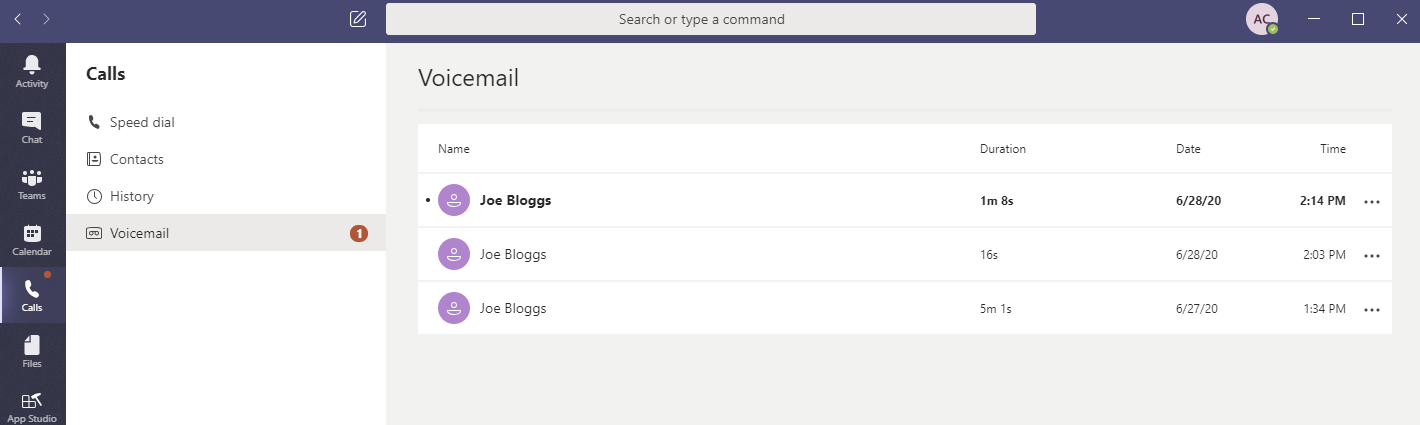
Update 30 Jun 2020: If the DisplayName in the Call object is changed and a subsequent call is declined the Teams client changes the display name on all the previous calls.
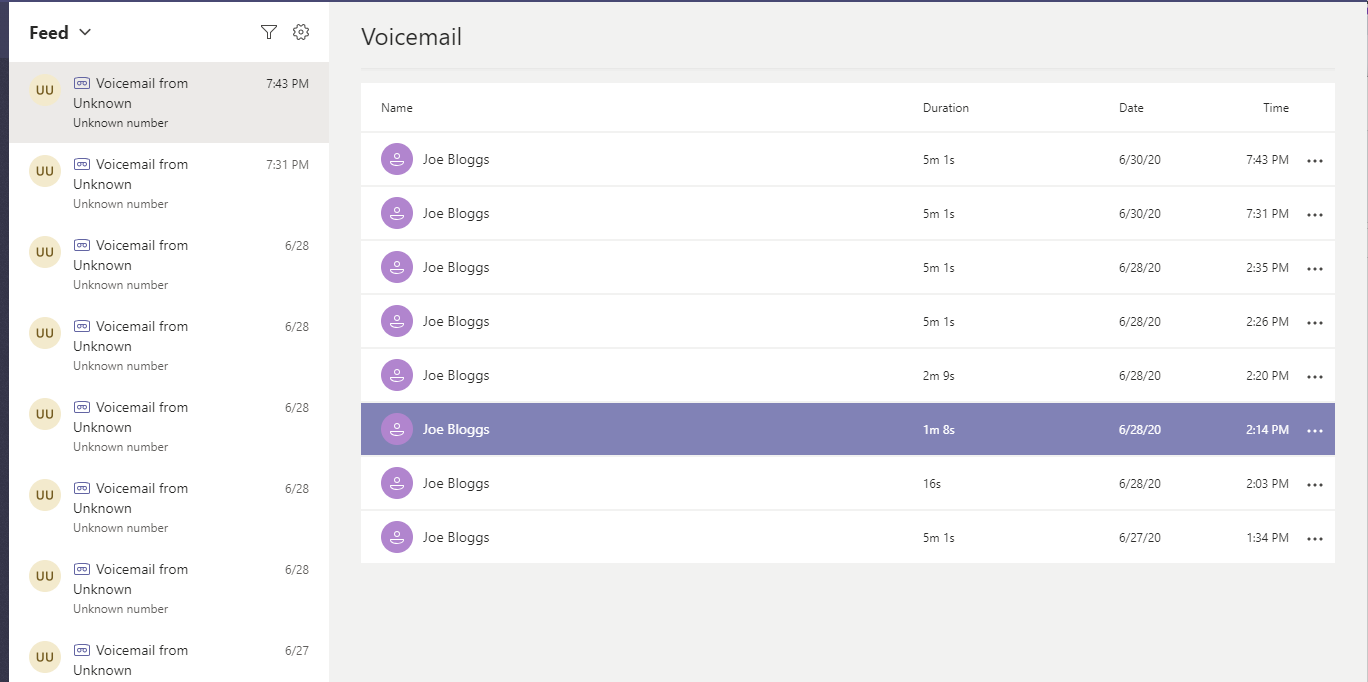
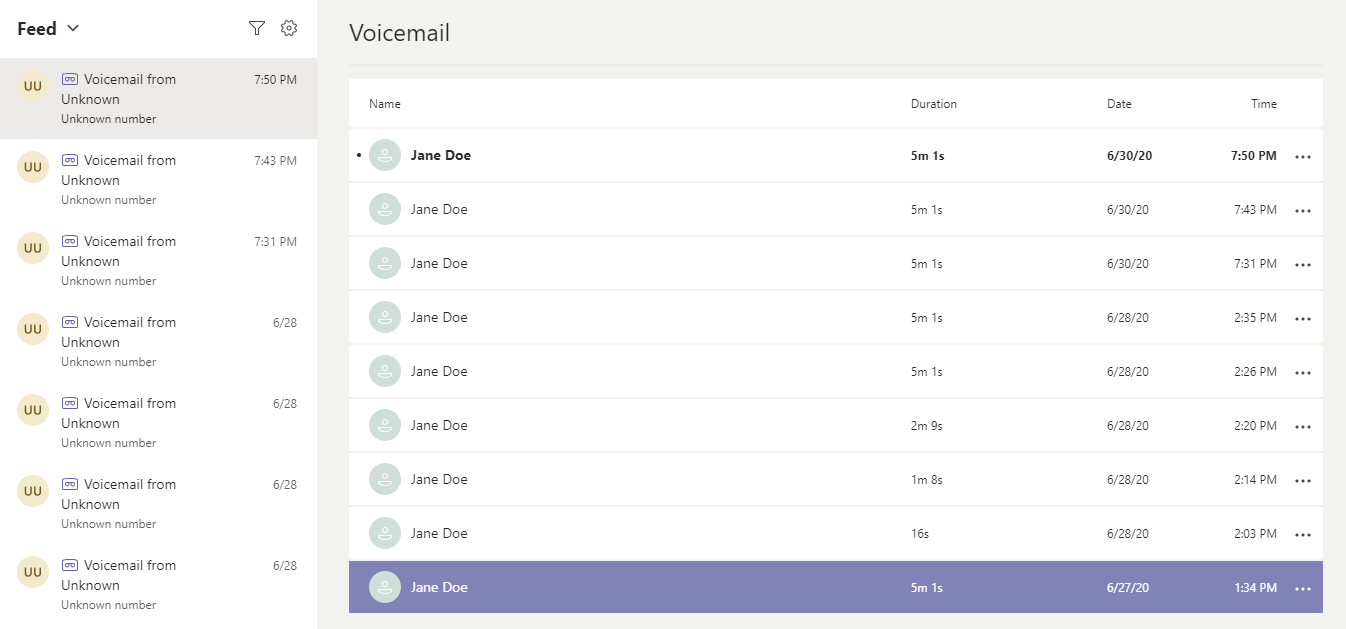
I can see the logic behind doing that but it seems that if the display name for a Bot can be updated in the Teams client call history and Voicemail info why can't it also be used in the incoming call popup?
Contributor guide
No contributing guide indexed for this repository
First steps
- Read the whole issue, then the project's contributing guide.
- Comment on the issue to say you are picking it up — it saves two people doing the same work.
- Fork the repository and make your change on a branch.
- Open a pull request that references the issue number.
Research direction
Start with the Call object fields shown in the issue, especially Subject and Source.Identity.Application.DisplayName, and review the Microsoft Graph Communications Calls behavior for Teams incoming-call notifications. Reproduce the request using the provided C# snippet and call ID; done means determining whether either value is supported in the popup and documenting the supported behavior or limitation.
Written by the indexing model from the issue text.
Assessment
- Tech stack
- csharp
- Domain
- api
- Issue type
- Feature
- Difficulty
- 5/5
- Estimated time
- Over a week
- Activity status
- Stale
- Clarity
- Needs clarification
- Newbie friendliness
- 20/100