Electron apps look pixelated at 200% resolution
Open
Nobody has claimed this yet.
enhancement
- Dominant language
- C++
- Stars
- 11.9k
- Forks
- 429
- PR merge metrics
- No merged PRs in 30d
Description
Environment
Windows build number: 10.0.21343.1000 (Dev Channel)
Your Distribution version: Ubuntu 20.04
Your WSLg version: 0.2.14
Steps to reproduce
- Set display to 200% resolution. Repo via Windows VM and macOS Remote Desktop client (Optimize for Retina display).
- Install Node.js 15.x in WLS
git clone https://github.com/electron/simple-samplescd simple-samples/activity-monitornpm installnpx electron .
WSL logs: @craigloewen-msft
Expected behavior
App renders in high resolution:
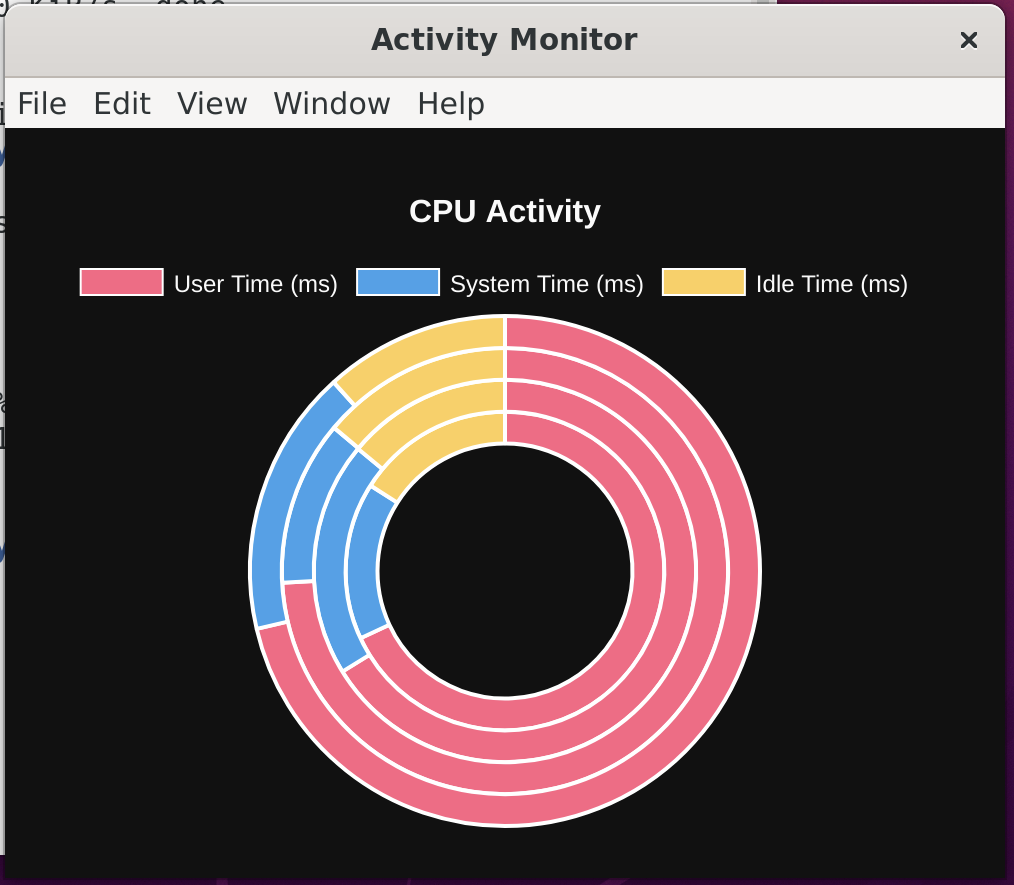
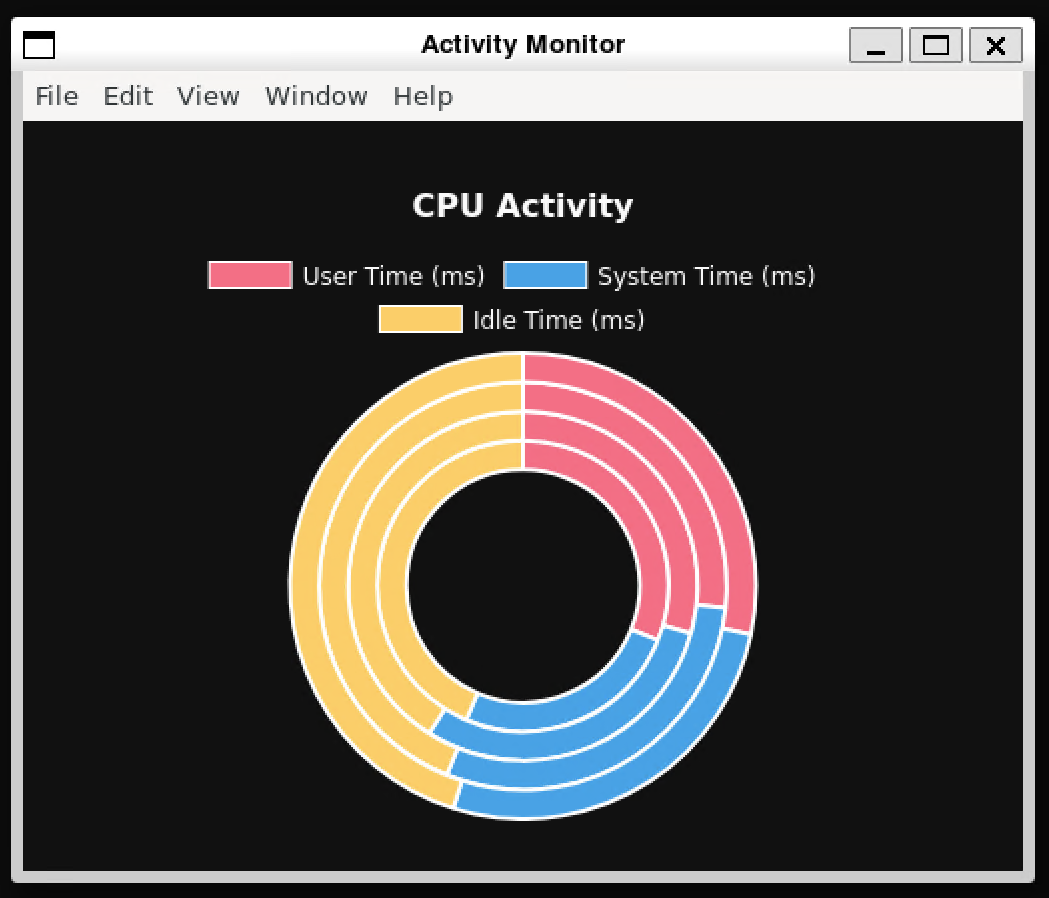
Actual behavior
App renders pixelated with different chrome:
Contributor guide
First steps
- Read the whole issue, then the project's contributing guide.
- Comment on the issue to say you are picking it up — it saves two people doing the same work.
- Fork the repository and make your change on a branch.
- Open a pull request that references the issue number.
Research direction
Reproduce the issue from simple-samples/activity-monitor after following the listed WSLg, Windows, and Electron setup steps, starting with the npx electron . entry point. Compare the expected and actual screenshots at 200% display scaling; done means the Electron app renders sharply with the expected chrome.
Written by the indexing model from the issue text.
Assessment
- Tech stack
- electron, node.js
- Domain
- computer-graphics, desktop, operating-systems
- Issue type
- Bug
- Difficulty
- 4/5
- Estimated time
- 3-5 days
- Activity status
- Stale
- Clarity
- Needs clarification
- Newbie friendliness
- 25/100