microsoft / microsoft/winget-cli
Upgrade for Microsoft.Powershell not working
Nobody has claimed this yet.
- Dominant language
- C++
- Stars
- 26.4k
- Forks
- 1.8k
- Avg merge
- 1d 11h
- Merged PRs (30d)
- 15
Description
Command used
First attempt (Preview not installed though)
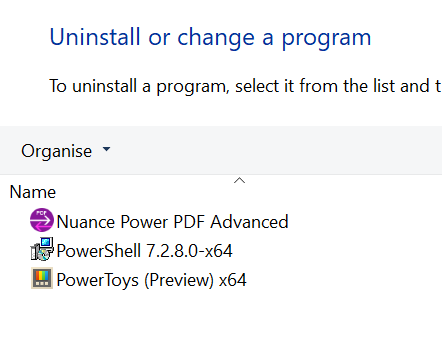
´´´
winget upgrade PowerShell
Multiple installed packages found matching input criteria. Please refine the input.
Name Id
PowerShell Microsoft.PowerShell
PowerShell Microsoft.PowerShell.Preview
´´´
Second attempt
´´´
PS C:\Users\pascal.odermatt> winget upgrade --id Microsoft.PowerShell
No applicable upgrade found.
´´´
Issue
´´´
No applicable upgrade found.
´´´
Output winget upgrade
´´´
PowerShell 7.2.8.0-x64 Microsoft.PowerShell 7.2.8.0 7.3.1.0 winget
´´´
Contributor guide
First steps
- Read the whole issue, then the project's contributing guide.
- Comment on the issue to say you are picking it up — it saves two people doing the same work.
- Fork the repository and make your change on a branch.
- Open a pull request that references the issue number.
Research direction
Start by reproducing the two commands shown: winget upgrade PowerShell and winget upgrade --id Microsoft.PowerShell, using the reported installed and available versions. Compare the package matching and upgrade results with the displayed winget upgrade output; done means the Microsoft.PowerShell package can be selected unambiguously and its available upgrade is reported correctly.
Written by the indexing model from the issue text.
Assessment
- Tech stack
- powershell
- Domain
- cli
- Issue type
- Bug
- Difficulty
- 3/5
- Estimated time
- 1-2 days
- Activity status
- Stale
- Clarity
- Mostly clear
- Newbie friendliness
- 35/100