microsoft / microsoft/winget-cli
Updating User-Based Applications with admin privileges breaks the update process
Nobody has claimed this yet.
- Dominant language
- C++
- Stars
- 26.4k
- Forks
- 1.8k
- Avg merge
- 1d 11h
- Merged PRs (30d)
- 15
Description
Brief description of your issue
When installing some apps such as VS Code as administrator, the app won't be able to update next time due to permission issues. (VS Code is a user-installer) I installed VS Code via winget without admin permissions and later on used winget in a PowerShell as admin session to update the package. I did this to prevent the UAC prompts. Unfortunately, the VS Code update process is now broken. This happened on two devices.
The following error shows up:

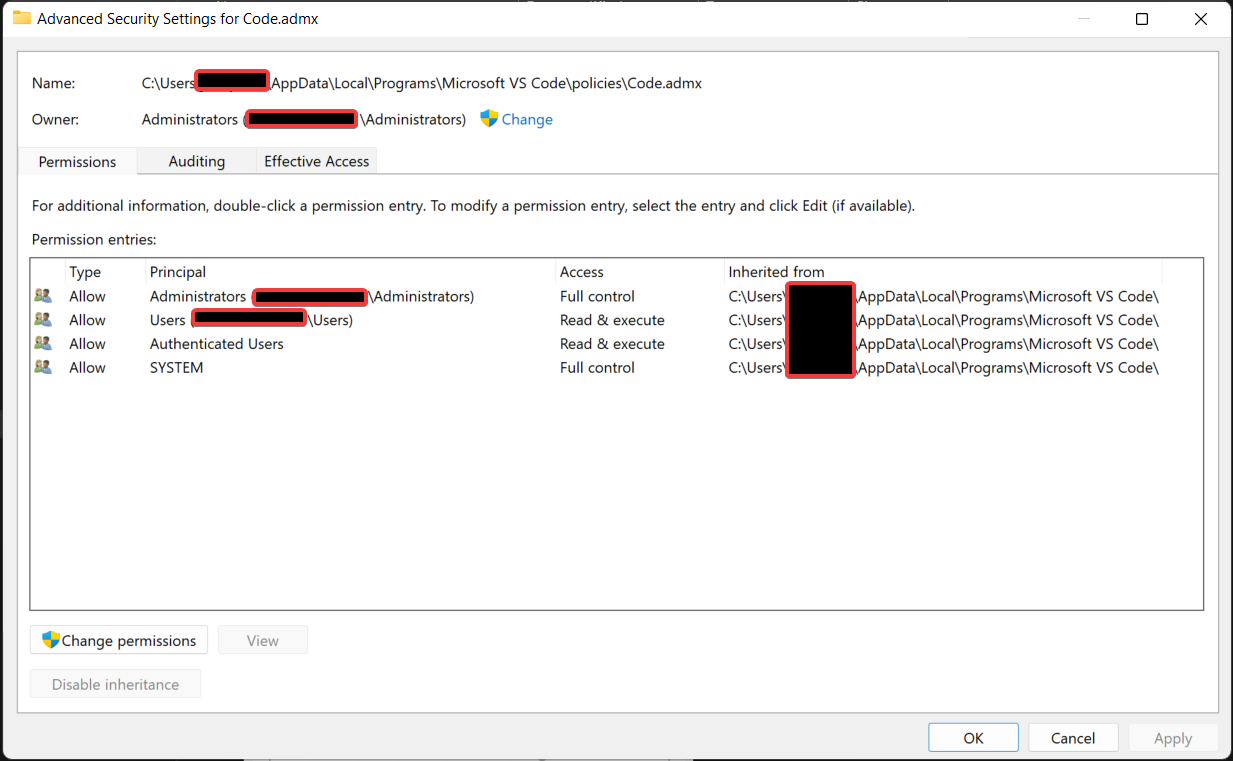
After updating VS Code as admin, you see that files are owned by the administrators and therefore VS code can't update them:
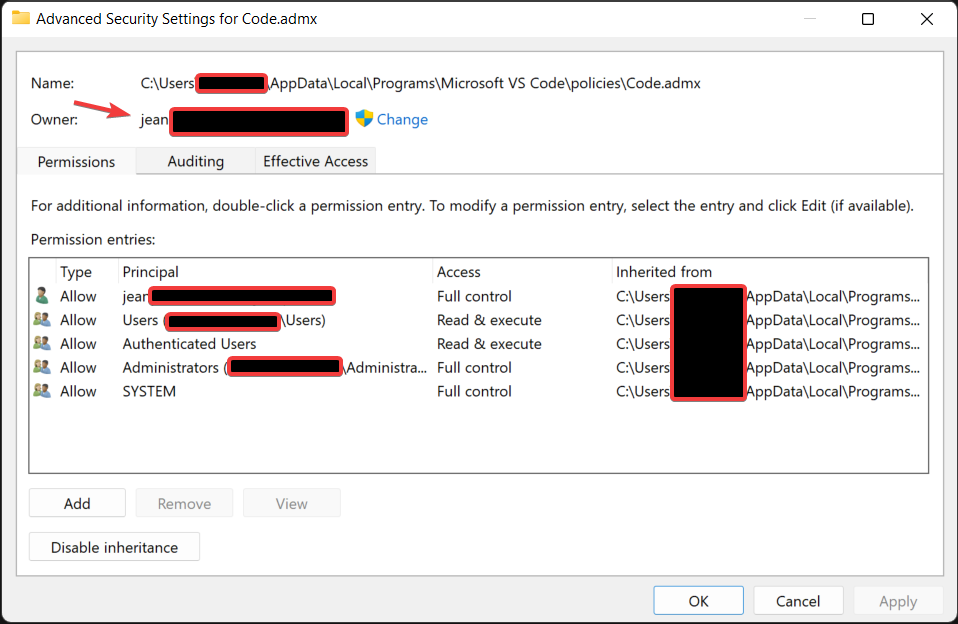
Now I delete and reinstall the app and as you can see, the file is now owned by my user account:
The documentation also isn't clear on this: https://github.com/microsoft/winget-cli#administrator-considerations
Steps to reproduce
- Install VS code via winget without admin privileges
- Update VS Code via winget in a PowerShell as admin session
- Try to update VS Code via the updater built-in to VS Code. This will show a similar error as above.
Expected behavior
The application should be able to get updated without the user having to deal with this. I suggest flagging user-based installations and during a winget upgrade to skip user-based installations when winget runs as admin.
Actual behavior
VS Code can't be updated anymore without reinstalling.
Environment
Windows Package Manager v1.2.10941
Copyright (c) Microsoft Corporation. All rights reserved.

Windows: Windows.Desktop v10.0.22000.675
Package: Microsoft.DesktopAppInstaller v1.17.10941.0
Contributor guide
First steps
- Read the whole issue, then the project's contributing guide.
- Comment on the issue to say you are picking it up — it saves two people doing the same work.
- Fork the repository and make your change on a branch.
- Open a pull request that references the issue number.
Research direction
Start by reviewing the administrator considerations documentation and reproducing the sequence with a user-installed VS Code package, then compare winget upgrade behavior in regular and administrator PowerShell sessions. Done means an administrator-run upgrade does not leave a user-based installation unable to update, or clearly skips it with an appropriate explanation.
Written by the indexing model from the issue text.
Assessment
- Tech stack
- cpp, powershell, vscode
- Domain
- cli, operating-systems
- Issue type
- Bug
- Difficulty
- 4/5
- Estimated time
- 3-5 days
- Activity status
- Stale
- Clarity
- Mostly clear
- Newbie friendliness
- 35/100