microsoft / microsoft/vscode-remote-release
Extension commands are not proxied between remote and workstation extension hosts
Nobody has claimed this yet.
- Dominant language
- Dockerfile
- Stars
- 4.2k
- Forks
- 470
- Avg merge
- 1d 1h
- Merged PRs (30d)
- 1
Description
Per this documentation I expect messages to be proxied between remote and local extension hosts. https://code.visualstudio.com/api/advanced-topics/remote-extensions#communicating-between-extensions-using-commands
This is my setup.
Version: 1.74.1 (user setup)
Commit: 1ad8d514439d5077d2b0b7ee64d2ce82a9308e5a
Date: 2022-12-14T10:30:51.966Z
Electron: 19.1.8
Chromium: 102.0.5005.167
Node.js: 16.14.2
V8: 10.2.154.15-electron.0
OS: Windows_NT x64 10.0.22621
Sandboxed: No
And yes, I have tried using Insiders 1.75.0
I don't know whether this is SSH or all remoting. I only have SSH to test with.
Steps to Reproduce
- Get the test samples
- Build a VSIX for sample-agent and install it
- Build a VSIX for the test client.
- Connect to a remote workspace then install the test client VSIX so as to get it onto the workspace extension host.
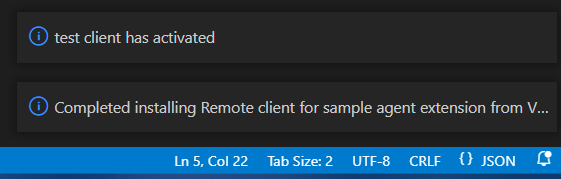
- Test the command for local and remote workspaces.
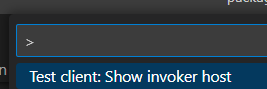
Here it is working for a local workspace.
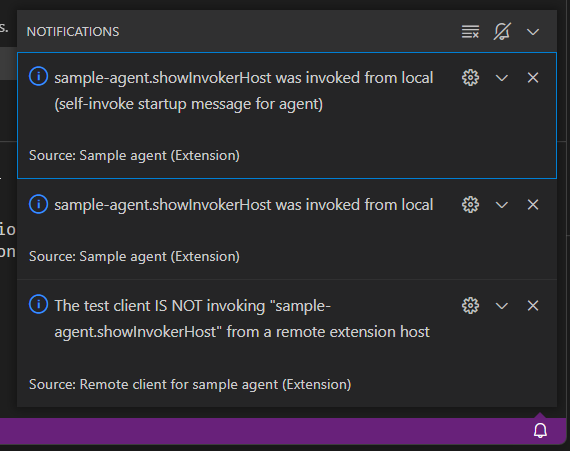
Here it is failing for a remote workspace ie when the command is invoked from a remote extension host.

Does this issue occur when you try this locally?: No obviously not
Does this issue occur when you try this locally and all extensions are disabled?: Yes but not finding the agent is hardly surprising if you don't allow it to run
For further information see https://stackoverflow.com/questions/74780962
Contributor guide
First steps
- Read the whole issue, then the project's contributing guide.
- Comment on the issue to say you are picking it up — it saves two people doing the same work.
- Fork the repository and make your change on a branch.
- Open a pull request that references the issue number.
Assessment
This issue has not been assessed yet.