microsoft / microsoft/vscode-remote-release
remote.containers.repositoryConfigurationPaths doesn't work with WSL / SSH / Clone in Volume
Open
@chrmarti is already working on this.
Since Sep 23, 2020.
bug
containers
plan-review
- Dominant language
- Dockerfile
- Stars
- 4.2k
- Forks
- 470
- Avg merge
- 1d 1h
- Merged PRs (30d)
- 1
Description
I got the following error when I open workspace via remote container with remote.containers.repositoryConfigurationPaths setting on WSL.
.FileNotFoundError: [Errno 2] No such file or directory: '//wsl$/Ubuntu/home/mtsmfm/ghq/github.com/mtsmfm/repository-containers/github.com/grosser/parallel_split_test/.devcontainer/docker-compose.yml'
It seems remote.containers.repositoryConfigurationPaths (or remote extension itself) doesn't consider opening via WSL.
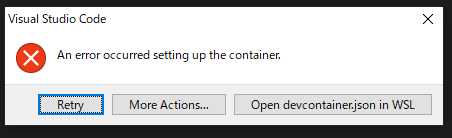
Perhaps related to https://github.com/microsoft/vscode-remote-release/issues/3310
[18 ms] Start: Resolving remote
[20 ms] Start: Run: wsl -d Ubuntu -e wslpath -u \\wsl$\Ubuntu\home\mtsmfm\ghq\github.com\grosser\parallel_split_test
[103 ms] Start: Run: wsl -d Ubuntu
[168 ms] Setting up container for folder or workspace: /home/mtsmfm/ghq/github.com/grosser/parallel_split_test

[170 ms] Start: Check Docker is running
[170 ms] Start: Run: wsl -d Ubuntu -e /bin/sh -c cd '/home/mtsmfm/ghq/github.com/grosser/parallel_split_test' && docker 'info'
[457 ms] Start: Run: wsl -d Ubuntu -e /bin/sh -c cd '/home/mtsmfm/ghq/github.com/grosser/parallel_split_test' && cat '/home/mtsmfm/ghq/github.com/grosser/parallel_split_test/.env'
[528 ms] Start: Run: wsl -d Ubuntu -e /bin/sh -c cd '/home/mtsmfm/ghq/github.com/grosser/parallel_split_test' && docker-compose 'version' '--short'
[886 ms] Start: Run: wsl -d Ubuntu -e /bin/sh -c cd '/home/mtsmfm/ghq/github.com/grosser/parallel_split_test' && docker 'ps' '-q' '-a' '--filter' 'label=com.docker.compose.project=devcontainer' '--filter' 'label=com.docker.compose.service=app'
[1057 ms] Start: Run: wsl -d Ubuntu -e /bin/sh -c cd '/home/mtsmfm/ghq/github.com/grosser/parallel_split_test' && HOSTTYPE='x86_64' LANG='C.UTF-8' PATH=<snip>' TERM='xterm-256color' WSLENV='' NAME='<snip>' HOME='/home/mtsmfm' USER='mtsmfm' LOGNAME='mtsmfm' SHELL='/usr/bin/zsh' WSL_DISTRO_NAME='Ubuntu' SHLVL='1' PWD='/mnt/c/Users/mtsmfm/AppData/Local/Programs/Microsoft VS Code' OLDPWD='/mnt/c/Users/mtsmfm/AppData/Local/Programs/Microsoft VS Code' _='/usr/bin/printenv' docker-compose '-f' '//wsl$/Ubuntu/home/mtsmfm/ghq/github.com/mtsmfm/repository-containers/github.com/grosser/parallel_split_test/.devcontainer/docker-compose.yml' 'config' '--services'
[1414 ms]
[1414 ms] .FileNotFoundError: [Errno 2] No such file or directory: '//wsl$/Ubuntu/home/mtsmfm/ghq/github.com/mtsmfm/repository-containers/github.com/grosser/parallel_split_test/.devcontainer/docker-compose.yml'

[1414 ms] Exit code 1
[1416 ms] Command failed: docker-compose -f //wsl$/Ubuntu/home/mtsmfm/ghq/github.com/mtsmfm/repository-containers/github.com/grosser/parallel_split_test/.devcontainer/docker-compose.yml config --services
- VSCode Version: 1.49.1
- Local OS Version: Windows 10
- Remote OS Version: Ubuntu
- Remote Extension/Connection Type: Container via WSL
Steps to Reproduce:
- Clone https://github.com/mtsmfm/repository-containers to
\\wsl$\Ubuntu\home\mtsmfm\ghq\github.com\mtsmfm\repository-containers - Clone https://github.com/grosser/parallel_split_test to
\\wsl$\Ubuntu\home\mtsmfm\ghq\github.com\grosser\parallel_split_test - Set
remote.containers.repositoryConfigurationPathsto\\wsl$\Ubuntu\home\mtsmfm\ghq\github.com\mtsmfm\repository-containers - Open parallel_split_test dir by VSCode
- Run
Rebuild and Reopen in Container
Contributor guide
First steps
- Read the whole issue, then the project's contributing guide.
- Comment on the issue to say you are picking it up — it saves two people doing the same work.
- Fork the repository and make your change on a branch.
- Open a pull request that references the issue number.
Assessment
This issue has not been assessed yet.