microsoft / microsoft/vscode-remote-release
Download via terminal
Nobody has claimed this yet.
- Dominant language
- Dockerfile
- Stars
- 4.2k
- Forks
- 470
- Avg merge
- 1d 1h
- Merged PRs (30d)
- 1
Description
Hello,
I'd like to download files using the terminal.
It works for remote files on the side bar of course, but sometimes I want to download files which are currently outside of my workspace, so I'd just go for code --download file or something like that.
I tried to figure out what actually happens on the download action, but couldn't find something in the logs.
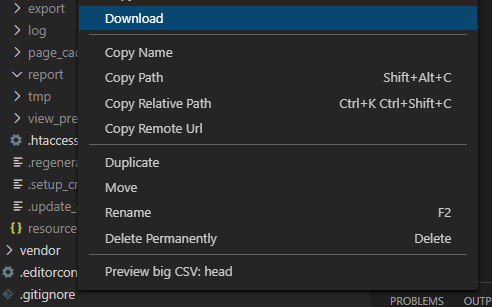
(This available via terminal on a remote host would be awesome)
Contributor guide
First steps
- Read the whole issue, then the project's contributing guide.
- Comment on the issue to say you are picking it up — it saves two people doing the same work.
- Fork the repository and make your change on a branch.
- Open a pull request that references the issue number.
Research direction
The request is for a terminal command such as code --download file, including files outside the workspace and files on a remote host. Start by tracing the existing sidebar download action; the issue names no files, tests, or source entry point, so the relevant command and remote-download paths must first be identified. Done means the requested files can be downloaded from the terminal in the supported local and remote scenarios.
Written by the indexing model from the issue text.
Assessment
- Tech stack
- vscode
- Domain
- cli, devtools
- Issue type
- Feature
- Difficulty
- 5/5
- Estimated time
- Over a week
- Activity status
- Stale
- Clarity
- Mostly clear
- Newbie friendliness
- 30/100