microsoft / microsoft/vscode-json-languageservice
[Feature] Only newline items on commas during `Format`
Nobody has claimed this yet.
- Dominant language
- TypeScript
- Stars
- 326
- Forks
- 145
- Avg merge
- 22h 10m
- Merged PRs (30d)
- 9
Description
[Feature Request] When formating a JSON document via Format Document
Every Item, Array and Object is stuck on a newline
This unnecessarily spreads everything out over a huge distance, making it hard to comprehend large proptions of a file

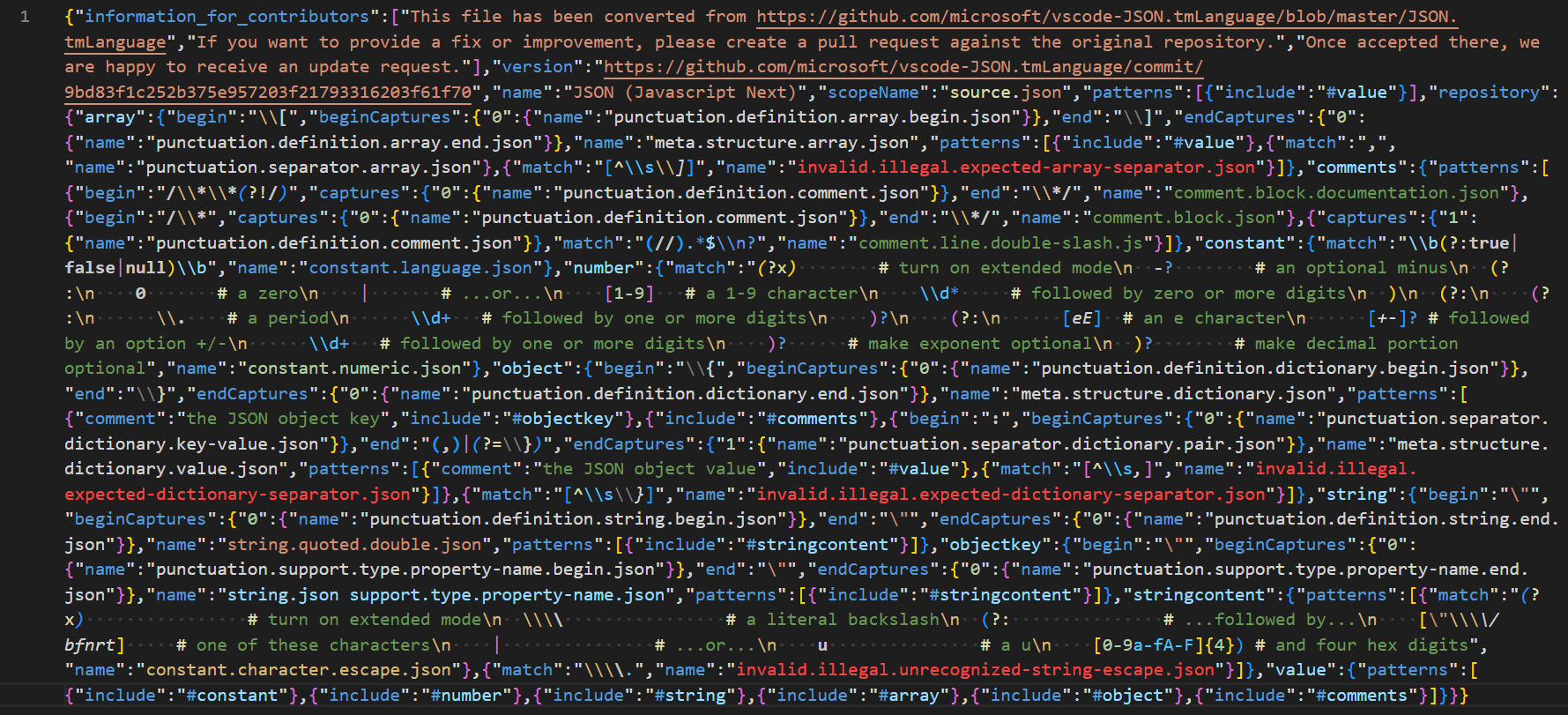
I going to use the JSON syntax highlighting code as an exmaple: JSON.tmLanguage.json
Minified: Takes up the least space, but is very hard to read
JSON Formatted: (as per the current JSON formatting). Takes up the most space, is annoying to have to scroll constantly

Newline on Comma: my proposal. IMHO is the best compromise between compactness and readability
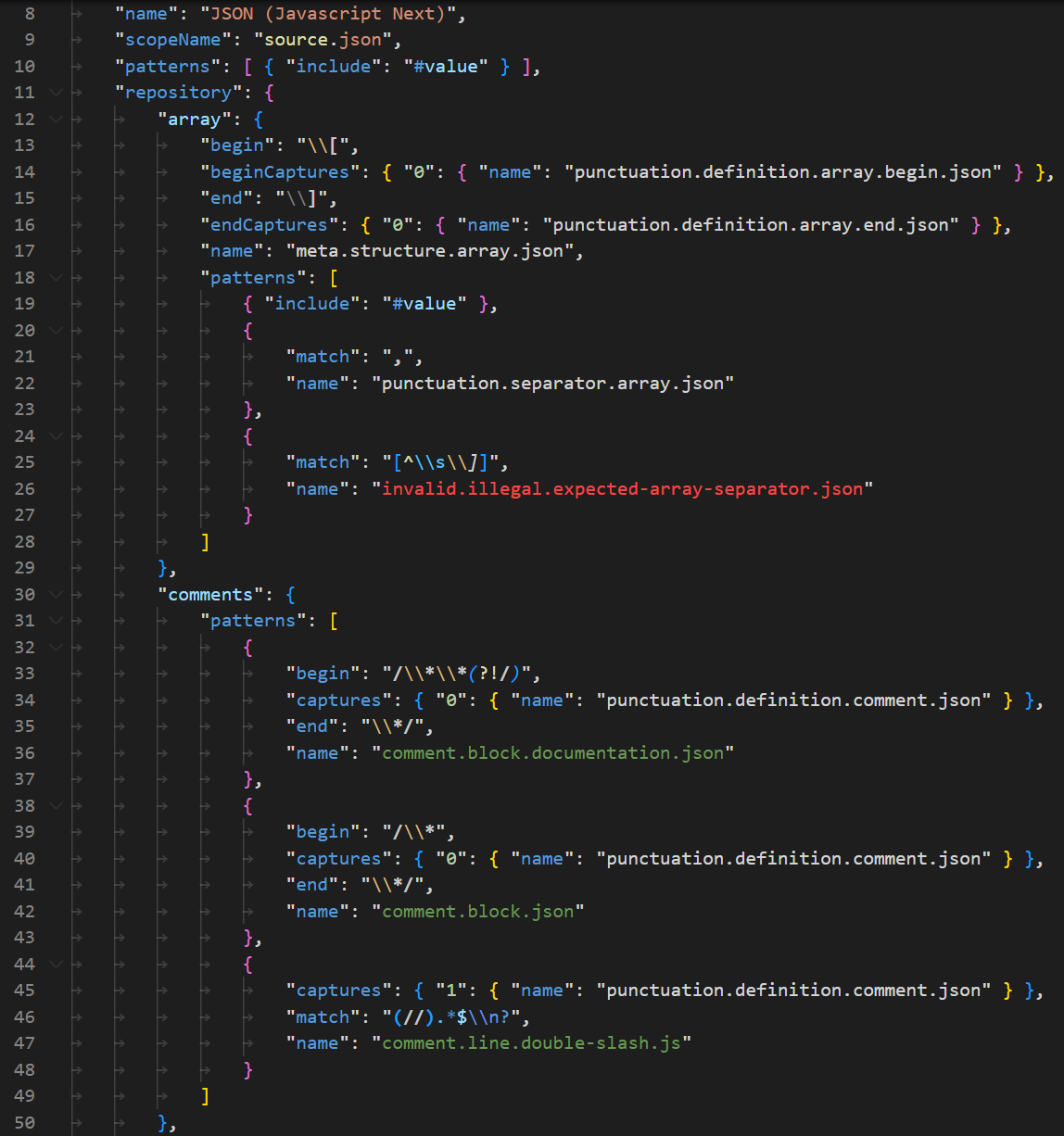
My proposal is to add a formatting option to keep everything on one line, until there are two items in a row; seperated by a comma
Then everything above is stuck on newlines like normal
This greatly reduces the line count when there are lots of of single items in long nestings
Like the "value" item in JSON.tmLanguage.json
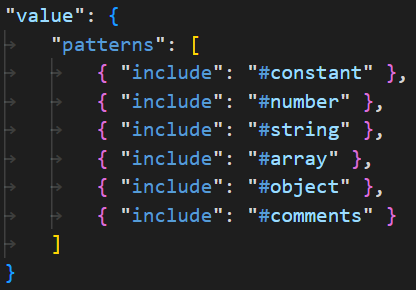
It is only a list of single values, so spreading it out over many lines is a waste of space:
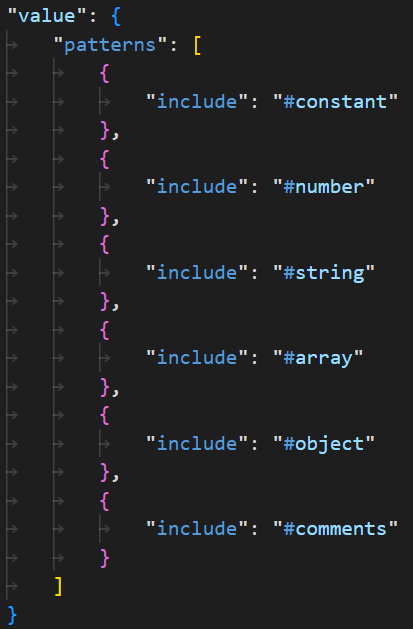
and minifing it makes it too hard to read:

"beginCaptures" with only a single capture item:
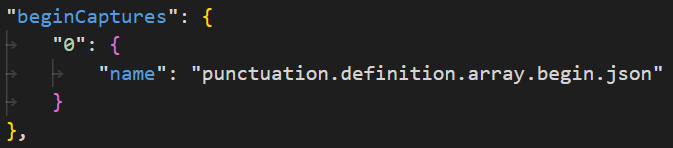
This can easily be compressed down to a single line without problem:

This reduced the line count on all my files by 35-60%
2351 => 1275: 45%
1495 => 968: 35%
1469 => 533: 63%
1029 => 385: 62%
19821 => 12445: 37% (cpp.tmLanguage.json)
11070 => 6532: 40% (cpp.embedded.macro.tmLanguage.json)
If too long a lines is a problem; there could also be an option to spread a line out if over a certain character count or nesting depth
Contributor guide
No contributing guide indexed for this repository
First steps
- Read the whole issue, then the project's contributing guide.
- Comment on the issue to say you are picking it up — it saves two people doing the same work.
- Fork the repository and make your change on a branch.
- Open a pull request that references the issue number.
Research direction
Start by locating the Format Document implementation in the TypeScript JSON language service and inspect how it lays out arrays and objects. Use JSON.tmLanguage.json and the provided compactness examples as input cases; done means a formatting option keeps single-item sequences compact while placing consecutive comma-separated items on new lines, with any line-length or nesting rules decided.
Written by the indexing model from the issue text.
Assessment
- Tech stack
- typescript
- Domain
- tooling
- Issue type
- Feature
- Difficulty
- 5/5
- Estimated time
- Over a week
- Activity status
- Stale
- Clarity
- Mostly clear
- Newbie friendliness
- 35/100