microsoft / microsoft/vscode-edge-devtools
Adding the CSS file location, when devtools can't find it.
Nobody has claimed this yet.
- Dominant language
- TypeScript
- Stars
- 827
- Forks
- 358
- Avg merge
- 20h 32m
- Merged PRs (30d)
- 10
Description
Is your feature request related to a problem? Please describe:
It is related to a problem, so I noticed that when I was using localhost with PHP while I was including the CSS file through PHP (because I always needed a relative path to that even when the pages are in different folders) the CSS mirroring couldn't work, because it wasn't able to find the file (and I totally understand that because the CSS is loaded on top of my HTML file as plain text), and even though I may change the way I approach the "main.css" file I still believe that there could be a solution to that problem (listed below). After that, I found a second problem. I tried to include the CSS file through a link tag and I accessed it through localhost again, and while vscode-edge-devtools was able to find it (I could click on it from the dev tools app and it would go at the file) when I was making changes the changes were not happening at the file (and I even think someone else had the same kind of problem at the other Issues of the project).
Describe the solution you'd like:
The solution I have in my mind would be as follows: When the devtools app can't find the file it would let you choose the file from your files. Now I understand that this could be hard to implement because the user could add a wrong CSS file, but maybe a check could happen at the start that all the CSS classes are the same etc etc.
Describe alternatives you've considered:
Additional context:
The program isn't able of finding the file:
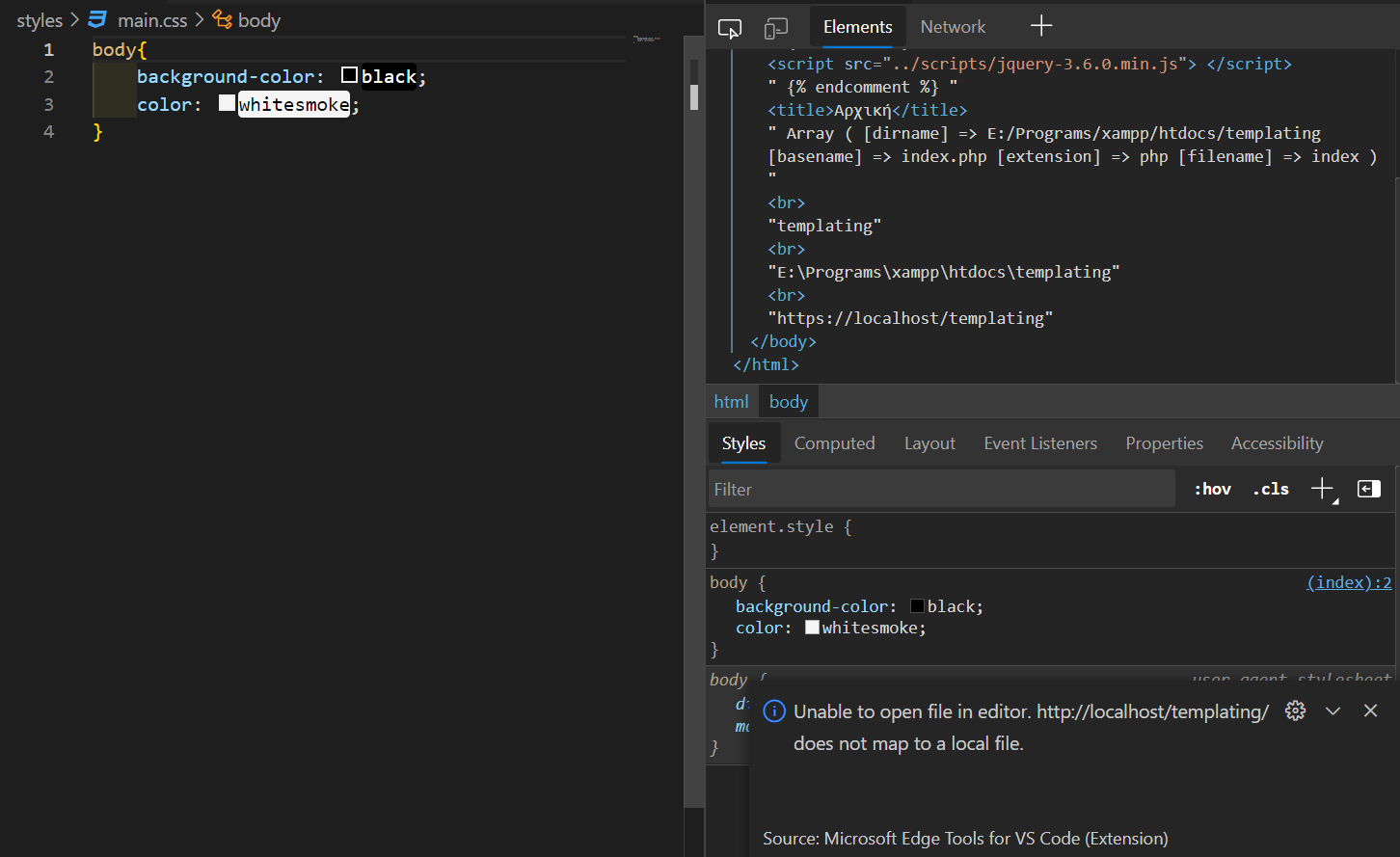
The program is able of finding the file but changes don't apply:

Contributor guide
First steps
- Read the whole issue, then the project's contributing guide.
- Comment on the issue to say you are picking it up — it saves two people doing the same work.
- Fork the repository and make your change on a branch.
- Open a pull request that references the issue number.
Research direction
No source files, tests, or entry points are named. Start by reproducing both localhost cases described in the issue, then trace CSS file resolution and update propagation in the extension; done means an unresolvable stylesheet can be mapped to a chosen file and edits apply reliably.
Written by the indexing model from the issue text.
Assessment
- Tech stack
- css, php, typescript
- Domain
- devtools, frontend
- Issue type
- Feature
- Difficulty
- 5/5
- Estimated time
- Over a week
- Activity status
- Stale
- Clarity
- Needs clarification
- Newbie friendliness
- 20/100