microsoft / microsoft/vscode-cpptools
Cannot view contents of a map.
Nobody has claimed this yet.
- Dominant language
- TypeScript
- Stars
- 6.2k
- Forks
- 1.7k
- Avg merge
- 14h 46m
- Merged PRs (30d)
- 61
Description
Type: Debugger
Can't view the contents. Im on Ubuntu 20.04. Whenever I try to open the map of vectors debugger crashes with
NullReferenceException: Object reference not set to an instance of an object
I have tried reinstalling gdb - multiple versions, VSCode - insiders and not insiders.
this is my launch.json
`
"version": "0.2.0",
"configurations": [
    {
        "name": "g++ - Build and debug active file",
        "type": "cppdbg",
        "request": "launch",
        "program": "${fileDirname}/${fileBasenameNoExtension}",
        "args": [
            "<",
            "test"
        ],
        "stopAtEntry": false,
        "cwd": "${workspaceFolder}",
        "environment": [],
        "externalConsole": false,
        "MIMode": "gdb",
        "setupCommands": [
            {
                "description": "Enable pretty-printing for gdb",
                "text": "-enable-pretty-printing",
                "ignoreFailures": false
            }
        ],
        "logging": {
            "trace": true,
            "traceResponse": true,
            "engineLogging": true
        },
        "preLaunchTask": "C/C++: g++ build active file",
        "miDebuggerPath": "/usr/local/bin/gdb"
    }
]
}
`
in GUI it loads forever.
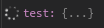
logs show this
<--   C (variables-18): {"command":"variables","arguments":{"variablesReference":1004},"type":"request","seq":18}
 --> E (output): {"type":"event","event":"output","body":{"category":"console","output":"1: (14333) <-1054-var-list-children --simple-values \"var15\" 0 1000\n"},"seq":714}
 1: (14333) <-1054-var-list-children --simple-values "var15" 0 1000
 --> E (output): {"type":"event","event":"output","body":{"category":"console","output":"1: (14334) ->1054^done,numchild=\"2\",displayhint=\"map\",children=[child={name=\"var15.[0]\",exp=\"[0]\",numchild=\"1\",value=\"0x55555557f710\",type=\"Node * const\",thread-id=\"1\"},child={name=\"var15.[1]\",exp=\"[1]\",numchild=\"0\",value=\"{...}\",type=\"std::vector<Node*, std::allocator<Node*> >\",thread-id=\"1\",displayhint=\"array\",dynamic=\"1\"}],has_more=\"0\"\n"},"seq":716}
 1: (14334) ->1054^done,numchild="2",displayhint="map",children=[child={name="var15.[0]",exp="[0]",numchild="1",value="0x55555557f710",type="Node * const",thread-id="1"},child={name="var15.[1]",exp="[1]",numchild="0",value="{...}",type="std::vector<Node*, std::allocator<Node*> >",thread-id="1",displayhint="array",dynamic="1"}],has_more="0"
 --> E (output): {"type":"event","event":"output","body":{"category":"console","output":"1: (14334) ->(gdb)\n"},"seq":718}
 1: (14334) ->(gdb)
 --> E (output): {"type":"event","event":"output","body":{"category":"console","output":"1: (14334) 1054: elapsed time 1\n"},"seq":720}
 1: (14334) 1054: elapsed time 1
 Stopping due to fatal error: NullReferenceException: Object reference not set to an instance of an object
map of that type
unordered_map<Node *, vector<Node *>> test;
when key is changed to int type - the problem is goes away.
same issue with unordered_set, set, map. Vector works fine for example.
Also when i leave the body of Node struct empty - the problem goes away.
Contributor guide
First steps
- Read the whole issue, then the project's contributing guide.
- Comment on the issue to say you are picking it up — it saves two people doing the same work.
- Fork the repository and make your change on a branch.
- Open a pull request that references the issue number.
Research direction
Start with the launch.json configuration and the logged var-list-children request for var15. Reproduce the failure using unordered_map<Node*, vector<Node*>>, then compare it with vector, scalar keys, and an empty Node body. Done means these container values render in the debugger without the NullReferenceException or endless loading.
Written by the indexing model from the issue text.
Assessment
- Tech stack
- cpp, ubuntu, vscode
- Domain
- devtools
- Issue type
- Bug
- Difficulty
- 4/5
- Estimated time
- 3-5 days
- Activity status
- Stale
- Clarity
- Mostly clear
- Newbie friendliness
- 25/100