microsoft / microsoft/vscode-cmake-tools
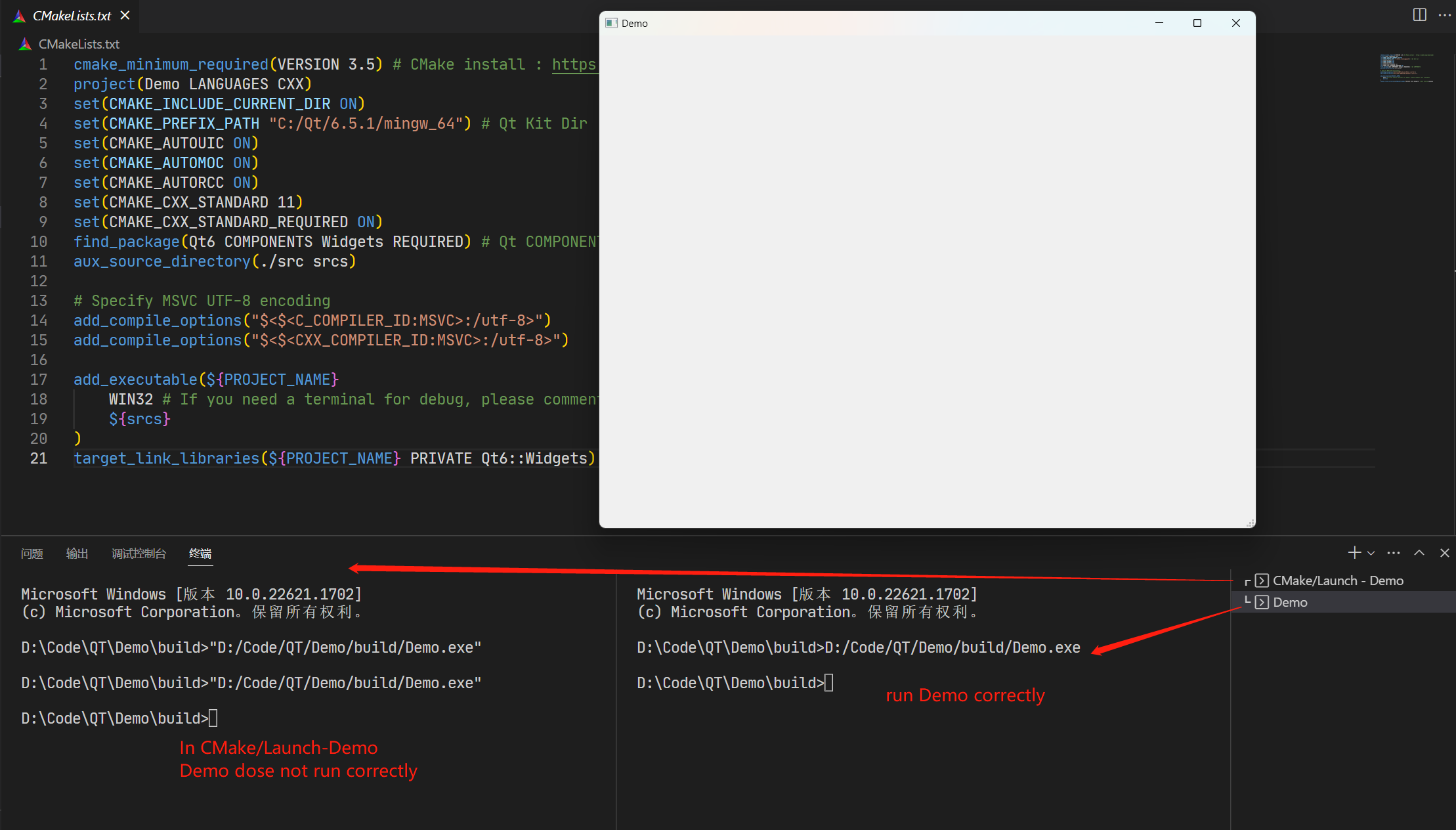
The terminal launched by the CMake tools extension is unable to run QT programs correctly.
- Dominant language
- TypeScript
- Stars
- 1.7k
- Forks
- 546
- Avg merge
- 2d 16h
- Merged PRs (30d)
- 32
Description
### Brief Issue Summary
OS: Windows 11
VS Code Version: 1.80.1
CMake tools extension Version: 1.15.24
Recently I have been using VS Code as my development tool and using CMake to build a QT project. After compiling the project using the CMake extension, I execute the compiled executable (using the executable name "Demo" as an example) by clicking the run button in the bottom status bar. At this point, the built-in terminal starts a terminal named "CMake/Launch-Demo" to run the executable. This process is as expected. However, the executable does not run correctly because the terminal launched by the CMake extension cannot recognize the PATH of the system, resulting in the inability to accurately run the QT-related dynamic libraries. Additionally, I have conducted multiple tests and found that running the Demo executable in a general terminal within VS Code works correctly.
As shown in the image below:
### CMake Tools Diagnostics
_No response_
### Debug Log
_No response_
### Additional Information
_No response_
Contributor guide
Research direction
Start by tracing how the CMake/Launch-Demo terminal is created and how its environment is initialized, then compare it with a general VS Code terminal where the Demo executable works. The issue is done when the launched terminal preserves the system PATH and the Qt program runs correctly on Windows 11; diagnostics and debug logs were not provided.
Written by the indexing model from the issue text.
Assessment
- Tech stack
- cmake, typescript
- Domain
- cli, devtools
- Issue type
- Bug
- Difficulty
- 3/5
- Estimated time
- 1-2 days
- Activity status
- Stale
- Clarity
- Needs clarification
- Newbie friendliness
- 35/100