microsoft / microsoft/terminal
Detect and disable settings that are disabled by an OS setting
Nobody has claimed this yet.
- Dominant language
- C++
- Stars
- 105k
- Forks
- 9.6k
- Avg merge
- 3d 17h
- Merged PRs (30d)
- 29
Description
Description of the new feature/enhancement
There are a few app settings that end up getting ignored if the OS has certain settings:
- Appearance > Theme is ignored if the system is in HC mode
- Appearance > Disable pane animations is disabled if Windows disables all animations
- Profile > Appearance > Enable acrylic is ignored if the system is in HC mode, or the Disable transparency option is enabled
- from #12692:
While turning on Acrylic on the windows terminal if the windows setting Transparancy effects is not turned on (Windows Settings -> Customize -> Colors -> Transparancy effects) the acrylic effect will not take effect. Feedback about this feature should be given to the user while trying to turn acrylic on without this setting on.
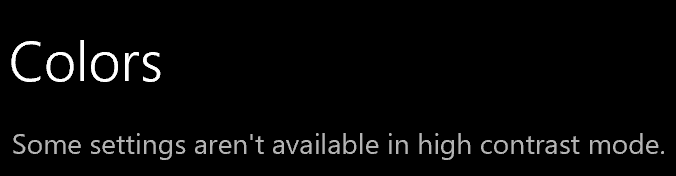
It’d be nice to have an indication when a setting is not going to do anything. For example, the OS Settings app has these:

Contributor guide
First steps
- Read the whole issue, then the project's contributing guide.
- Comment on the issue to say you are picking it up — it saves two people doing the same work.
- Fork the repository and make your change on a branch.
- Open a pull request that references the issue number.
Research direction
The issue does not name files, tests, or an entry point. First locate the settings UI and the Windows checks for high-contrast mode, animations, and transparency; then define how each affected setting should be indicated or disabled and verify the listed cases.
Written by the indexing model from the issue text.
Assessment
- Tech stack
- cpp
- Domain
- desktop, operating-systems
- Issue type
- Feature
- Difficulty
- 5/5
- Estimated time
- Over a week
- Activity status
- Stale
- Clarity
- Needs clarification
- Newbie friendliness
- 25/100