microsoft / microsoft/terminal
[Scenario] Progress Bar Follow-ups
Open
@PankajBhojwani is already working on this.
Since Nov 16, 2020.
Area-UserInterface
Area-VT
Issue-Scenario
Product-Terminal
- Dominant language
- C++
- Stars
- 105k
- Forks
- 9.6k
- Avg merge
- 3d 17h
- Merged PRs (30d)
- 29
Description
[Original issue: #3004] [Initial PR: #8055] [Display the progress in the tab: #8133]
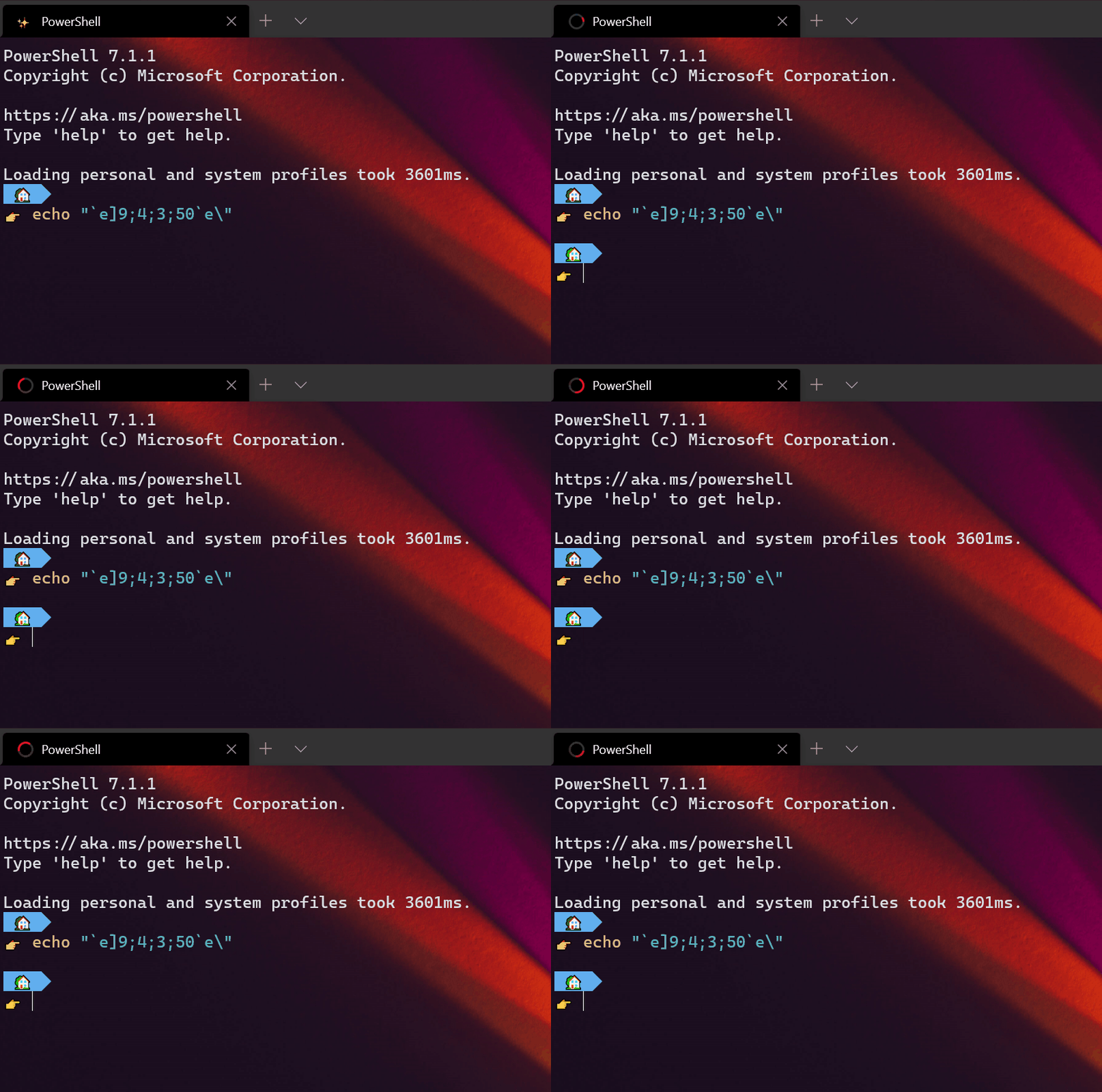
This is a list of tasks, bugs, etc, related to the "taskbar progress indicator", as first implemented in #8055. While not all of them are immediately relevant for the taskbar indicator, they're all related to the showing of progress state in the Terminal.
| Sequence | Description |
|
|
Set progress state on Windows taskbar and tab. When `st` is:
|
### Follow-up work
- [ ] #7955
- [ ] #1620
- [ ] #8449
- [ ] #9481
- [x] #8910
- [x] #10090
- [x] #9743
- [ ] #3991
"Auto-detect output, display in tab/taskbar" (#7955) and #1620 are very closely related
Bell notifications
These cover some of the same areas of the above, so I'm including them because I feel they deserve a mention here:
- Make terminal beeps highlight Windows Terminal in the taskbar, to get user attention when backgrounded #1608 -> added in #8215
- show an indicator if there's a bell in the tab #8106 -> added in #8637
- The bell should "fade out", like it does for browsers
- More elaborate visual belling -> added in #9270
bellStyle: flash-> flash the window. (maybevisual)bellStyle: taskbar-> flash the taskbar (maybetaskbar)bellStyle: visual-> both? (maybevisual|taskbar)
Related?
- #14909
Contributor guide
First steps
- Read the whole issue, then the project's contributing guide.
- Comment on the issue to say you are picking it up — it saves two people doing the same work.
- Fork the repository and make your change on a branch.
- Open a pull request that references the issue number.
Assessment
This issue has not been assessed yet.