microsoft / microsoft/terminal
GUI windows created by PowerShell appear in the background the first time they're launched after a reboot
- Dominant language
- C++
- Stars
- 105k
- Forks
- 9.6k
- Avg merge
- 3d 17h
- Merged PRs (30d)
- 29
Description
### Windows Terminal version
1.15.1862
### Windows build number
10.0.19044.0
### Other Software
PowerShell 7.2.5
Windows PowerShell 5.1
### Steps to reproduce
1. In either PowerShell or Windows PowerShell run `Get-Process | Out-GridView`
2. Observe that the window appears behind the Terminal
3. Run the command again
4. Observe that the window is now appearing in front of the Terminal
**note:** I have tried to launch `notepad.exe` one time, and it appeared in front, and after that all other windows also appeared in front. This behaviour also only occurs after a reboot, so to duplicate it again you need to reboot.
### Expected Behavior
_No response_
### Actual Behavior
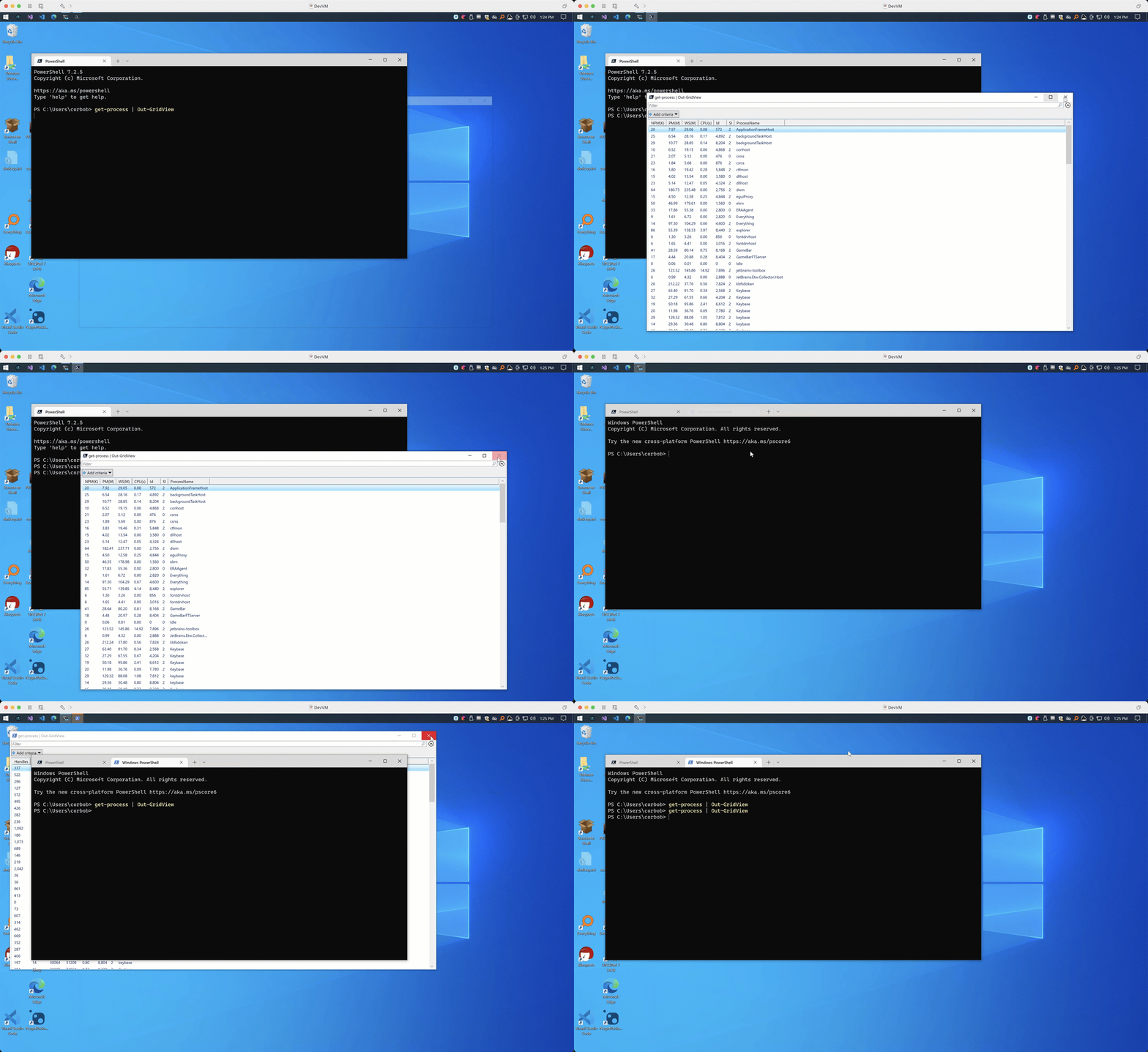
Contributor guide
Research direction
Start by reproducing the issue after a reboot with `Get-Process | Out-GridView` in PowerShell 7.2.5 or Windows PowerShell 5.1, then compare the first and later launches; the report also notes `notepad.exe` as a comparison. Done means GUI windows launched from PowerShell consistently appear in front of Windows Terminal on the first launch.
Written by the indexing model from the issue text.
Assessment
- Tech stack
- cpp, powershell
- Domain
- desktop, operating-systems
- Issue type
- Bug
- Difficulty
- 4/5
- Estimated time
- 3-5 days
- Activity status
- Stale
- Clarity
- Mostly clear
- Newbie friendliness
- 35/100