microsoft / microsoft/terminal
Characters clipped at left edge of terminal and not invalidated beyond right edge
Nobody has claimed this yet.
- Dominant language
- C++
- Stars
- 105k
- Forks
- 9.6k
- Avg merge
- 3d 17h
- Merged PRs (30d)
- 29
Description
### Windows Terminal version (or Windows build number)
1.9.1942.0
### Other Software
_No response_
### Steps to reproduce
- Occurs only when `"useAcrylic": false,` and `"experimental.rendering.forceFullRepaint": false,`
- Affects antialiased (more noticeable with `cleartype` than `grayscale`) and italicized text--seems like it affects all text that is drawn wider than its bounding box
- In Cascadia Code and Consolas, some wide characters often affected are `%`, `@`, and `_`.
In a command line or editor, or using a script:
- in the leftmost column of the terminal, type a character that extends beyond the left edge of its bounding box; or,
- in the rightmost column, repeatedly type and delete a character that extends past the right edge of its bounding box
PowerShell that repeatedly writes to the rightmost column:
```ps1
Write-Host ("%`b " * 200000)
```
Script that does the same with all ASCII printable characters and erases the characters to show the artefacts more clearly:
```ps1
# PowerShell needs to clear twice to remove artefacts
Clear-Host; Start-Sleep 0.1; Clear-Host
foreach ($i in 33..126) {
[char]$c = $i
[Console]::SetCursorPosition([Console]::WindowWidth - 1, ($i - 33) % [Console]::WindowHeight);
Write-Host -NoNewline ("$c`b " * 200000) "`b$c "
if (($i - 32) % [Console]::WindowHeight -eq 0) {
Start-Sleep 1
Clear-Host
}
}
```
### Expected Behavior
Text is rendered without artefacts.
### Actual Behavior
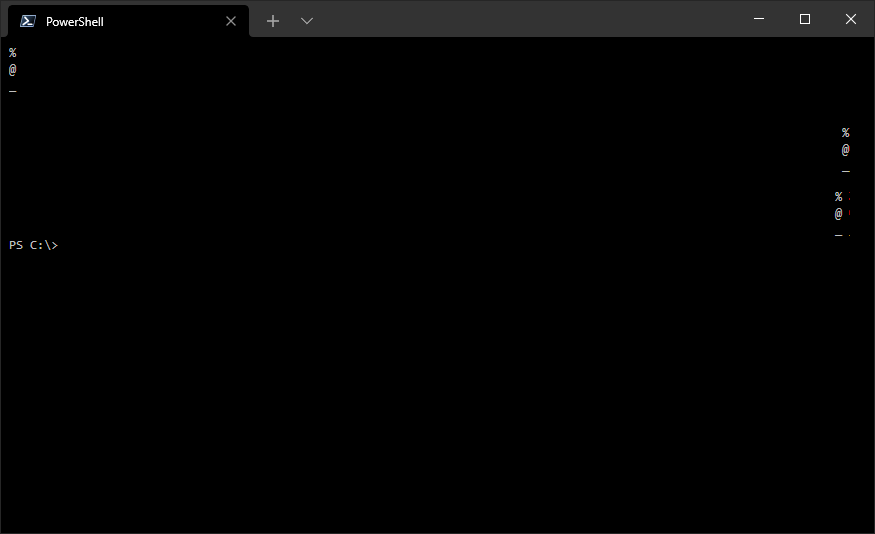
Text is clipped at the left edge of the leftmost column. Text drawn past the right edge of the rightmost column is not erased when text is redrawn, causing pixels to accumulate over time.
After writing the same character to the same position many times in ~~Cascadia Code~~ _Edit: Consolas!_:
Cropped and nearest-neighbour upscaled 400%:
| | leftmost column | rightmost column | erased leaving artefacts |
| ------------------------- | --------------------------------------------------------------------------------------------------------------- | --------------------------------------------------------------------------------------------------------------- | --------------------------------------------------------------------------------------------------------------- |
| aliased |  |  |  |
| grayscale |  |  |  |
| cleartype |  |  |  |
| aliased
(italicized) |  |  |  |
The "dead" pixels are burned in every time a character is written, the cursor blinks, or a character is scrolled in from offscreen, but not when scrolling text already on screen.
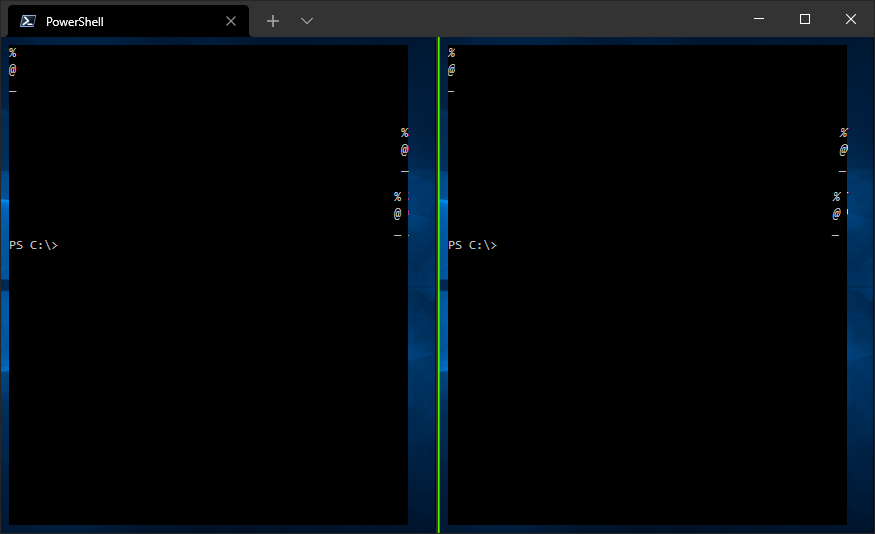
The edges where this occurs line up with the area that appears due to #5703 (#9381 seems related and is also visible here; #8993 might also be related):
Contributor guide
First steps
- Read the whole issue, then the project's contributing guide.
- Comment on the issue to say you are picking it up — it saves two people doing the same work.
- Fork the repository and make your change on a branch.
- Open a pull request that references the issue number.
Research direction
Reproduce the rendering artifacts in Windows Terminal 1.9.1942.0 with useAcrylic and experimental.rendering.forceFullRepaint disabled, using the supplied PowerShell commands and edge-column cases. Compare the behavior with the areas discussed in #5703, #9381, and #8993; done means antialiased and italicized text is not clipped or left behind at either terminal edge.
Written by the indexing model from the issue text.
Assessment
- Tech stack
- cpp
- Domain
- cli, desktop, operating-systems
- Issue type
- Bug
- Difficulty
- 4/5
- Estimated time
- 3-5 days
- Activity status
- Stale
- Clarity
- Mostly clear
- Newbie friendliness
- 35/100